


[Real Test Video] Wisely Fiber Optic Laser Marking Machine: Complete Tutorial on Rotary Axis Engraving!
Cylindrical metal engraving, exquisite rotating patterns! The " Wisely Fiber Optic Laser Marking Machine " has just arrived at 3DMark. Unboxing and hands-on testing, perfectly complemented by the rotating axis. Watch the tutorial video now:
one, Power-on steps
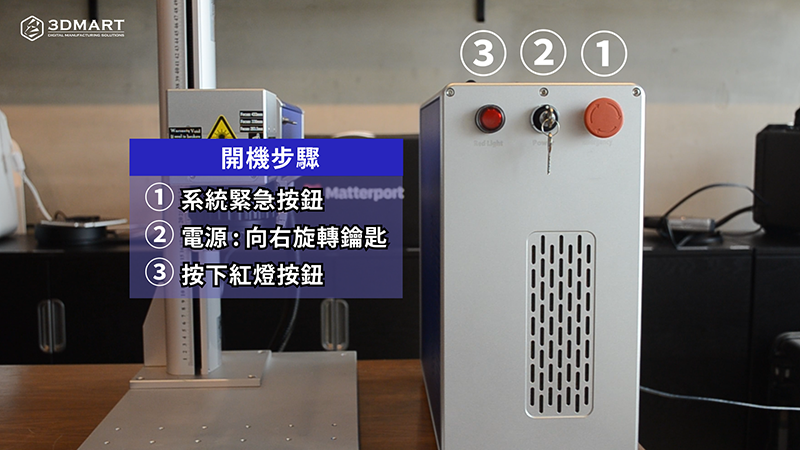
The Wisely MOPA fiber laser marking machine main unit has three switches, which should be turned on in sequence.
1. System emergency button
2. Power supply: Turn the key to the right
3. Red light button
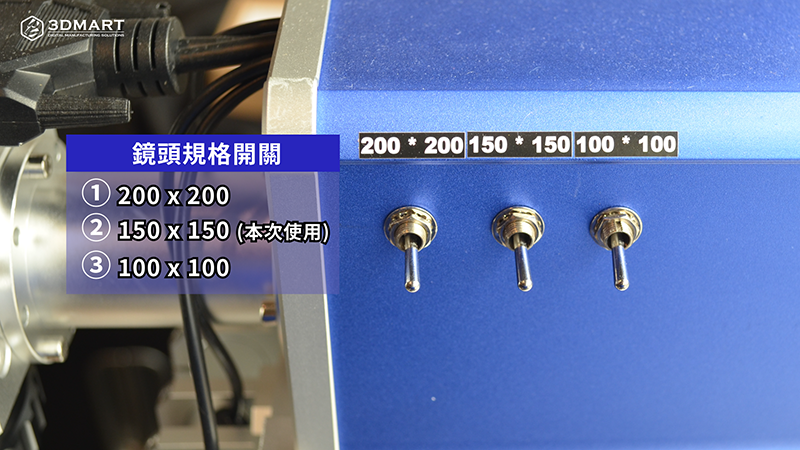
Next, you can see three "lens specification" switches on the side of the marking machine. Turn on the switch according to the lens specification you are using. The lens specification used in this test is 150 x 150mm. Then turn off the lens protective cover.
1. Lens Specification 1: 200 x 200
2. Lens Specification 2: 150 x 150
3. Lens Specification 3: 100 x 100
two, Focus correction
Using the included focus ruler, hold the ruler vertically above the object and measure the distance to the baseline. Rotate the upper pivot until the ruler reaches the specified position. The top of the finger icon indicates the "focus distance baseline". Engrave the object vertically with the ruler and measure upwards to the baseline. Adjust to the specified distance to complete focusing.
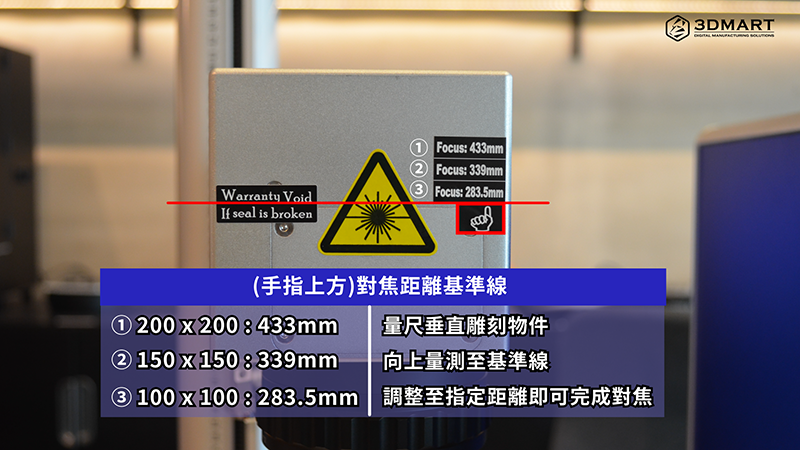
Focusing distance comparison table
| Lens Specifications | Focusing baseline distance |
| 200 x 200 | 433mm |
| 150 x 150 | 339mm |
| 100 x 100 | 283.5mm |
three, Software operation
Place the file of the object to be laser-marked into the file, and edit and modify the ruler position and set the data as needed.
1. Fill Path Tool
2. Edit > Transform: Allows you to rotate and adjust the position of objects as needed.
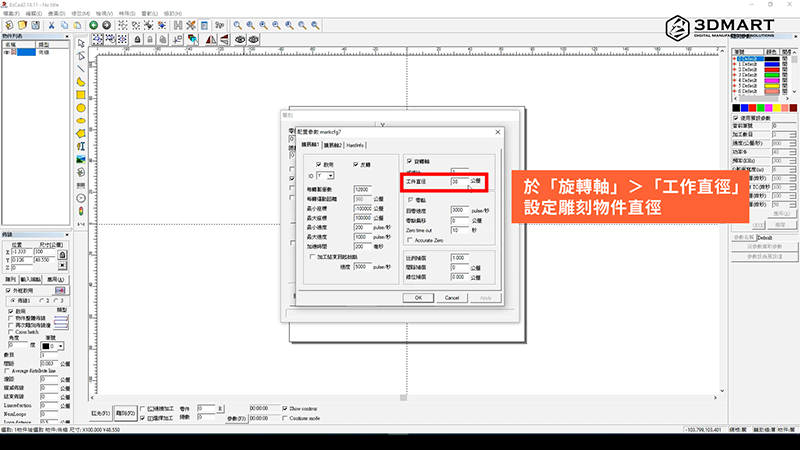
3. Laser > SplitMark2: Set the size of the object to be engraved on the rotation axis.
4. Select "Parameters": In "Rotation Axis" > "Working Diameter", set the diameter of the object to be engraved.
5. Select "Red Light" to preview the marked area.
6. Select "Engrave" to start laser marking.
We used a stainless steel cylinder for metal laser engraving, carving a pattern measuring 4.5 x 10cm. The final result was exquisite, with excellent resolution and precision. The total engraving time was 20 minutes.
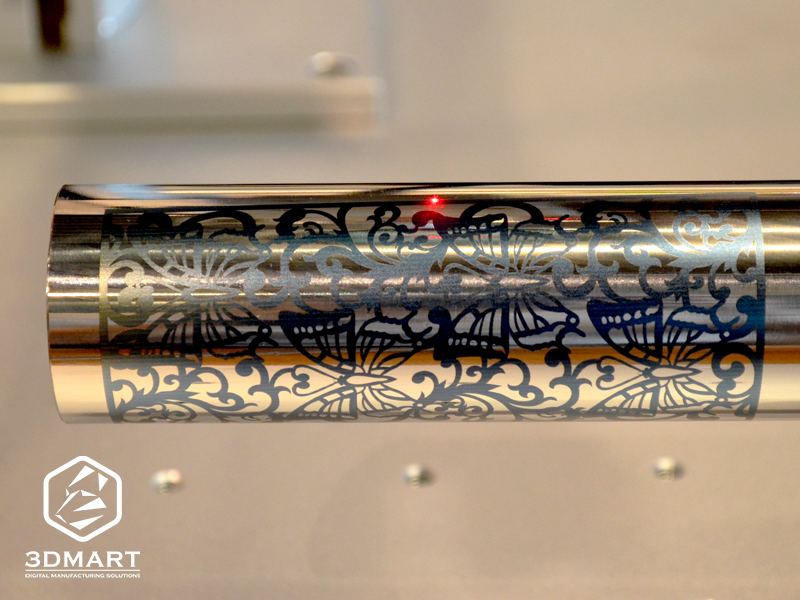
Did this test result meet your expectations? We've also shared the marking effects of various desktop metal marking machines before ( click to see ). 3D printing offers more than just 3D printing . Contact us now to learn more about the Wisely fiber laser marking machine .
Follow our fan page to stay up-to-date with the latest news: https://www.facebook.com/3dmart.com.tw/