


[3D Printing Test] Phrozen Mini 8K Tutorial: Spider-Man vs. Green Devil!
Who says Spider-Man has no home? 3D printing brings him right home! Spider-Man Homeless Day, a showdown with the villain Green Goblin! High-precision character models, the entire 8K production process revealed! Phrozen Sonic Mini 8K photopolymer 3D printing tutorial, unboxing/software/equipment, watch the operation video now:
I. Z-axis correction (Video 00:19)
After unpacking the outer box, place the 3D printer on the platform, tear off the protective film, lift the full-coverage top cover, and take out the accessories, including a complete tool set such as connecting cables, spatulas, gloves, funnels, USB, etc.
1. Loosen the fixing screws to remove the resin tank, and loosen the left and right fixing screws of the printing platform (the platform does not need to be removed).
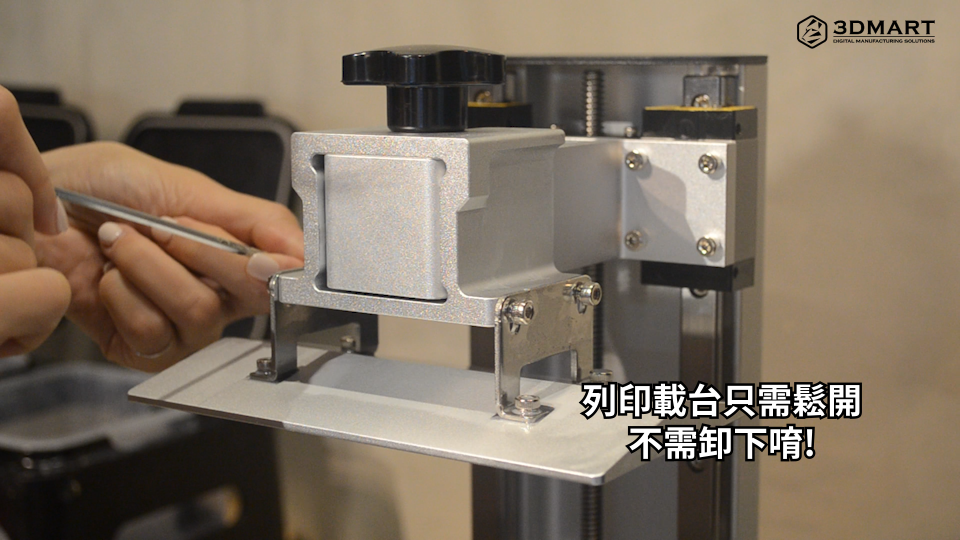
2. Place paper, one-click start: Place a piece of paper on the LCD panel, and after clicking "Z Calib" on the touch screen, the printing platform will automatically descend until it is flush with the bottom LCD panel.
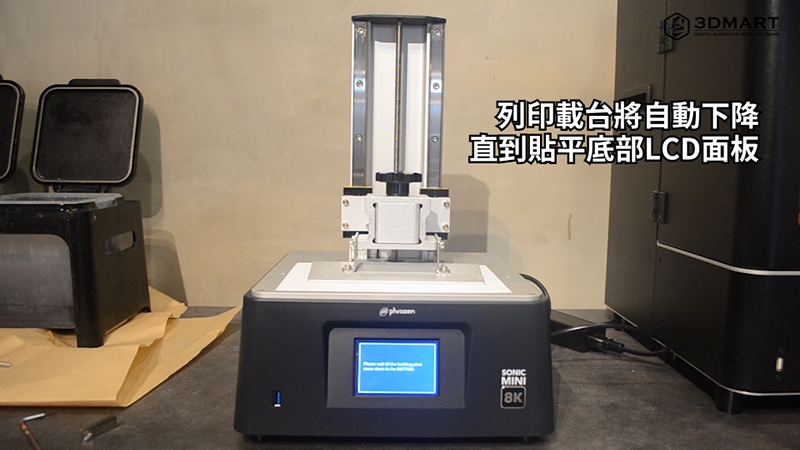
3. After tightening the screws and raising the platform to be completely flush with the bottom paper and LCD panel, tighten the four screws on the left and right sides of the platform again. Finally, click "Done" on the screen, and the platform will rise to the top again to complete the calibration.
(After confirming the above 3 steps and checking if the bottom LCD curing light is on, lock the resin tank and you can start printing.)
II. 3D Model Slices (Video 00:56)
The Phrozen Sonic Mini 8K uses the Chiitubox slicing software.
1. Select "Settings" to enter the settings page.
2. Click the "Add" icon to enter the device selection interface and find the specified 3D printer " Phrozen Sonic Mini 8K ".
3. Choose to use resin.
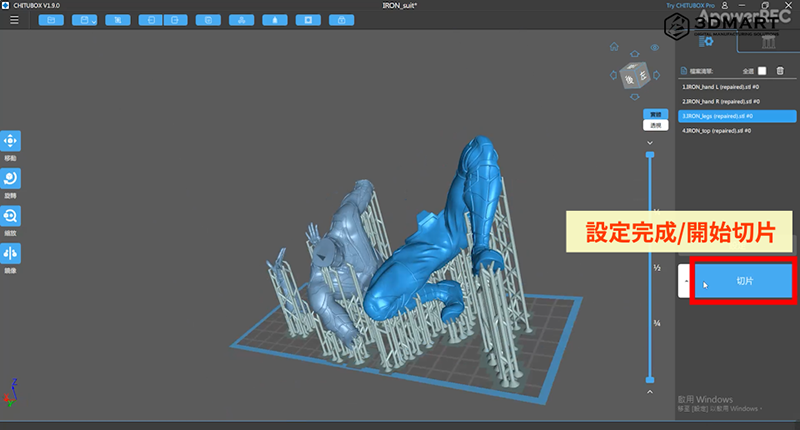
4. By importing 3D model files, users can adjust the detailed parameters according to their preferences and printing conditions.
5. After the data is set, drag the right slider to view and simulate the actual molding process. Before starting 3D printing, check whether each overhang of the model is fully supported.
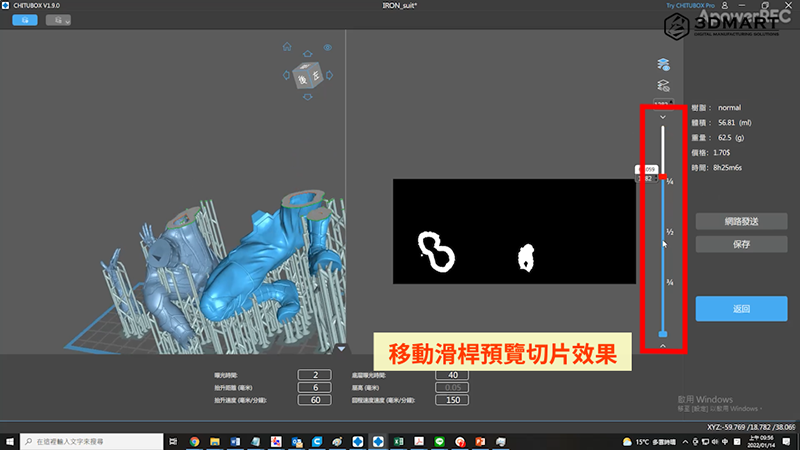
Finally, select "Slice" to obtain the model slice file. After the software performs calculations, it will display detailed information, including the material resin type and printing time. After saving the file to a USB, upload it to the machine, and start printing after reading it in the Phrozen Sonic Mini 8K .
III. Preparing for 3D Printing (Video 01:35)
1. Pour the resin into the resin tank and stir evenly with a spatula.
2. Cover with the full-face cover.
3. Upload File: Insert USB drive to upload 3D model file.
4. Select the file: Tap "3D Print" on the touchscreen, then select the file from the USB drive.
5. To begin the assignment, click "GO" to start 3D printing.
IV. Post-processing of finished products (Video 02:36)
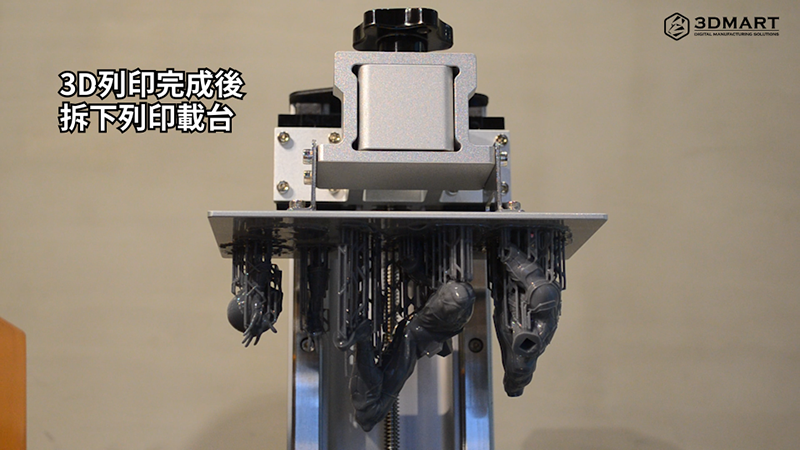
After the 3D printing process is completed, the surface of the model will be covered with resin liquid. This time, we used the WANHAO BOXMAN-1 UV post-curing lamp to cure the model and disassemble the model support structure.
1. Disassemble the printing plate along with the 3D printing model.
2. Remove the mold from the platform using a scraper.
3. Clean the surface: Immerse the model in alcohol to clean off any residual resin.
4. The model is cured using a UV post-curing lamp for rapid curing of the 3D printed model.
IV. Finished Product Display (Video 02:36)
Total 3D printing time for the Spider-Man assembly model: 21 hours. Spider-Man: 9 hours. Back claws: 2 hours. Foundation house: 10 hours.
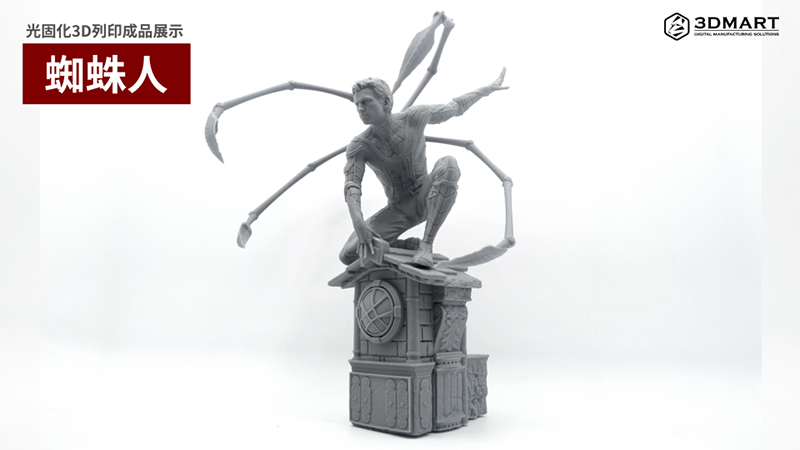
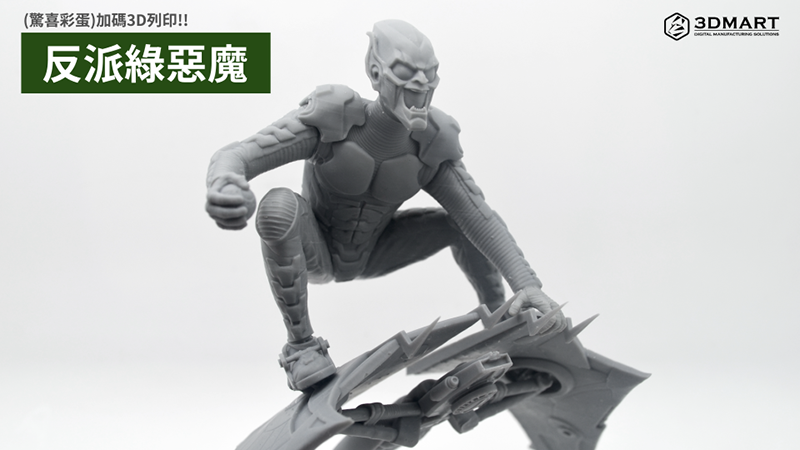
Bonus surprise! In addition to Spider-Man, we've also added 3D printing to the mix: an assembly model of the movie's villain, the "Green Goblin." The total 3D printing time is 30 hours.
• Green Devil: 10 hours • Mechanical Parts: 20 hours
Did you enjoy this sharing? Want to know what else an LCD photopolymer 3D printer can print? ( Click to see ); We offer more than just 3D printing . Contact us now to learn more about the Phrozen Sonic Mini 8K photopolymer 3D printer .
Follow our fan page to stay up-to-date with the latest news: https://www.facebook.com/3dmart.com.tw/