


[Vacuum Forming Test] MYYARD Large-Size Vacuum Forming: Material Sheet Intelligent Detection in 1 Second!
QR-Code scanning enables intelligent detection of material sheets in just 1 second! Material sheet sizes up to 500 x 300 mm are supported, allowing for a wider range of processing sizes. Automatic demolding is incredibly convenient. Watch the complete video tutorial for the MY YARD intelligent vacuum forming machine .
The box contains: a tool set (gloves/screwdriver), mold sample, ventilated base plate, vacuum forming material sheet, and instruction manual.
I. Machine Installation
Rotate and fix the four brackets to the bottom of the machine body. Then, pass the material sheet holder through the four brackets and install it at the bottom. Install the vacuum forming heating plate on the top of the machine and tighten the screws at the four corners of the machine. Plug in the temperature sensing power cord for the heater and the main power cord.
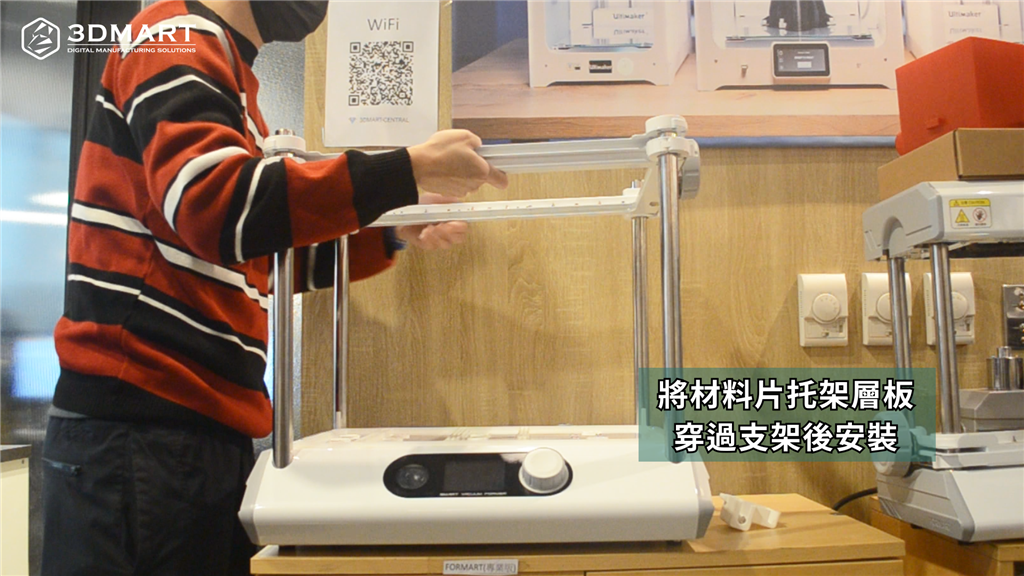
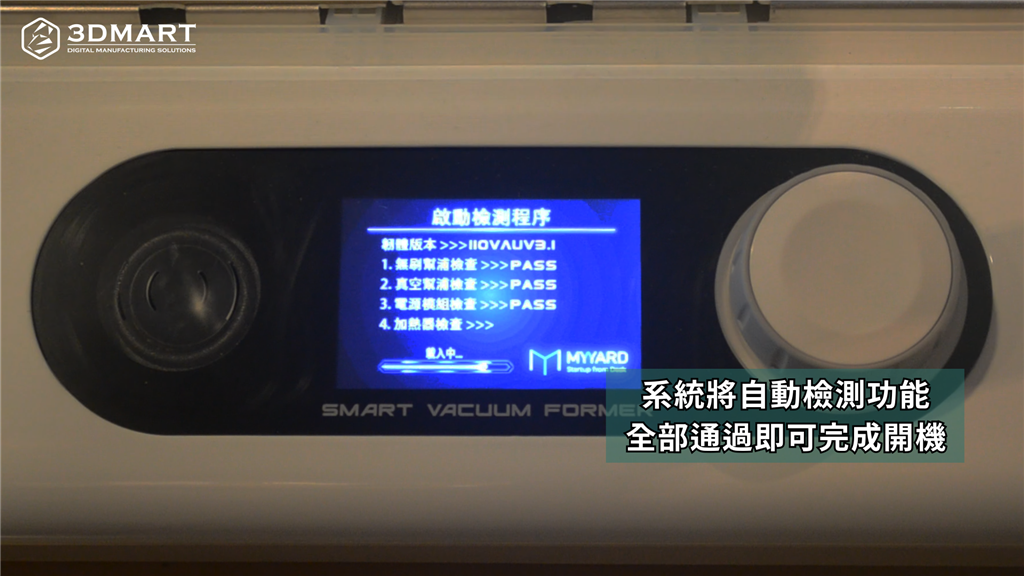
After placing the ventilation base plate, turn on the power. The system will automatically detect the machine status (including pump check, power check, and heater check). Once all checks are passed, the machine can be turned on. Finally, follow the on-screen instructions to pull the bracket down to the correct position.
II. Placement/Detection Material Sheets
All MY YARD series vacuum forming machines use a white rotary knob to control the screen. After the machine is assembled, three suction modes can be selected on the screen according to needs:
1. Bubble Shell Mode: Low suction power
2. Standard Mode: Medium Suction
3. Fine suction mode: strong suction
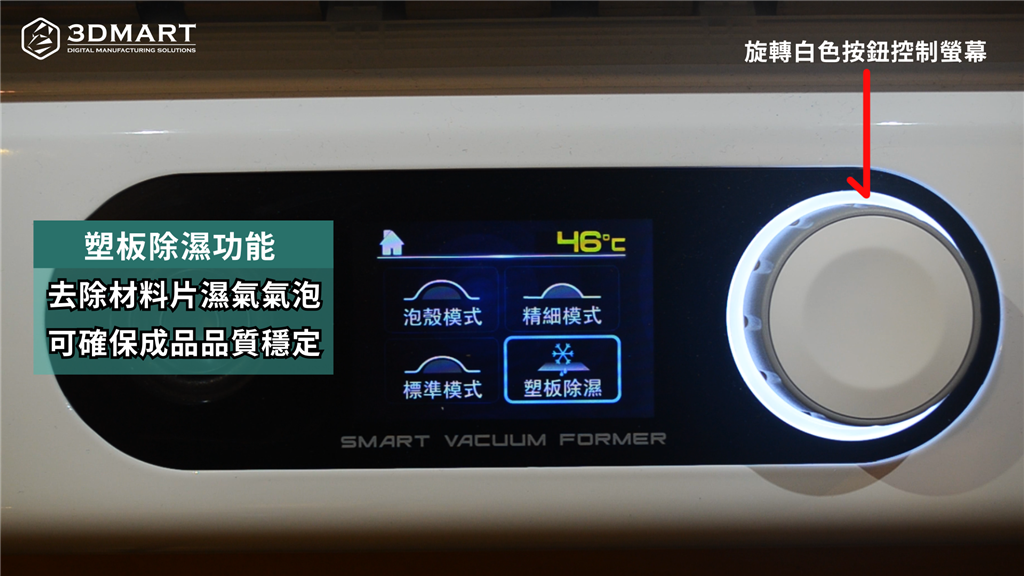
In addition, the MY YARD intelligent vacuum forming machine is equipped with a "material sheet dehumidification" function, which removes moisture and air bubbles from the material sheet before vacuum forming, ensuring the quality of the finished product is stable.
III. Automatic Detection of Material Sheets
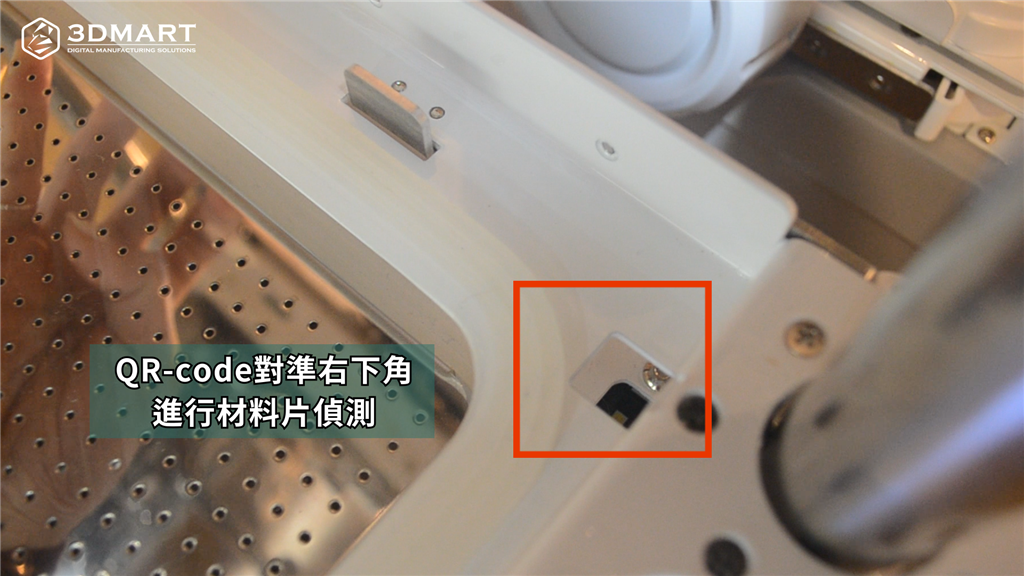
After completing the settings, release the left and right rotating wheels and lift upwards to insert the material sheet. Align the QR-Code on the vacuum-formed material sheet with the scanning hole in the lower right corner to detect the material sheet. The digital screen will display the material, color, thickness, and heating temperature of the material sheet in real time. After confirming the material, press the white button to start the heater preheating.
Press down the material sheet holder and lock the roller to fix the material sheet. Lift the holder to the heater to start heating the vacuum forming material sheet. During the heating process, place the model on the ventilated base plate. After heating is complete, simply press down the holder to easily perform vacuum forming.
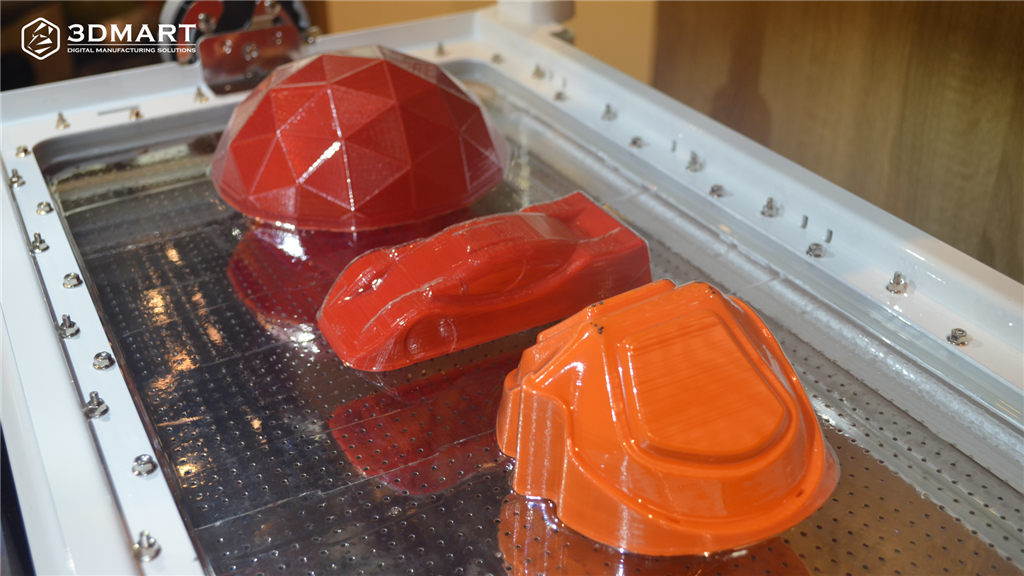
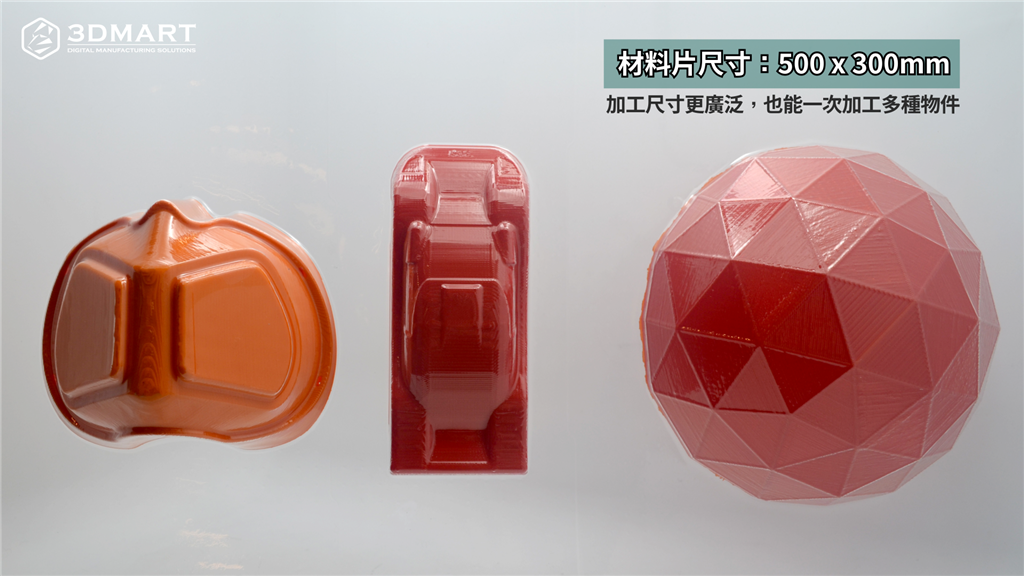
The MY YARD intelligent vacuum forming machine can process materials up to 500 x 300mm in size, offering a wider range of processing dimensions! It can also process multiple objects at once, improving work efficiency and producing exquisite, perfectly fitting finished products.
Follow our fan page to stay up-to-date with the latest news: https://www.facebook.com/3dmart.com.tw/
https://www.instagram.com/3dmart