


Cura Software Version 4.9: Software integration without switching, slice upload in one go!
Ultimaker Cura has been updated to version 4.9. In addition to improving the stability of the previous version, to provide users with more convenient and faster 3D printing quality, the Cura slicing software has been integrated with Ultimaker Digital Factory to launch the new " Ultimaker Digital Library" system. This allows users to directly open and upload files to the online platform within the Cura interface, eliminating the need to switch between pages and saving on pre-processing steps. It also enables remote online control, allowing users to start 3D printer operations even when not in the studio. Check out the nine updated features now:
Software-based seamless switching: Ultimaker Digital Library
Before starting 3D printing, users need to set the model details parameters according to their needs in the Ultimaker Cura slicing software, and then upload the completed 3D file to the Ultimaker Digital Library via WiFi network to remotely start the Ultimaker 3D printing job (or upload via USB).
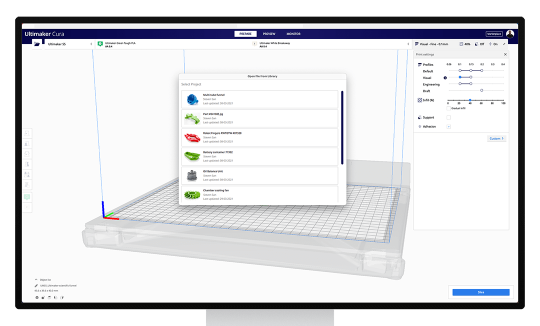
The latest version 4.9 of Cura allows users to directly open files in the Digital Library within the Ultimaker Cura software. After setting it up, users can also directly export files to Ultimaker Digital Factory > Digital Library without having to switch between pages, saving on pre-processing steps and significantly improving efficiency.
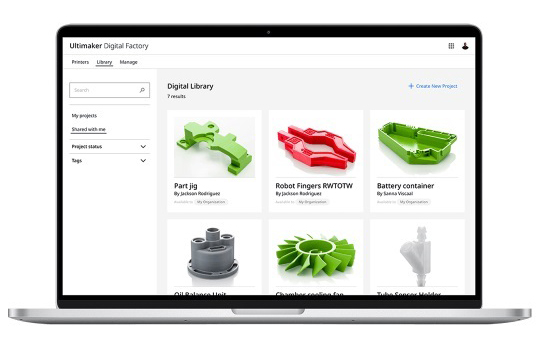
(In the Ultimaker Digital Library, you can choose private access or online sharing of 3D printed archives.)
In the latest version 4.9 of Cura, Ultimaker has upgraded the model's fine-tuning and visual display, improving 3D printing accuracy and the correctness when inspecting details. Eight features are included:
1. Automatic preview without manual intervention: Line Type mode
In previous versions of Cura, selecting Preview mode allowed users to switch to Line Type mode , where the system would display different colored lines based on the structure of the object, such as fill, support, or printed objects. In the updated version, users no longer need to manually switch; Line Type preview has become the default mode, and the preview is readily available upon entering the interface.
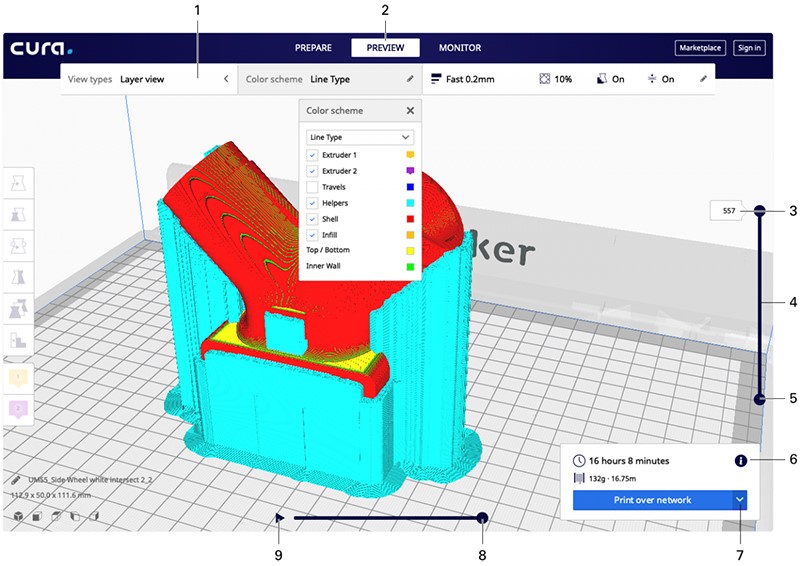
2. Automatically display 3D printing start point
The Ultimaker Cura display system enhances the way you inspect model details. The system also automatically displays the actual 3D column start point, allowing users to check the path during the previous work, thus improving the success rate of each 3D print.
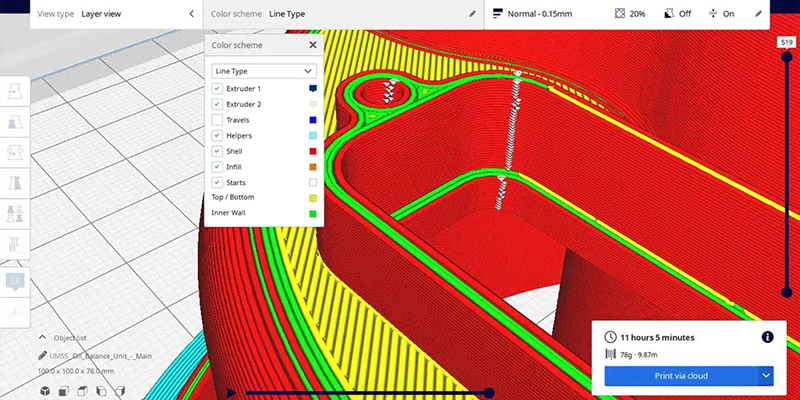
3. Layer thickness joints, marked and inspected.
During the 3D printing process, the materials are stacked and compressed, resulting in slight seams between them. The system will display these seams as a "white Z-shaped" diagram, with small marks visible on each layer. Users can check in real time whether the seams are completely hidden, ensuring the quality of the 3D printed product.
4. Latest features, updated regularly.
Log in to Ultimaker Cura and you'll see a new "notification light" on the interface, allowing you to check for any new features at any time.
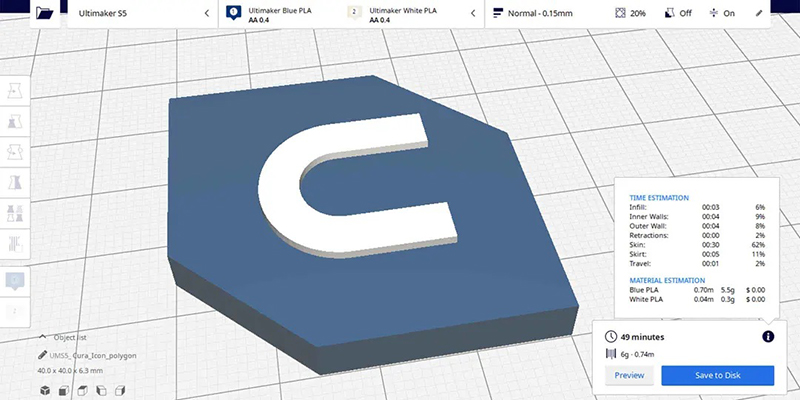
5. Weight estimate (expressed as a percentage)
This allows users to have a detailed understanding of the amount of materials used, making it particularly suitable for use on complex, small-sized objects.
6. Added third-party 3D printer configuration
Ultimaker adds 18 new settings for third-party 3D printers , saving job time and improving efficiency.
Contact us now to learn more about the Ultimaker 3D printer and Ultimaker Cura software. We offer more than just 3D printing ; subscribe to the 3Dmaker YouTube channel to watch tutorial videos on how to use our equipment.
Follow our fan page to stay updated on the latest news: https://www.facebook.com/3dmart.com.tw/