


[3D Printing] Clever use of AI modeling: Instantly convert 2D images into 3D models
- ChatGPT + FLUX + Tripo -
- ChatGPT + FLUX + Tripo -
Have you ever dreamed of transforming a 2D concept into a 3D model that can be directly imported into 3D printer software in just minutes? Now, this technological revolution is within reach!
This complete guide will demonstrate the multi-tool collaboration process step by step, including:
✅ ChatGPT - for creative brainstorming and precise cue word definition ✅ FLUX 1.1 Pro - quickly generate basic mesh structures ✅ Tripo AI - a professional-grade generator with 300,000+ models, instantly transforming visual materials into usable 3D assets
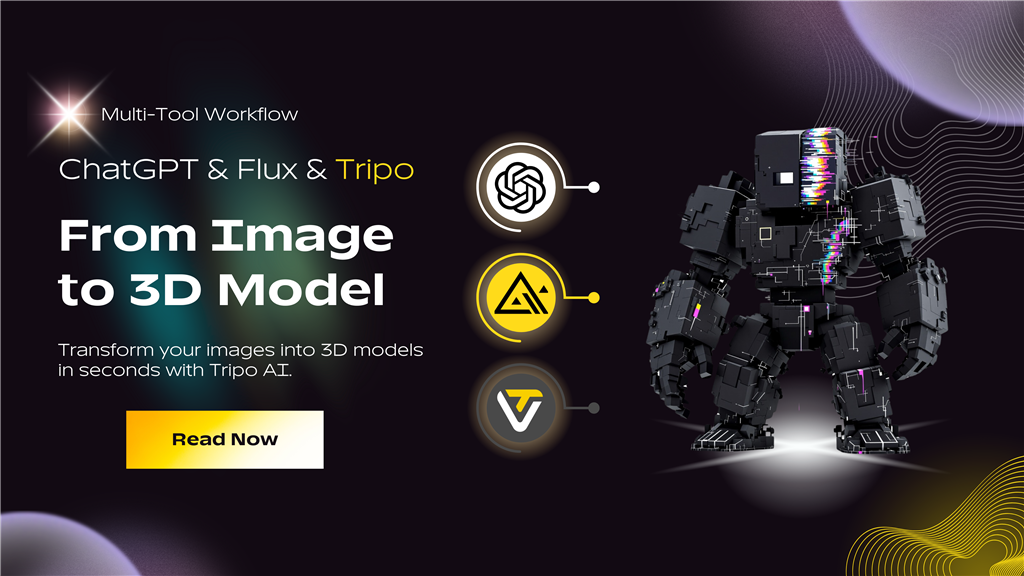
Easily transform your ideas into 3D Reality
👉Step 2: Generate concept images using FLUX 1.1 Pro Ultra
With ChatGPT's precise image cues, it's time to create eye-catching 2D images. FLUX 1.1 Pro Ultra excels at quickly converting text into visual effects.
Creating visual effects using FLUX 1.1 Pro Ultra :
👉Step 1 : Use ChatGPT for brainstorming and suggestion optimization
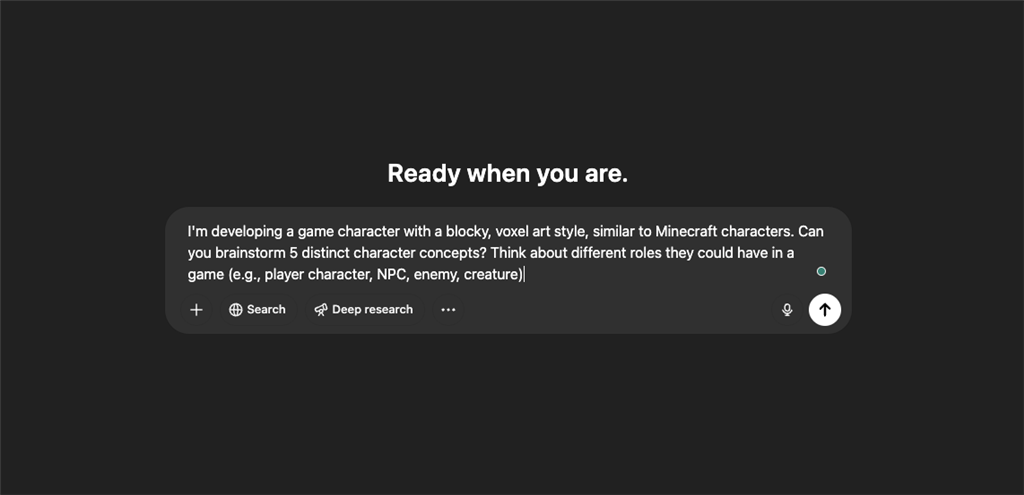
ChatGPT is more than just a conversational assistant; it's also a valuable tool for brainstorming and refining visually generated cues. Accurate cues mean better images, and excellent images result in outstanding image-to-3D model conversions. ChatGPT 4o is recommended.
How to effectively create your image tips using ChatGPT :
ChatGPT is more than just a conversational assistant; it's also a valuable tool for brainstorming and refining visually generated cues. Accurate cues mean better images, and excellent images result in outstanding image-to-3D model conversions. ChatGPT 4o is recommended.
How to effectively create your image tips using ChatGPT :
1. Clear Instructions: At the start of the chat, use actionable verbs such as " generate ," " describe ," or " create " to provide context and instructions. Example: "Professional 3D rendering..."
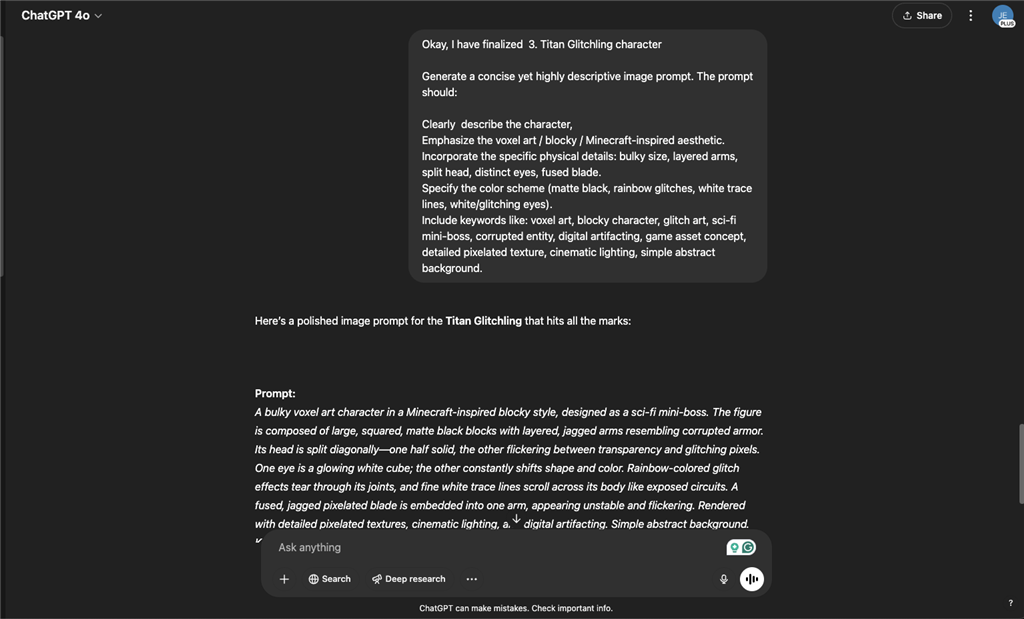
2. Provide clear background information: Clearly explain your preferred aesthetic style and characteristics. For example, when designing "Titan Glitchling," please specify the exact details:
- Voxel/blocky style (Minecraft-inspired aesthetics)
- Massive proportions, layered arms, split head, white/shimmering eyes, and fused blades.
- A color scheme emphasizing matte black textures, rainbow shimmer, and white digital lines.
3. Iterate on Prompt details through dialogue : Engage in multiple rounds of communication with ChatGPT. Refine details iteratively to ensure maximum accuracy and creativity for each final image cue.
- For example, we now create a character cue optimized for generating detailed visual effects:
Inspired by Minecraft's blocky style, this sci-fi mini-boss character is composed of large, square, matte black blocks with layered, jagged arms. A multi-headed monster, it has one glowing white cube eye and the other that constantly changes shape and color. Rainbow-colored shimmering effects tear at its joints, and tiny, jagged pixelated blades are embedded in one arm, making it appear unstable and flickering. Rendered with detailed pixel textures, cinematic lighting, and digital artificial effects. Simple abstract background.
👉Step 2: Generate concept images using FLUX 1.1 Pro Ultra
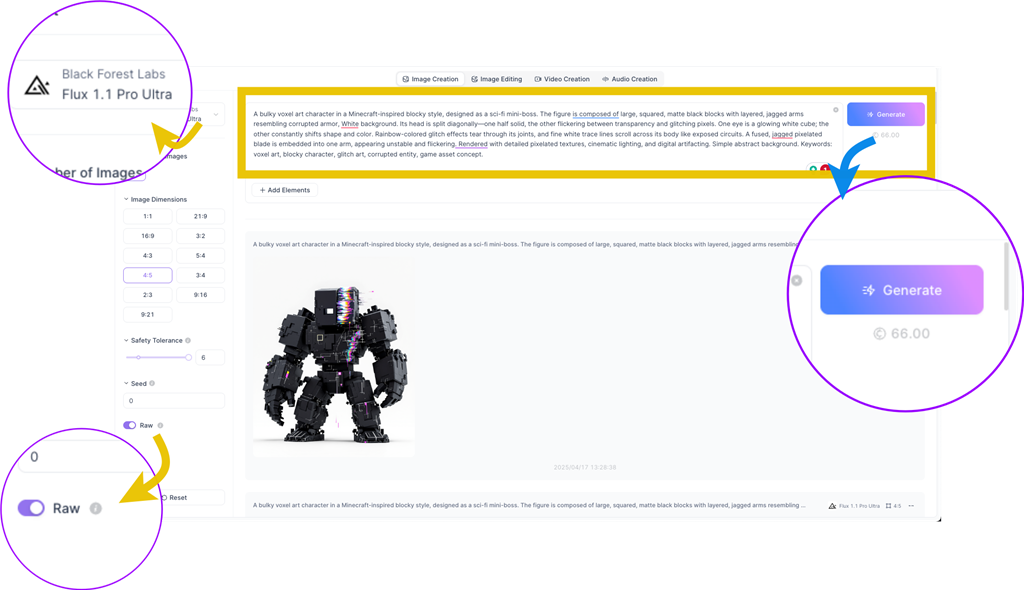
With ChatGPT's precise image cues, it's time to create eye-catching 2D images. FLUX 1.1 Pro Ultra excels at quickly converting text into visual effects.
Creating visual effects using FLUX 1.1 Pro Ultra :
- Fast speed and quality: High-resolution (4MP) images can be produced in approximately 10 seconds.
- Dedicated Mode: Use "RAW" to achieve the highest accuracy and visual fidelity for your text prompts.
Upload a ChatGPT-optimized prompt and choose your preferred aspect ratio. After a short wait, you'll have a detailed, visually appealing image and be ready for the next step: converting the generated photo into a 3D model.
(If using ChatGPT 4o, this step can be omitted, and the image can be generated directly using ChatGPT 4o.)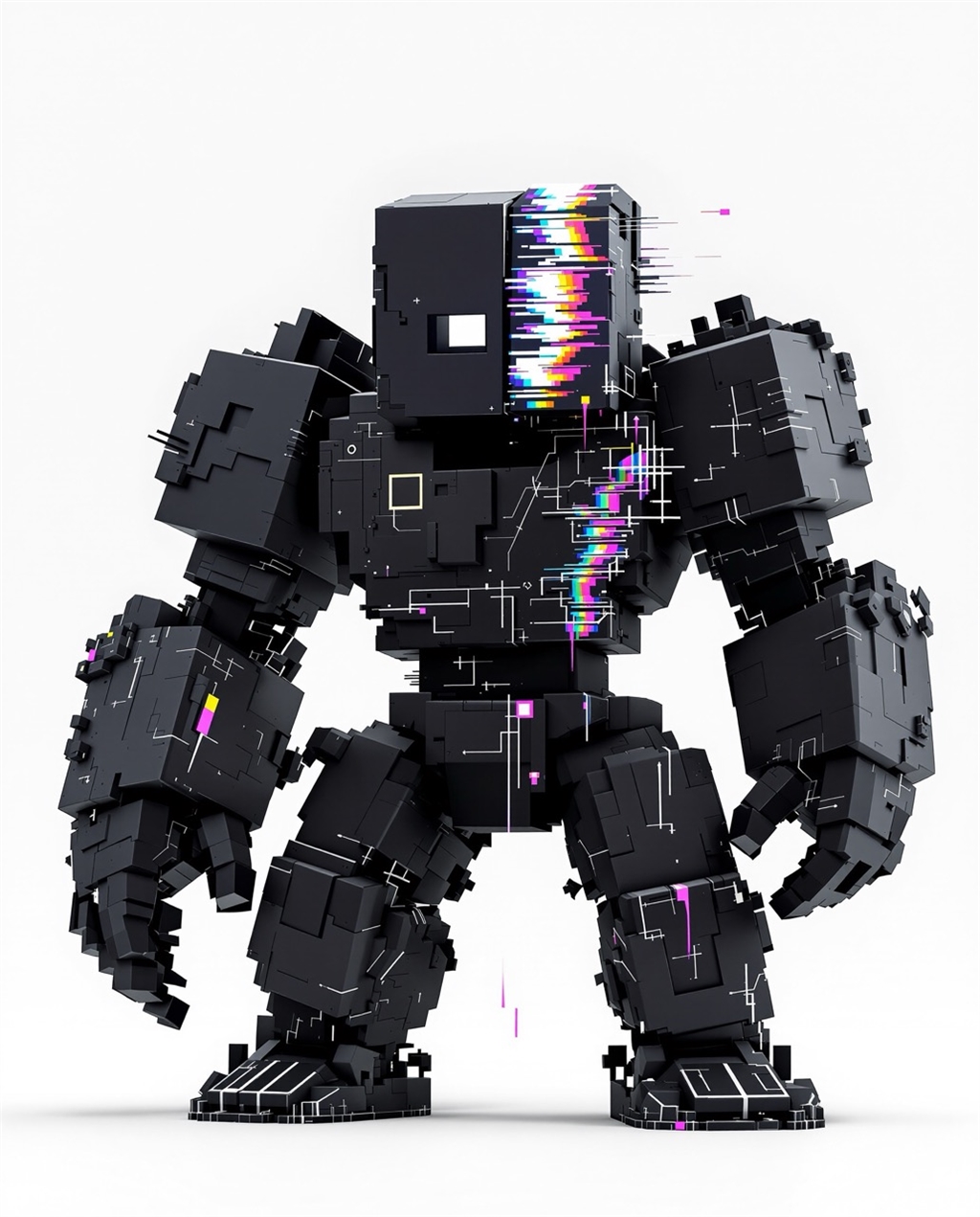
👉Step 3: Use Tripo AI to convert the image into a 3D model
Tripo AI is a state-of-the-art 2D image to 3D model conversion platform trusted by thousands of creators in fields such as games, animation, and architecture.
Here is how it works:
✔1. Directly upload the generated image to Tripo AI
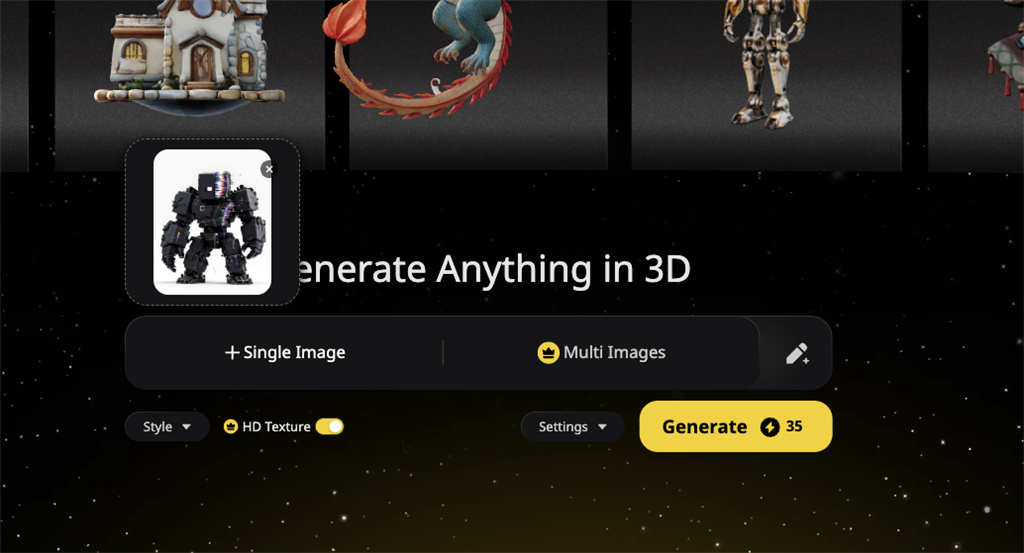
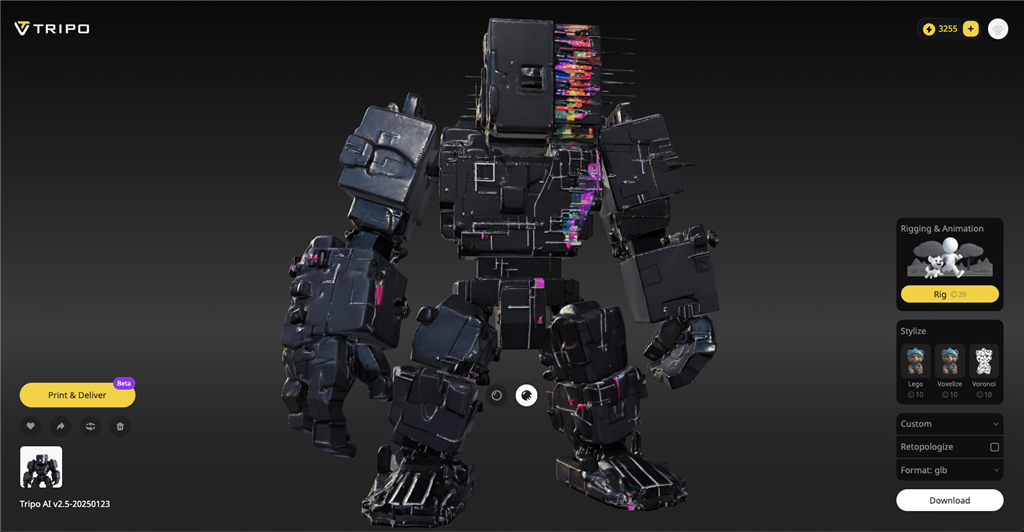
✔ 2. Unleash AI Transformation: Let Tripo analyze your input image—assessing shape, texture, and lighting—and seamlessly transform it into a stunning 3D mesh .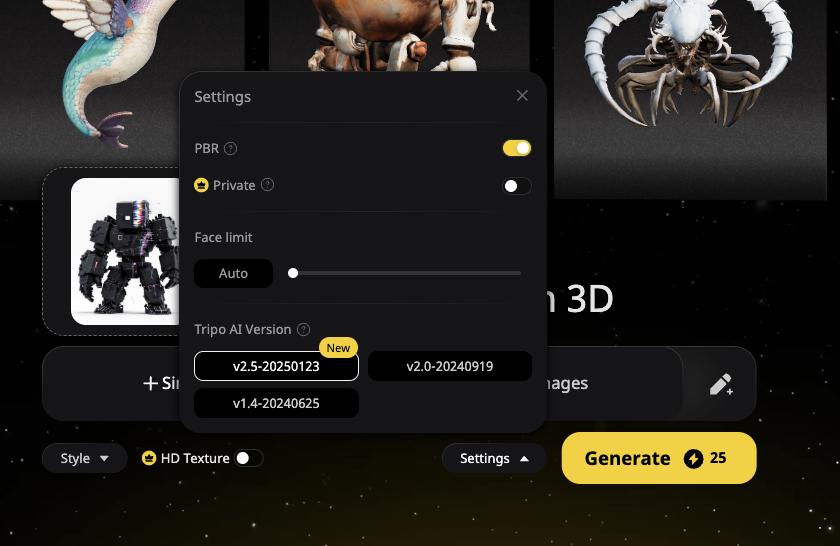
(If using ChatGPT 4o, this step can be omitted, and the image can be generated directly using ChatGPT 4o.)
👉Step 3: Use Tripo AI to convert the image into a 3D model
Tripo AI is a state-of-the-art 2D image to 3D model conversion platform trusted by thousands of creators in fields such as games, animation, and architecture.
Here is how it works:
✔1. Directly upload the generated image to Tripo AI
- set up:
- Model version: Choosing the latest algorithm version (such as v2.5) may result in better accuracy and PBR performance.
- Face Limit: Controls the maximum number of polygons generated, which affects detail and applicability to different platforms.
- Multi-view input: If possible, providing images from multiple angles can improve the accuracy of the model.
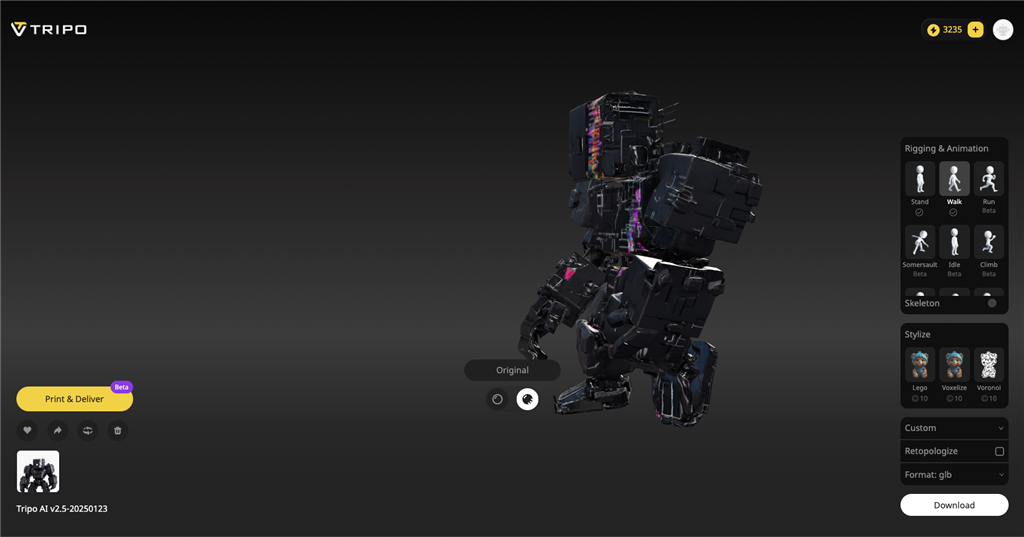
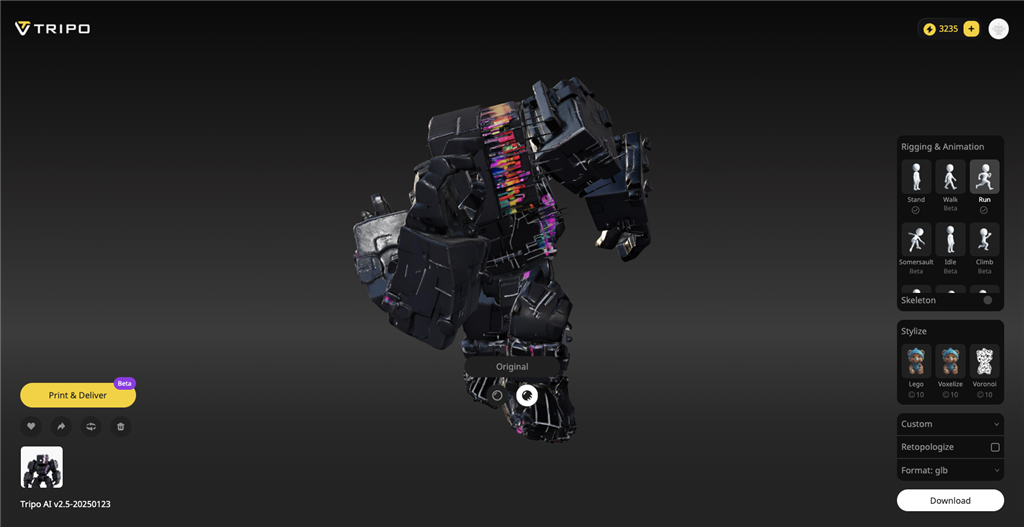
✔ 3. Review and refine: Use the built-in Tripo feature to review and refine your sketch model for greater detail - enable style adjustments (cartoon, voxel, LEGO style), automatic animation, and multi-image input for improved accuracy.
✔4 . Export your work: Export new AI 3D models in standard formats such as GLB, STL, FBX, and USDZ.
✔4 . Export your work: Export new AI 3D models in standard formats such as GLB, STL, FBX, and USDZ.
👉Step 4: Refine and enhance your 3D model using Tripo AI and external tools
While AI generation provides a good start, refining the output is key to achieving truly perfect results. This includes utilizing Tripo AI's built-in capabilities, as well as using external 3D software for more advanced optimization:
A: Refinement and customization can be performed in Tripo AI. 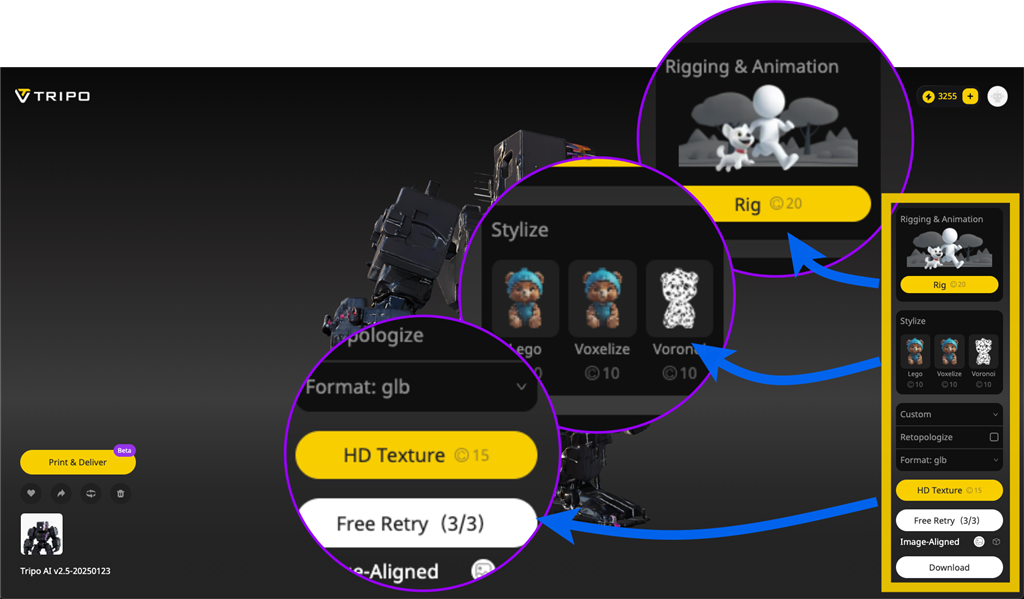
While AI generation provides a good start, refining the output is key to achieving truly perfect results. This includes utilizing Tripo AI's built-in capabilities, as well as using external 3D software for more advanced optimization:
A: Refinement and customization can be performed in Tripo AI.
After Tripo AI generates an initial 3D model (which usually offers several variations for you to choose from), you can use its built-in tools to enhance and prepare it before exporting:
-
Post-Generation Enhancements (options available after the model appears):
- HD Textures: Apply high-resolution textures to improve visual realism, detail, color, and shadows (this usually requires additional points).
- Stylization: Applying artistic filters to change the appearance of the model (e.g., Lego, Voxelize, Voronoi).
- Rigging and Animation: Add a basic skeleton (rig) to the model to prepare for animation in other software (requires additional points).
- Retopologize: Use Tripo AI's automation features to reduce the polygon count (often necessary because preset models may be high-poly, suitable for 3D printing but less so for games). This helps optimize models for real-time applications like games or VR. You can typically choose presets for specific software or platforms (e.g., Unity, Unreal, Blender, Godot, Roblox, etc.), which may apply appropriate retopologization settings.
-
Export settings: Select the desired file format, such as FBX, GLB, OBJ, STL, USD, to suit your next step.
- To achieve the highest professional standards or specific project requirements, it is generally recommended to export the model from Tripo AI and then further optimize it in dedicated 3D software such as Blender . Tripo AI's output can serve as an excellent base mesh.
- Advanced mesh cleanup: Manually correct geometric issues that automated tools might miss, such as holes, non-circular edges, or blemishes. Use the sculpting tool to smooth rough areas.
- Manual retopology/cutting: In order to precisely control the flow and quantity of polygons, especially for animation or game performance, it is very important to manually retopologize or use advanced segmentation tools in software such as Blender.
- UV unpacking and mapping: Using techniques such as projection drawing (using the original concept art) or dedicated texture software (such as Substance Painter), an optimized UV mapping is created and detailed textures are applied to achieve ultimate control over the final appearance.
- Engraving details: Add intricate details, patterns, or surface imperfections that AI may be unable to capture or simplify.
- Material fine-tuning: In addition to the basic PBR texture generated by AI, fine-tune material properties (such as roughness, metallicity, and refraction).
- Establish Level of Detail (LOD): Manually generate multiple versions of the model with decreasing polygon counts to achieve optimal performance for the game engine.
By combining Tripo AI’s rapid generation and built-in enhancements with the detailed control offered by traditional 3D software, you can obtain high-quality, optimized assets suitable for a variety of applications.
✨Process Summary:
💡Key takeaways and optimization tips :
🔧Professional Optimization Checklist :
⚡Are you ready to transform your ideas into stunning 3D reality ?
Tripo AI empowers creators at all levels—from designers and game developers to hobbyists and innovators—with state-of-the-art AI-driven 3D modeling. It allows even beginners to effortlessly transform concepts from images into 3D models in minutes, and, with our latest Bambu Lab 3D Printer , turn creative ideas into tangible creations!
Join thousands of creators who can accelerate productivity and effortlessly transform designs. Not just imagine, but bring your vision to life quickly and clearly.
✨Process Summary:
-
Here is a summary of how you can quickly and efficiently create from concept to finished product:
- Ideation and Prompt Tips for Creation: ChatGPT guides you through the process of brainstorming and effortlessly refines detailed prompts.
- Visual concept generation: FLUX 1.1 Pro Ultra can quickly generate stunning visual images.
- Transform visual images: Tripo AI can quickly transform images using cutting-edge AI 3D model generator technology to instantly deliver high-quality 3D assets.
- Final optimization: Manual optimization to achieve professionally ready assets.
💡Key takeaways and optimization tips :
- The use of various AI tools can significantly simplify creative workflows and save countless hours that would otherwise be spent on traditionally handcrafted assets.
- Clear cues can significantly improve the final output of each AI-driven stage – especially important for producing accurate images and 3D models.
- While the assets generated by artificial intelligence are highly efficient, professional applications often require a small amount of manual optimization and testing.
🔧Professional Optimization Checklist :
✅ Start with clean input - crisp, high-contrast images ✅ Perform mesh cleanup ✅ Employ polygon trimming ✅ Optimize materials ✅ Create level of detail variation ✅ Manual enhancement and platform-specific quality testing
⚡Are you ready to transform your ideas into stunning 3D reality ?
Tripo AI empowers creators at all levels—from designers and game developers to hobbyists and innovators—with state-of-the-art AI-driven 3D modeling. It allows even beginners to effortlessly transform concepts from images into 3D models in minutes, and, with our latest Bambu Lab 3D Printer , turn creative ideas into tangible creations!
Join thousands of creators who can accelerate productivity and effortlessly transform designs. Not just imagine, but bring your vision to life quickly and clearly.
Want to learn more about 3D printers ? Contact us below!
-Contact Us-
SanDiMa offers more than just 3D printing ; we provide three major OEM services: " 3D Printing Manufacturing ," " 3D Scanning Services ," and " Spatial 3D Scanning Services "!
Follow our fan page and stay up-to-date with the latest news:
Facebook | Instagram | Threads
-Contact Us-
SanDiMa offers more than just 3D printing ; we provide three major OEM services: " 3D Printing Manufacturing ," " 3D Scanning Services ," and " Spatial 3D Scanning Services "!
Follow our fan page and stay up-to-date with the latest news:
Facebook | Instagram | Threads