


[3D Printing] Does your 3D printer pose any digital security risks?
Recent real-world attacks have demonstrated that your printer can be a prime target for hackers, viruses, and IP theft.
Understanding their weaknesses is the first step in protecting your designs, online and physical prints.
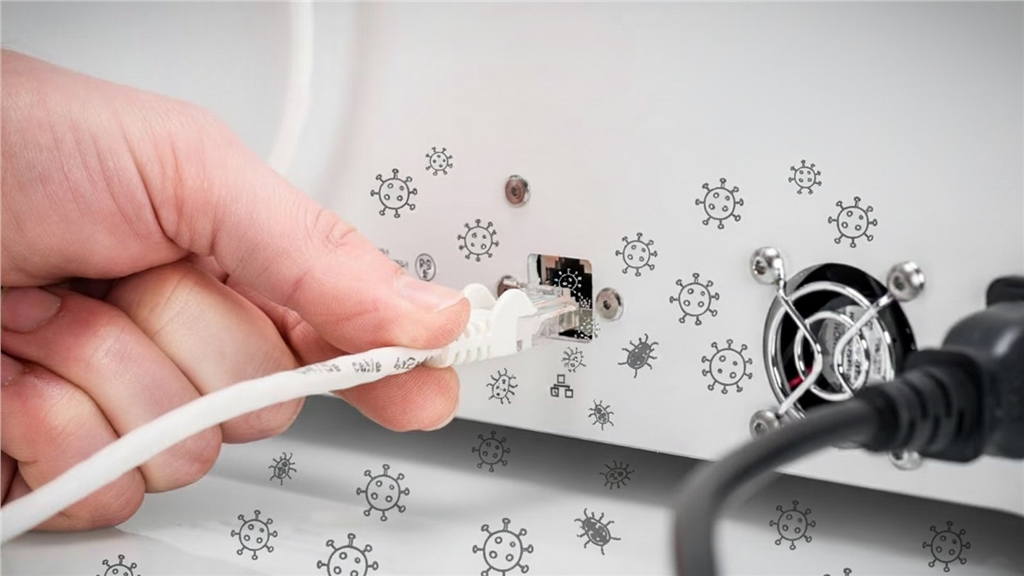
Understanding their weaknesses is the first step in protecting your designs, online and physical prints.
Desktop 3D printers are no longer just tools for hobbyists; they exist in corporate networks, schools, workshops, or large manufacturers—silently running code that transforms digital files into physical objects.
But how secure are they? Recent research and high-profile incidents suggest that desktop FDM printers can be an extremely vulnerable attack surface, potentially leading to component damage, IP address theft, or even worse.
But to what extent should ordinary makers worry about their 3D printers being attacked by viruses, malware, and ransomware?
They should be just as worried about computer security as they are about computer security, because ultimately, their computers are just as vulnerable to attack.
Of course, the difference is that attacks on 3D printers not only affect the data, but they can also alter or destroy the physical output.
But how secure are they? Recent research and high-profile incidents suggest that desktop FDM printers can be an extremely vulnerable attack surface, potentially leading to component damage, IP address theft, or even worse.
But to what extent should ordinary makers worry about their 3D printers being attacked by viruses, malware, and ransomware?
They should be just as worried about computer security as they are about computer security, because ultimately, their computers are just as vulnerable to attack.
Of course, the difference is that attacks on 3D printers not only affect the data, but they can also alter or destroy the physical output.
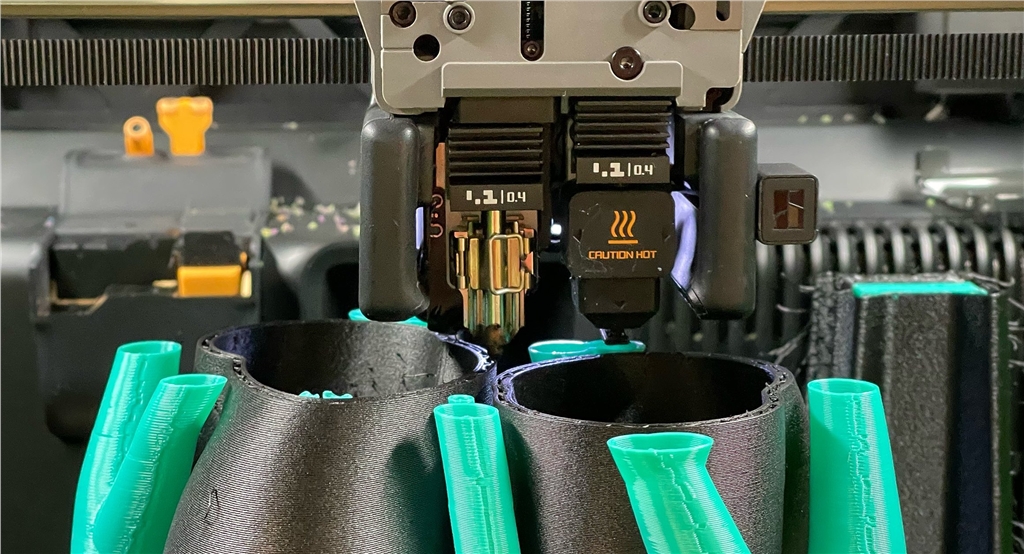
Security has become a hot topic in the desktop 3D printer industry, not because of a large number of new 3D printer hacks (currently), but because industries that have been subjected to ongoing cyberattacks (such as aerospace, defense, and large multinational corporations) are increasingly relying on these desktop 3D printers for prototyping, factory tooling, and even final parts.
For amateur printer enthusiasts, a printer being hacked could mean printing failures or wasted supplies.
For businesses, the risks are even greater:
Intellectual property theft: Uploaded digital files may be intercepted or copied.
Damage: Changing the toolpath may cause hardware failure or manufacture parts with defective structures.
Network foothold: An attacked printer may provide a springboard for movement to other IT departments within the enterprise.
Compliance risks: Printers that handle sensitive or regulated designs must meet security standards just like any other endpoint.
As 3D printers become more widely used, hacker attacks are also becoming more common.
FDM printers are now embedded in production lines just like other industrial control systems, but they do more than just store blueprints of parts; they also capture speed, density, material composition, and other manufacturer-specific production details.
These data were once concentrated in different processes, but now they are all concentrated in one place, causing the production of certain parts to become a single point of failure.
Targeted attacks on FDM printers, a weak link in the production architecture, could have a significant impact.
A compromised printer could disrupt the supply chain, producing counterfeit or defective parts that could be compromised through visual quality controls or have design information leaked, enabling large-scale industrial espionage.
Therefore, FDM printers, as the backbone of production, should receive the same threat models and mitigation measures as any industrial controller.
Today, whether you're an amateur protecting your studio or a company safeguarding intellectual property rights, your 3D printer is more than just a tool; it's part of your network.
This means it should receive the same security attention as any other device connected to it.
Warning: Real-world hacking attacks
In early 2024, Anycubic users around the world woke up to find their machines had been hijacked.
Instead of printing the model, these devices produced a file named hacked_machine_readme.gcode.
The culprit was not a prankster in the file-slicing software, but a vulnerability in the Anycubic cloud server that allowed attackers to push arbitrary files to a connected printer.
In March 2024, the company admitted that the intrusion originated from an exploited cloud vulnerability, which was later patched.
The lesson is that if the internet can communicate with a printer, then so can other people.
But cloud services are far from the only weakness of 3D printers.
Malicious G code: Attacks hidden in digital files
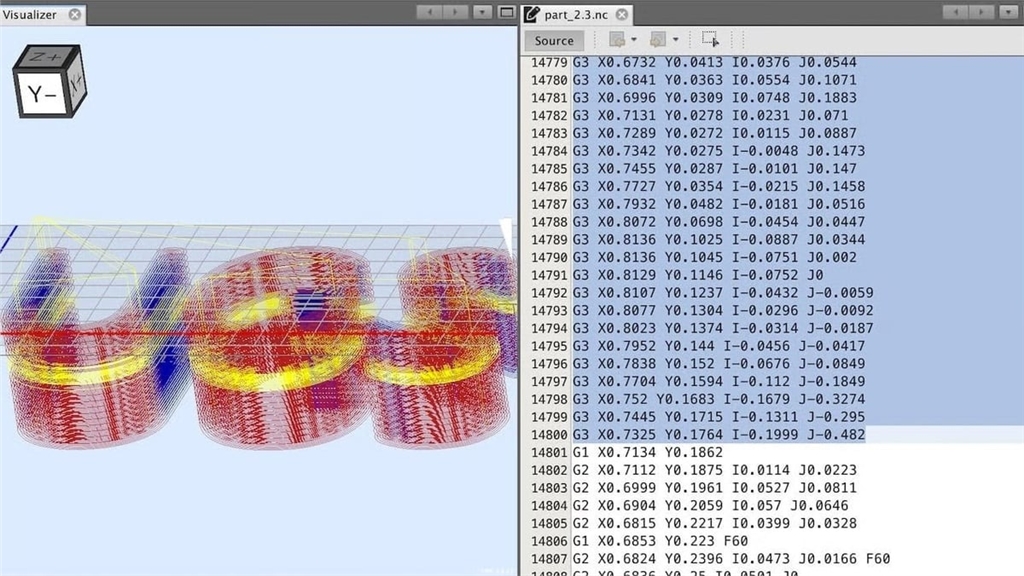
The 2025 USENIX Security Study (The Security Impact of Malicious G Code on 3D Printing) highlights another overlooked risk: the files you print.
Researchers tested whether G-code could be used to disrupt printing or monitoring jobs, and the results were alarming.
Of the 593 malicious instructions embedded in the test file, 278 were successfully executed on mainstream machines such as Prusa, UltiMaker, Ender, and InnovatiQ.
What is particularly worrying is that these attacks are easy to hide.
G code or 3MF files downloaded from the model library may contain hidden instructions that can disable the printer, change toolpaths, or impair part quality.
As the researchers pointed out, "there are currently no established security best practices" to guide firmware developers or vendors in detecting these operations.
This is nothing new.
Early research from 2020 ("Cyberphysical Security of Additive Manufacturing Systems," 2020) showed that even STL files can be manipulated.
The ability to subtly alter the strength or geometry of parts has raised concerns about intellectual property theft and vandalism in industrial environments.
Build a more secure printing environment
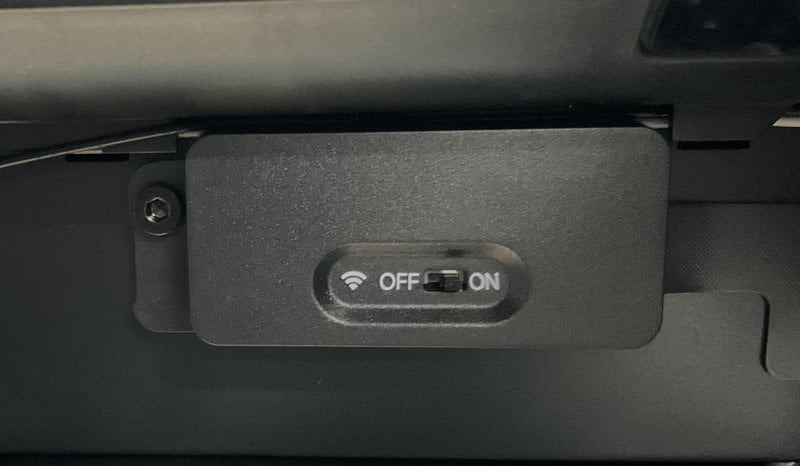
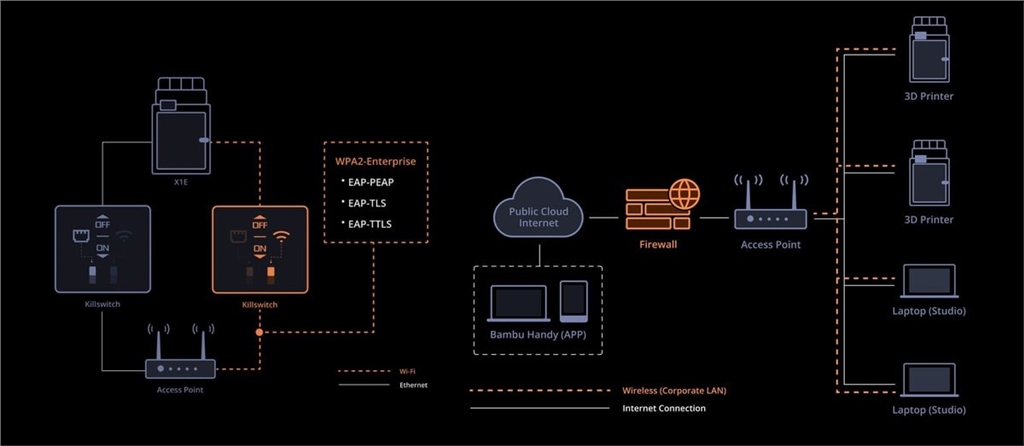
To better serve industrial customers, printer manufacturers are now racing to add security features such as detachable Wi-Fi modules and encrypted data transmission.
Ultimately, however, the responsibility for security does not fall entirely on the suppliers; manufacturers and businesses need to adopt secure environments and standard practices—just as they do with laptops, servers, and other connected devices.
So, what practical measures can you take to ensure the safety of your studio or business?
Bambu Lab's H2D Pro
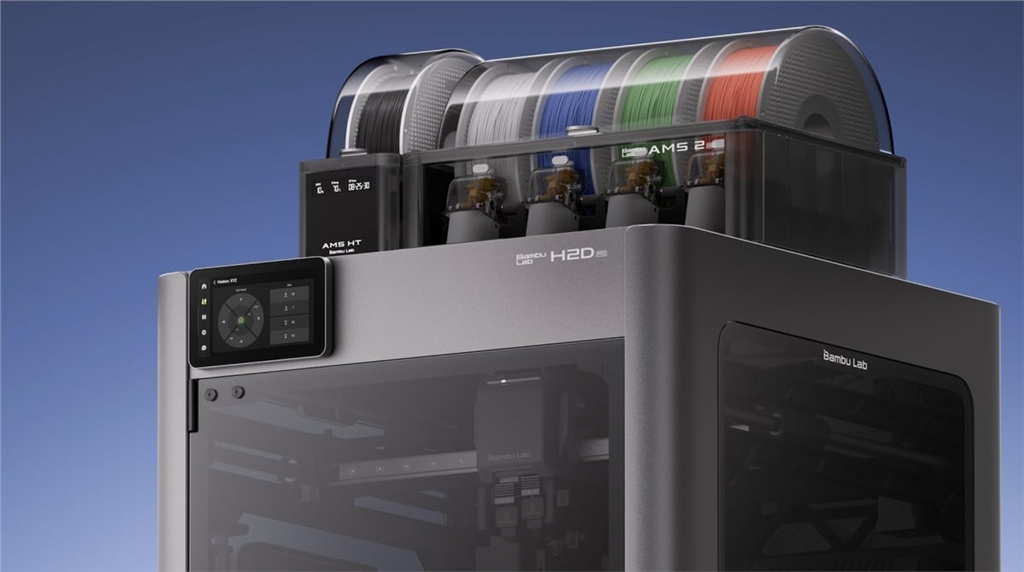
Bambu Lab's H2D Pro is designed for security-conscious customers, offering optional cloud connectivity and detachable functionality for physical isolation.
It may be the best choice for IT strategy.
You can even remove the communication board for hard isolation when needed.
It retains the convenience of modern management while adding 802.1X/WPA2-Enterprise Ethernet as well as physical Wi-Fi and Ethernet kill switches.
3D printer safety function definition
If you are buying a 3D printer with security features, the sheer number of options can be overwhelming.
Let's understand the specific meaning of these functions and their roles.
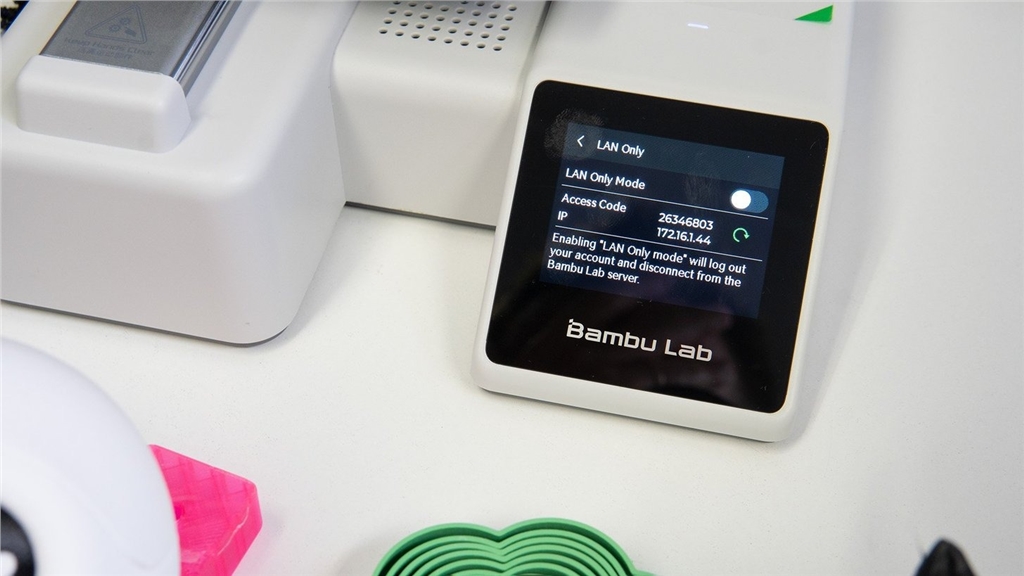
LAN mode only/offline operation: Some 3D printers require a Wi-Fi connection, while others can operate normally without Wi-Fi.
If your business requires completely "isolated" or offline machines, please select LAN (Local Area Network) mode only or machines with no connectivity whatsoever.
Encrypted communication: Ensure that the printer supports encrypted connections, such as TLS, HTTPS, or WPA2-Enterprise.
These encrypted connections prevent sensitive design files and login information from being intercepted during transmission over the network or in the cloud.
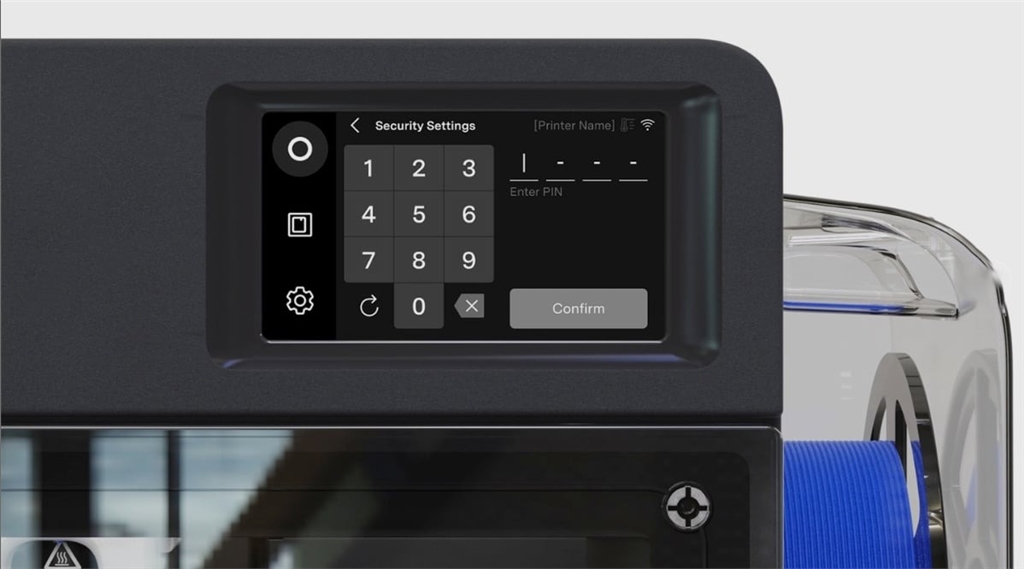
Access restrictions: Most 3D printers have password-protected web dashboards or web interfaces, but you may need additional access restrictions, such as allowing multiple accounts to access a printer (to avoid sharing login credentials) and accessing settings on the physical machine via a PIN code.
In workplaces where multiple people use the same printer, role-based accounts are essential.
These accounts allow administrators to control network and firmware settings while still allowing operators to start or stop print jobs.
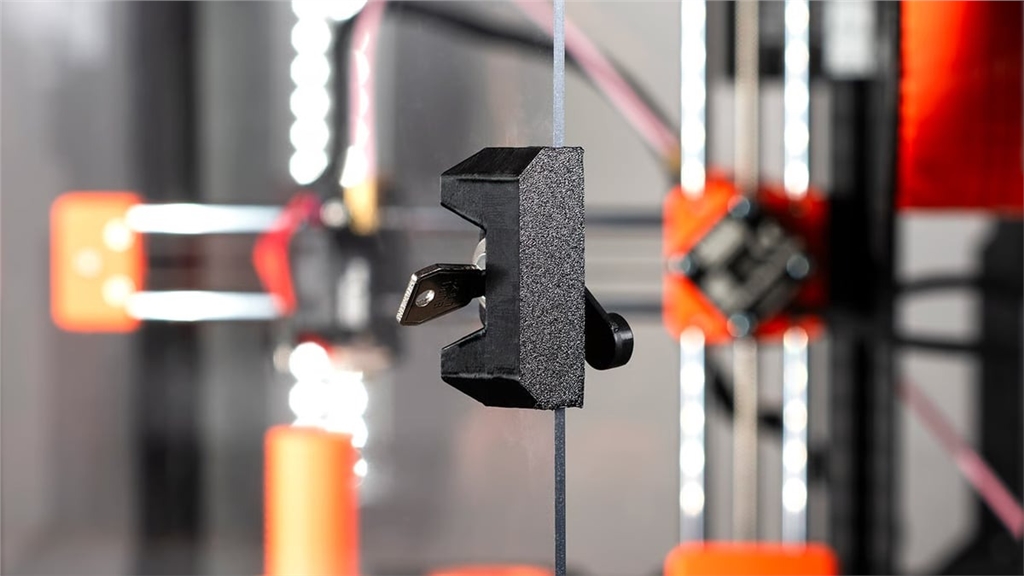
Physical or hardware-level disconnection: Some printers have physical network stop switches or removable network modules that enable complete hardware-level isolation.
Archive-level security: Although not yet widely used, archive integrity checks or sandboxing of G-code or 3MF archives to ensure that no malicious code is added is another form of security.
From a physical security perspective, businesses should require the adoption of technical controls to ensure that the printer itself is protected through encrypted signatures, and therefore only run verified coded versions.
👉To learn more about Bambu Lab's products, please visit our product page !
-Contact Us-
SanDiMa offers more than just 3D printing ; we provide three major OEM services: " 3D Printing Manufacturing ," " 3D Scanning Services ," and " Spatial 3D Scanning Services "!
Follow our fan page and stay up-to-date with the latest news:
Facebook | Instagram | T hreads