


[Unboxing and Real-world Test] UR3 Automated Robotic Arm: 360-degree Flexible Arm Strength!
A lightweight, desktop robot with 360-degree flexible joints! The UR3 automated robotic arm features precise process cycles, freely adjustable speed, safe and easy operation, and a human-like arm design, making it suitable for various industries and the top choice for automation tools! Unboxing and hands-on testing in no time:
one, Main components
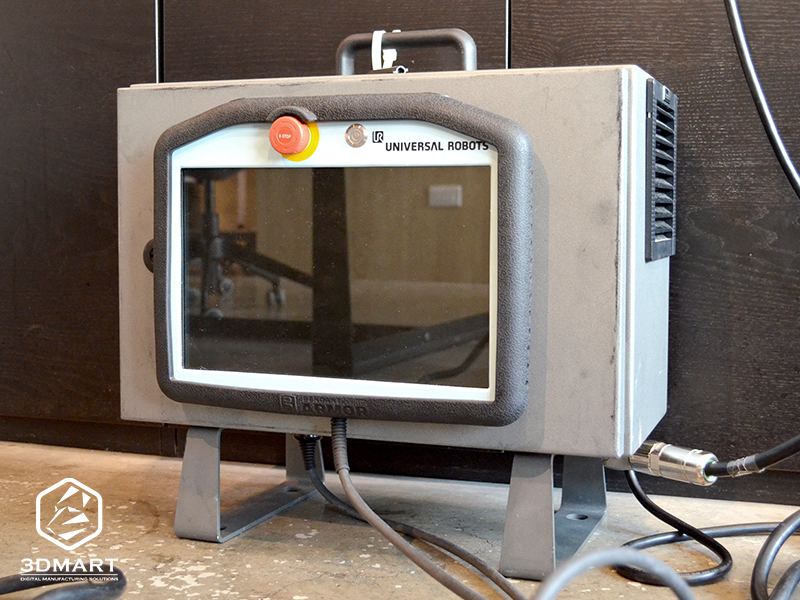
1. control box
2. cable
3. Universal Robots touch operating system (power start button, emergency stop button, USB port)
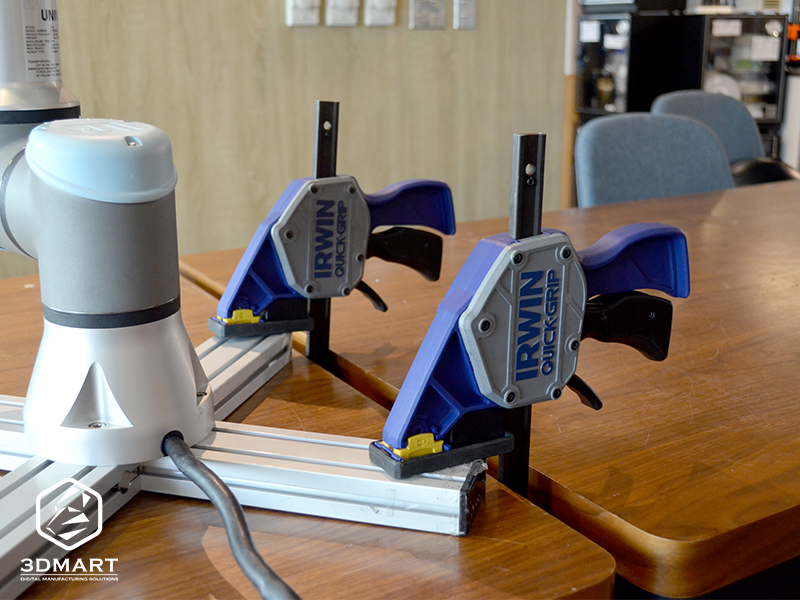
5. Mounting brackets (2 pieces)
two, Power on/off
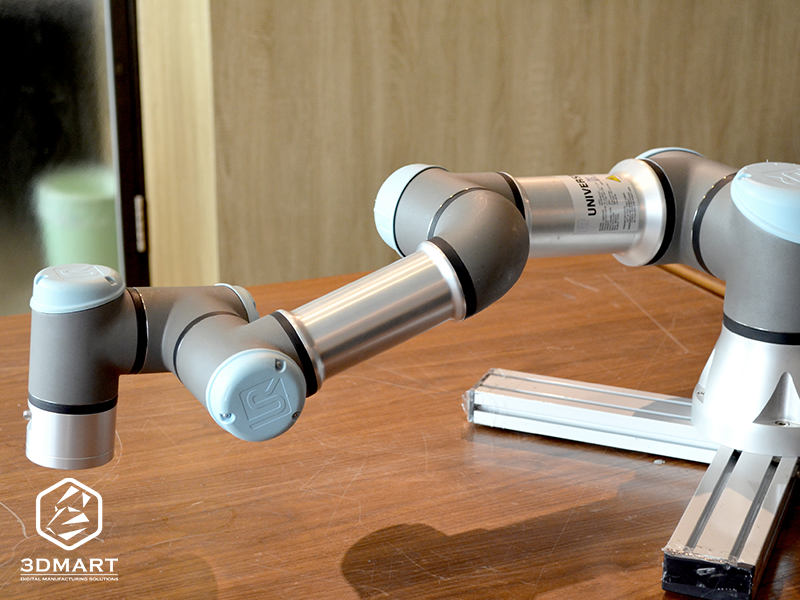
The UR3 automated robotic arm is a human-arm-like jointed robotic arm with a modular design that can rotate 360 degrees around a cylindrical area at the center of the base joint.
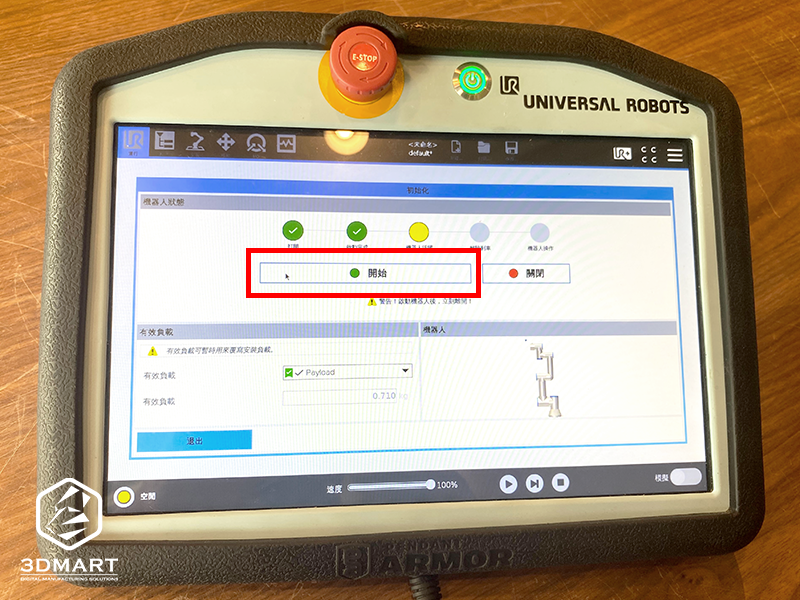
1. Power on via touch panel: Press the "Power On" button on the Universal Robots touch panel.
2. Reset power supply: Click the "Power Off" icon in the lower left corner.
3. Robotic arm startup: Select "Start" and wait for the robotic arm to power on, officially starting all systems.
three, Basic settings (robotic arm)
The UR3 automated robotic arm's motion setting method involves setting each path's "motion" according to requirements, and then chaining all functional actions together to make the overall operation a series of cyclical trajectories.
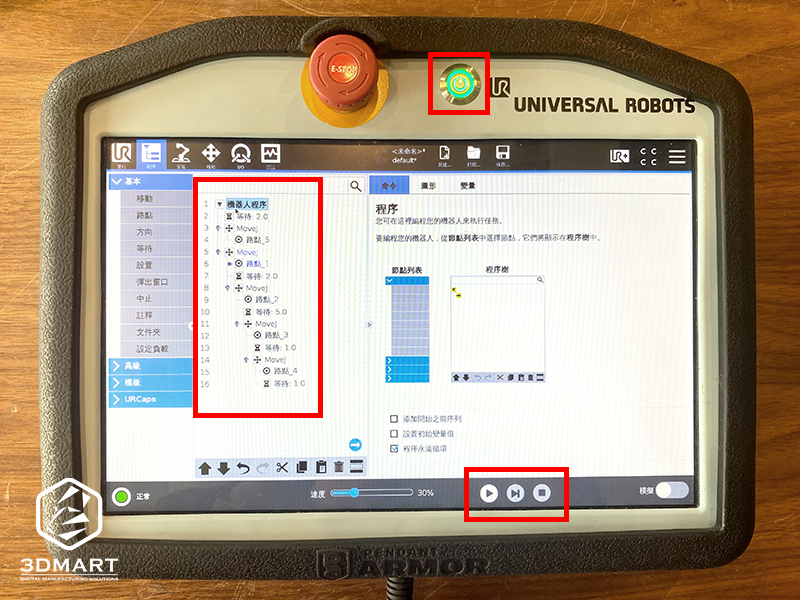
1. Set script action: Press "Program"
2. Set the path: Select "Move" > "Set Waypoint"
3. Display: Robotic arm movement path
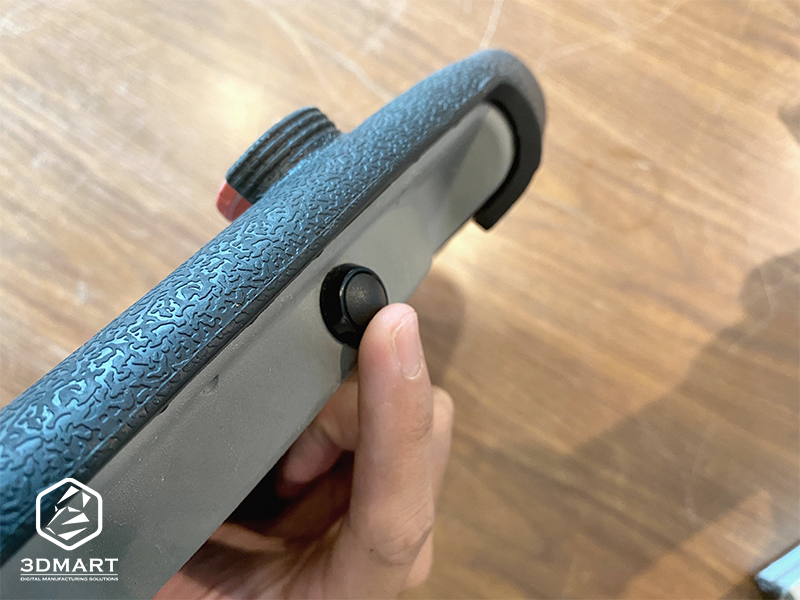
4. Setting the Key Pose: Press the "Free Drive" button to set/move the desired position of the robotic arm joints. ("Free Drive" button: Unlocks the robotic arm motors, allowing the robotic arm joints to move.)
5. Repeat step "4" to set all the specified actions.
6. Preview the action: After the script is completed, click "Play" to preview the action (for the first time, it is recommended to slow down the speed or use simulation mode for testing).
7. Reset Actions: Select "Execute Robot Program from Beginning" (hold down the button to return the robotic arm to the starting position).
8. Start Operation: Select "Play Start Point"
.gif)
After setting all the actions, play the continuous movements of the UR3 automated robotic arm . You can see that the movements are very smooth, and there are no pauses between the movements. Using the robotic arm with grippers can create a more convenient and fully automated production line for enterprises ( click to see: Unmanned production line fully automated, intelligent sensing is amazing! ). The intelligent characteristics of automated robotic arms can improve the market competitiveness of enterprises and create a more efficient working environment. Contact us now to learn more about Universal Robots automated robotic arms .
Follow our fan page to stay up-to-date with the latest news: https://www.facebook.com/3dmart.com.tw/