


1
of
5
Loading...
3Dconnexion | Product Model:
CN0006
SpaceMouse® Enterprise 3D Mouse Enterprise Edition
Regular price
¥89,500 JPY
Unit price
/
Unavailable
Subtotal
—
SpaceMouse® Enterprise 3D Mouse Enterprise Edition is backordered and will ship as soon as it is back in stock.
Choose add-on
Couldn't load pickup availability

SpaceMouse® Enterprise 3D Mouse Enterprise Edition
Regular price
¥89,500 JPY
Unit price
/
Unavailable
SpaceMouse® Enterprise 3D Mouse Enterprise Edition
Built for top-tier engineering performance
Equipped with a six-degrees-of-freedom ( 6DoF ) sensor and instant access to standard and custom quick views, viewing 3D models is easier than ever before. Smooth, intuitive 3D navigation is achieved with a simple manipulation of the control cap, while a single button press instantly positions the model to your chosen standard view angle. Three new custom quick view buttons, exclusive to SpaceMouse Enterprise, create an unparalleled 3D navigation experience.
Rapid 3D Modeling
With a single tap, you can effortlessly operate using 12 of your most frequently used application commands. Because SpaceMouse Enterprise's smart function keys automatically update as the application or environment changes, the right tool is always at your fingertips.
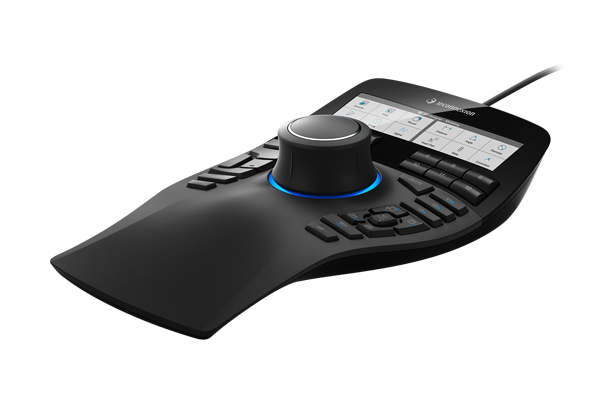
SpaceMouse Enterprise's new high-definition display presents function key command settings as actual icons within the application, allowing you to operate familiar toolbars with your fingertips. The simple yet powerful 3DxWare 10 user interface helps you easily assign commands to keys.
* The icons for the following applications will be displayed on the SpaceMouse Enterprise LCD :
Autodesk AutoCAD, Inventor, 3ds Max and Maya, Dassault Systèmes CATIA (V5 & V6) and SOLIDWORKS, PTC Creo Parametric, Siemens PLM NX and Solid Edge, Trimble SketchUp (Pro & Make), Houdini, GO2Cam and Microsoft Office (Excel, PowerPoint, Word)
Ergonomic design
The 3Dconnexion SpaceMouse Enterprise is ergonomically optimized to the extreme. It features a full-size wrist rest for maximum comfort and a full set of keyboard replacement keys to streamline workflows, helping users reduce finger movement by up to 28.6% per hour.
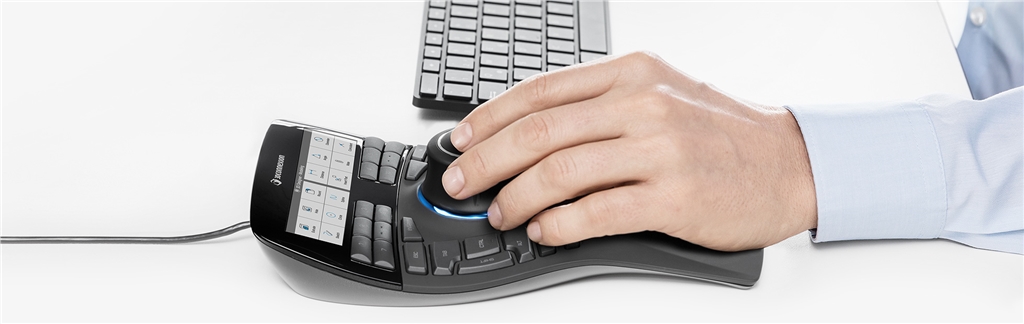
*In laboratory studies, the time required to complete random tasks using the 3D mouse was reduced by 28% (from 96 minutes to 68 minutes per task).
3DxWare 10
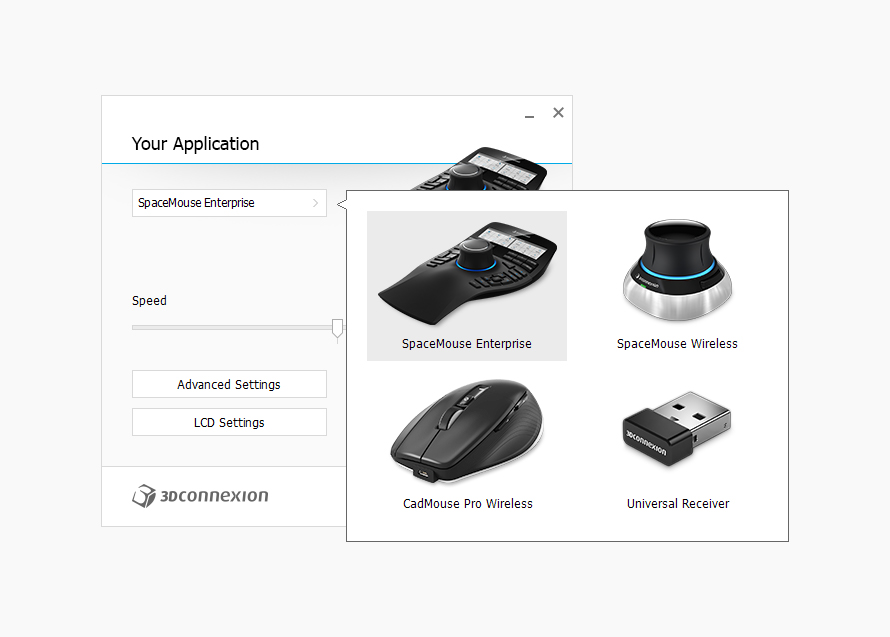
With 3DxWare 10, you can customize and optimize SpaceMouse Enterprise for optimal performance. You can easily assign application commands to individual keys for each application or environment (such as parts, assemblies, drawings) and make other useful settings as needed.
Product Features:
3Dconnexion® Six Degrees of Freedom (6DoF) Sensor
12 smart function keys
A color LCD displaying function key settings.
• 8 keyboard shortcuts (Ctrl, Alt, Shift, Esc, Enter, Space, Delete, Tab)
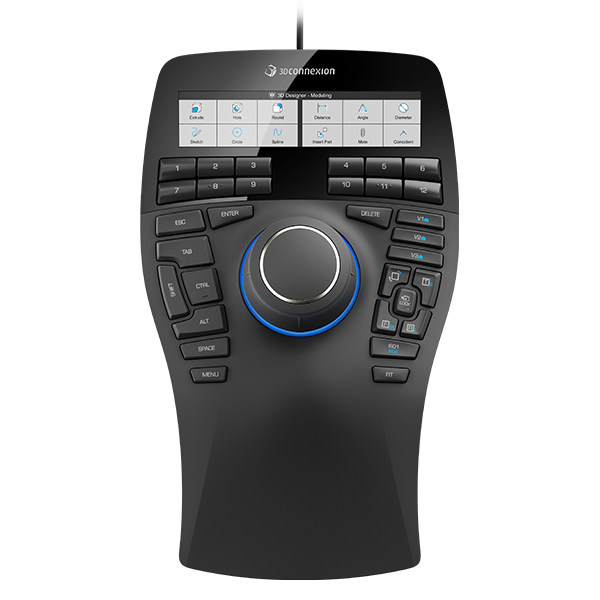
Five quick view keys with long-press functionality provide ten different standard views.
3 custom view keys
Rotary toggle key
Menu and Fit key
Full-size wrist cushion
A total of 31 customizable function keys.
Click here to download the 3DxWare 10 driver.
The SpaceMouse mouse also provides a stable model control experience, and the model control method is the same in multiple 3D applications. Contact us now to learn more about the SpaceMouse mouse .
Built for top-tier engineering performance
Equipped with a six-degrees-of-freedom ( 6DoF ) sensor and instant access to standard and custom quick views, viewing 3D models is easier than ever before. Smooth, intuitive 3D navigation is achieved with a simple manipulation of the control cap, while a single button press instantly positions the model to your chosen standard view angle. Three new custom quick view buttons, exclusive to SpaceMouse Enterprise, create an unparalleled 3D navigation experience.
Rapid 3D Modeling
With a single tap, you can effortlessly operate using 12 of your most frequently used application commands. Because SpaceMouse Enterprise's smart function keys automatically update as the application or environment changes, the right tool is always at your fingertips.
SpaceMouse Enterprise's new high-definition display presents function key command settings as actual icons within the application, allowing you to operate familiar toolbars with your fingertips. The simple yet powerful 3DxWare 10 user interface helps you easily assign commands to keys.
* The icons for the following applications will be displayed on the SpaceMouse Enterprise LCD :
Autodesk AutoCAD, Inventor, 3ds Max and Maya, Dassault Systèmes CATIA (V5 & V6) and SOLIDWORKS, PTC Creo Parametric, Siemens PLM NX and Solid Edge, Trimble SketchUp (Pro & Make), Houdini, GO2Cam and Microsoft Office (Excel, PowerPoint, Word)
Ergonomic design
The 3Dconnexion SpaceMouse Enterprise is ergonomically optimized to the extreme. It features a full-size wrist rest for maximum comfort and a full set of keyboard replacement keys to streamline workflows, helping users reduce finger movement by up to 28.6% per hour.
*In laboratory studies, the time required to complete random tasks using the 3D mouse was reduced by 28% (from 96 minutes to 68 minutes per task).
3DxWare 10
With 3DxWare 10, you can customize and optimize SpaceMouse Enterprise for optimal performance. You can easily assign application commands to individual keys for each application or environment (such as parts, assemblies, drawings) and make other useful settings as needed.
Product Features:
3Dconnexion® Six Degrees of Freedom (6DoF) Sensor
12 smart function keys
A color LCD displaying function key settings.
• 8 keyboard shortcuts (Ctrl, Alt, Shift, Esc, Enter, Space, Delete, Tab)
Five quick view keys with long-press functionality provide ten different standard views.
3 custom view keys
Rotary toggle key
Menu and Fit key
Full-size wrist cushion
A total of 31 customizable function keys.
Click here to download the 3DxWare 10 driver.
The SpaceMouse mouse also provides a stable model control experience, and the model control method is the same in multiple 3D applications. Contact us now to learn more about the SpaceMouse mouse .
| Size and weight | Length: 249mm Width: 154mm Height: 58mm |
| weight | 800g |
| Product Warranty | 3+1 Three-year warranty (an additional year of warranty upon product registration) |
| Packaging contents | 3Dconnexion SpaceMouse Enterprise |
| Key features |
• 3Dconnexion® 6DoF sensor • 12 smart function keys • Color LCD displaying function key settings • 8 keyboard shortcuts (Ctrl, Alt, Shift, Esc, Enter, Space, Delete, Tab) • 5 quick view buttons with long press function, providing ten different standard views. • 3 customizable view buttons. • Rotation switch button. • Menu and Fit buttons. • Full-size wrist pad. • A total of 31 customizable function buttons. |
| Supported operating systems | Microsoft Windows Apple macOS Linux |
| Product Certification and Registration |
CE, FCC, KC, RCM, BSMI, RoHS, WEEE, Japanese Recycling Law |