


[3D Printing Knowledge] Essential Tips for Improving 3D Printing Productivity with UltiMaker Cura 5.5 beta
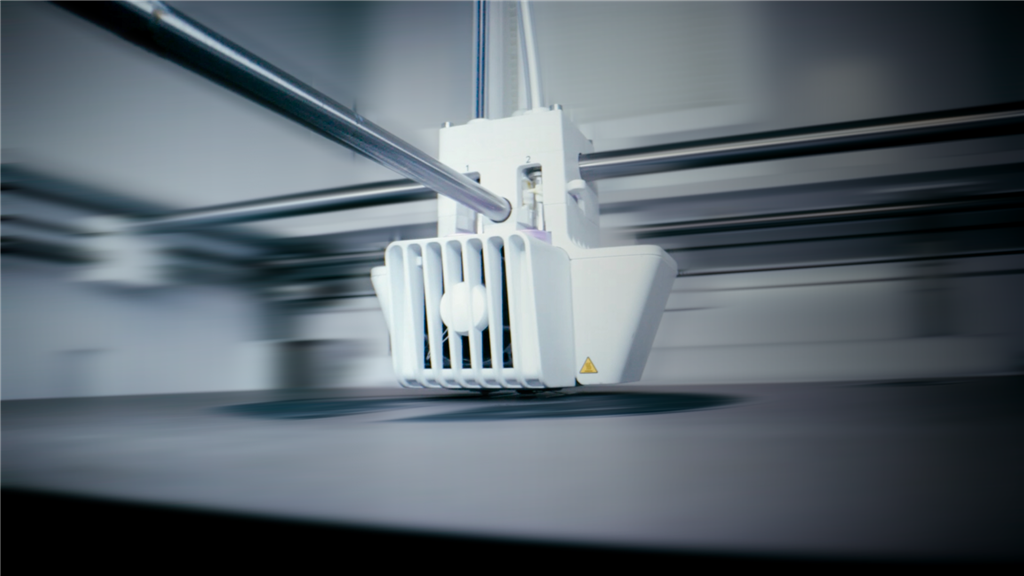
Download the latest Cura 5.5 beta to unlock even more 3D printing features!!
With the latest version of UltiMaker Cura , users can expect easier organization of models on the virtual building platform, exciting new plug-in features, and huge speed improvements to the UltiMaker S-Series printers!
UltiMaker is constantly striving to improve the machines they manufacture, not only the latest printers but also those already in the hands of users. This Cura version allows everyone using S-Series printers to double their 3D printing productivity with UltiMaker materials .
Why do we say "productivity" instead of "speed"? Because the notion of high printing speed is now a cliché, and while printing parts quickly is relatively easy, achieving this without sacrificing print quality or increasing the failure rate is far more difficult. With this update, UltiMaker has achieved printing in half the time previously, without compromising reliability or quality.
For example:
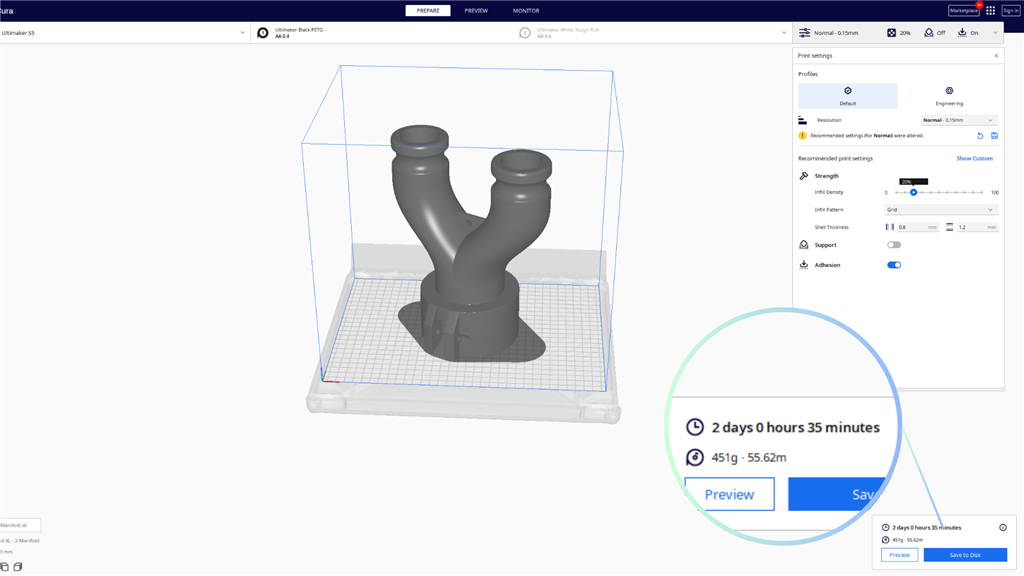
In Cura version 5.4, printing this part of PETG material on an S5 using an AA 0.4 mm printhead takes 2 days and 35 minutes.
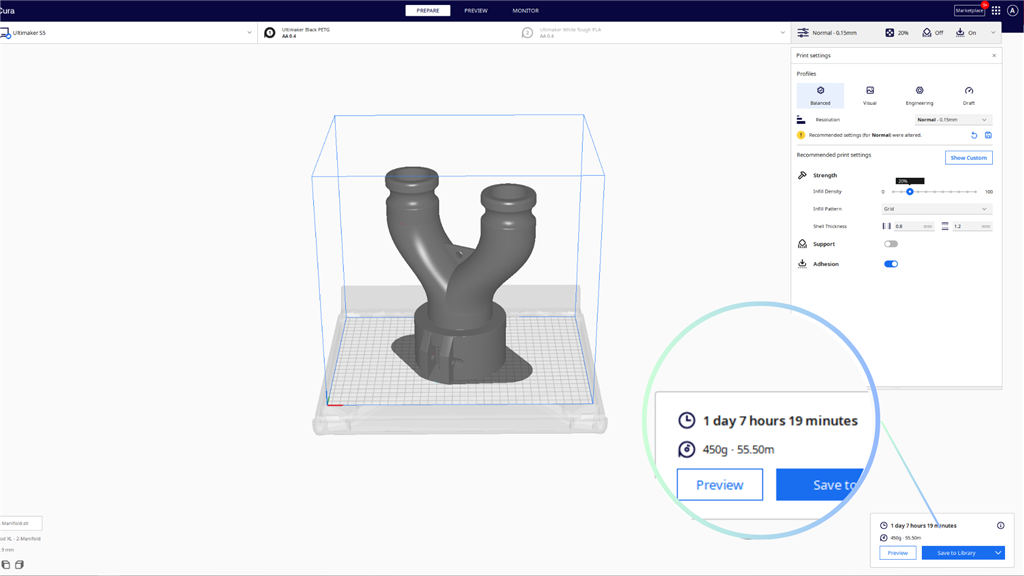
However, in Cura 5.5, using the same materials, extruder, and printer, it only takes 1 day, 7 hours, and 19 minutes:
In the past, when UltiMaker made such improvements, it was usually because of repeated testing and tweaking of print profiles to find the optimal combination of settings. The same approach is taken here, but we've also introduced new features to help push the UltiMaker printer to its limits. Some of the more notable features include:
Optimize printing speed for different line types
Exterior walls, interior walls, and supports are all printed at different speeds. UltiMaker has optimized the printing speeds of these and other line types, while also adjusting the acceleration and deceleration behavior when moving between different line types. As a result, we are now able to print internal structures at faster speeds without compromising the visual quality or mechanical properties of the parts.
Smooth internal wall path
Previously, interior walls were printed using diagonal patterns, causing the print head to jiggle during printing. This has now been changed to use long, smooth lines for printing interior walls, allowing the print head to achieve higher speeds.
Prevent internal filling from being close to the walls
The internal infill has been adjusted to prevent it from overlapping near the external walls. Overlapping of infill near the walls can cause defects on the printed surface; this change prevents these defects while reducing printhead movement and increasing printing speed.
*Please see the release notes on GitHub for a complete list. Speed improvements will vary significantly depending on the materials used, nozzle size, and model. The greatest improvements will be seen when printing large models and printing multiple models simultaneously.
The AA 0.8 mm printhead also features intent profiles and speed and quality improvements.
The AA 0.8 mm print profiles for UltiMaker PLA and Tough PLA have been optimized for speed and print quality, while also providing suggested intent profiles.
One of the simplest ways to print more parts on an UltiMaker printer to save time has always been to use a larger nozzle size. A 0.4 mm nozzle has become an industry standard, so 0.4 mm printheads have long been the most popular choice, although 0.8 mm printheads are also available, which may be a better option for many users.
Switching to a larger nozzle size can result in faster printing speeds, but at the cost of more noticeable layer lines on your parts, which may make them look less appealing.
Actually, back when Cura 5.0 was released, a new slicing engine was introduced, allowing lines to be wider and improving print quality when printing thin walls and fine details. What many people may not realize is that it's now possible to print with a 0.8 mm printhead while still achieving excellent print quality. If you're looking for the best print quality, the 0.4 mm printhead remains the best choice, but if speed is the primary consideration, then the 0.8 mm printhead is a better tool.
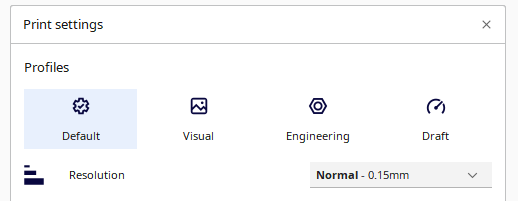
The new 0.8 mm print profile allows you to select a profile (visual, engineering, or draft) to match your needs, then confidently use a reliable print profile professionally tuned to meet your requirements. More importantly, with the combined effect of the shift from 0.4 mm to 0.8 mm print nozzles and other speed improvements in this update, large parts can be printed in less than half the time!
Powerful new engine plugins
Since 2015, Cura has allowed community users to create plugins to add new features or enhance existing ones. Over the years, the plugin system has been improved to make it easier to create and share plugins. Dozens of plugins can be found and downloaded on the UltiMaker Marketplace , some of the most popular having been downloaded millions of times!
Some popular plugins include:
Settings Guide Plugin  -Added additional contextual messages for Cura's more than 600 settings.
OctoPrint Connection Plugin  - Remote printing and monitoring can be performed using the popular OctoPrint web interface.
Currently, the plugin's functionality is limited to manipulation and UI adjustments before slicing parts; once slicing begins, no further modifications are possible.
Let's use the analogy of a Cura as a car. Add-ons can modify the paint scheme, change the wheels, and might even replace the seats with more luxurious ones. But modifications to the engine are strictly prohibited. You can make the car look more fancy and feel better, but the way the car works fundamentally cannot be changed.
In this version, the new features of the engine plugins have changed everything. Now, by interfaceing with the Cura core slicing engine, it's essentially possible to modify how Cura works. This allows plugins to add new settings, modify existing settings, and change Cura's behavior when slicing models. These new plugin features include:
• Add support : By combining new and existing plugin features, you can create a plugin that allows you to manually mark areas that need support.
• Version number in print : A plugin that can be created to modify the 0th layer skin area to include the version number or any other custom text displayed at the bottom of the model when printing.
• Textures : Custom textures can be added to the surface using plugins.
*This is just a small part of the countless possibilities that can be unlocked using engine plugins. Plugins still require approval before being added to the Marketplace, and while they are unlikely to be dangerous, Cura's expected behavior can change significantly when an engine plugin is installed.
Two incredibly useful new features make filling building platforms and effectively organizing models easier than ever before.
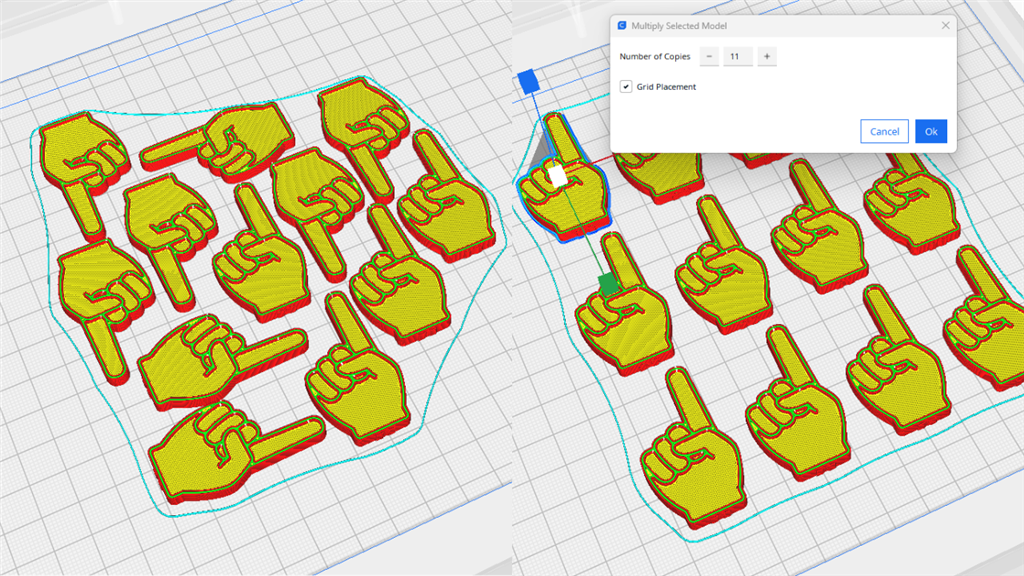
1. Use copy/paste to replicate your model.
Simply select the model you want to copy, then press Ctrl+C, then Ctrl+V (Command+C and Command+V on Mac), and paste copies of the model as many times as needed. Each additional instance of the model will be placed on the build platform as if it were a new model loaded into Cura, and any changes you make to the original part, such as resizing, will also be applied to all copied models. Right-clicking your part will also display a copy/paste shortcut in the context menu.
2. Organize multiple models on the construction platform using a grid arrangement.
When multiplying a part or using the new copy/paste function, parts will now be placed in mesh mode. There's also a new option in the context menu (or when pressing Ctrl+Shift+R) to arrange all instances of the model in mesh mode.
Download the latest Cura 5.5 beta to unlock even more 3D printing features!!
Find more information on filaments and 3D printers ! Make an informed choice to meet your needs!
SanDiMa offers more than just 3D printing ; we provide three major OEM services: " 3D Printing Manufacturing ," " 3D Scanning Services ," and " Spatial 3D Scanning Services "!
Follow our fan page and stay up-to-date with the latest news:
Facebook: https://www.facebook.com/3dmart.com.tw/
Instagram: https://www.instagram.com/3dmart
LinkedIn: https://www.linkedin.com/company/3dmart/
References