


[Laser Engraving] Snapmaker User Stories - 20/40W High-Efficiency Laser Modules, Inspiring Your Next Innovative Project
You may already know Snapmaker for its flagship 3-in-1 3D printer and innovative modular design. Furthermore, as the desktop 3D printer market matures and 3D printers become more common among makers, 3D printing functionality inevitably squeezes laser and CNC functions. However, the truth is, Snapmaker spends just as much time designing and manufacturing laser-related products as it does 3D printing. Users love laser functionality just as much as Snapmaker does. Nearly 30% of 3-in-1 users regularly use laser functionality for creative projects. It wasn't until earlier this year that Snapmaker realized they had over six years of experience designing and manufacturing high-quality laser products. Looking back at the product roadmap conceived in 2017, Snapmaker felt now was the right time to release a standalone laser printer.
The upgrade of laser experience never stops.
The reason laser functionality was added to 3D printers was their similarity in motion mechanisms and the fact that both allow creative individuals to quickly manipulate specific materials. However, Snapmaker didn't anticipate that this technology would develop faster than the other two, and that user demand would grow rapidly. In the first year after its successful Kickstarter campaign—following the successful funding of the Snapmaker Original—Snapmaker began its first upgrade based on user feedback. The 1.6W laser module was released within a year of the successful Snapmaker Original campaign and still holds the record for the highest repurchase rate in Snapmaker history, exceeding 50%.
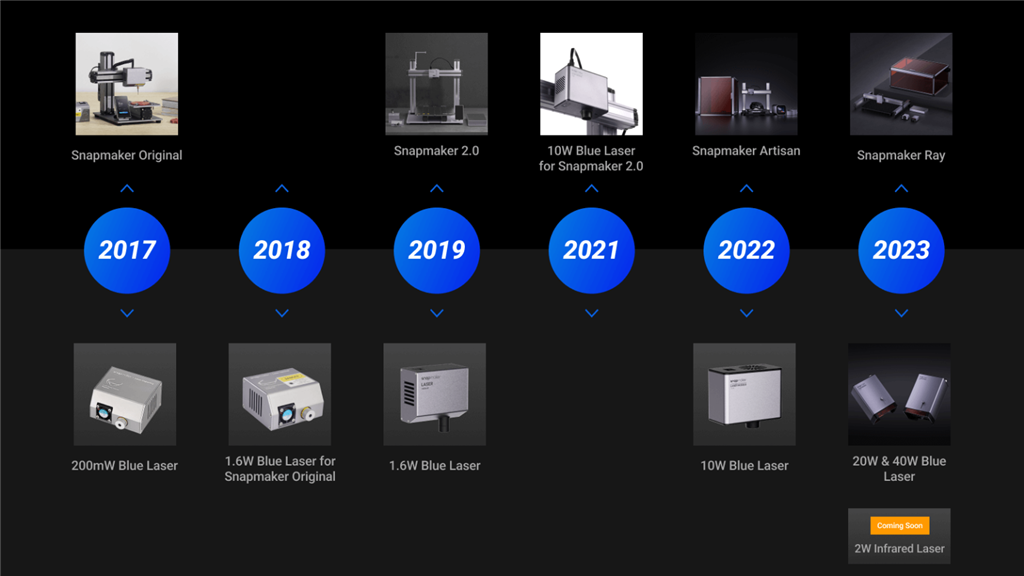
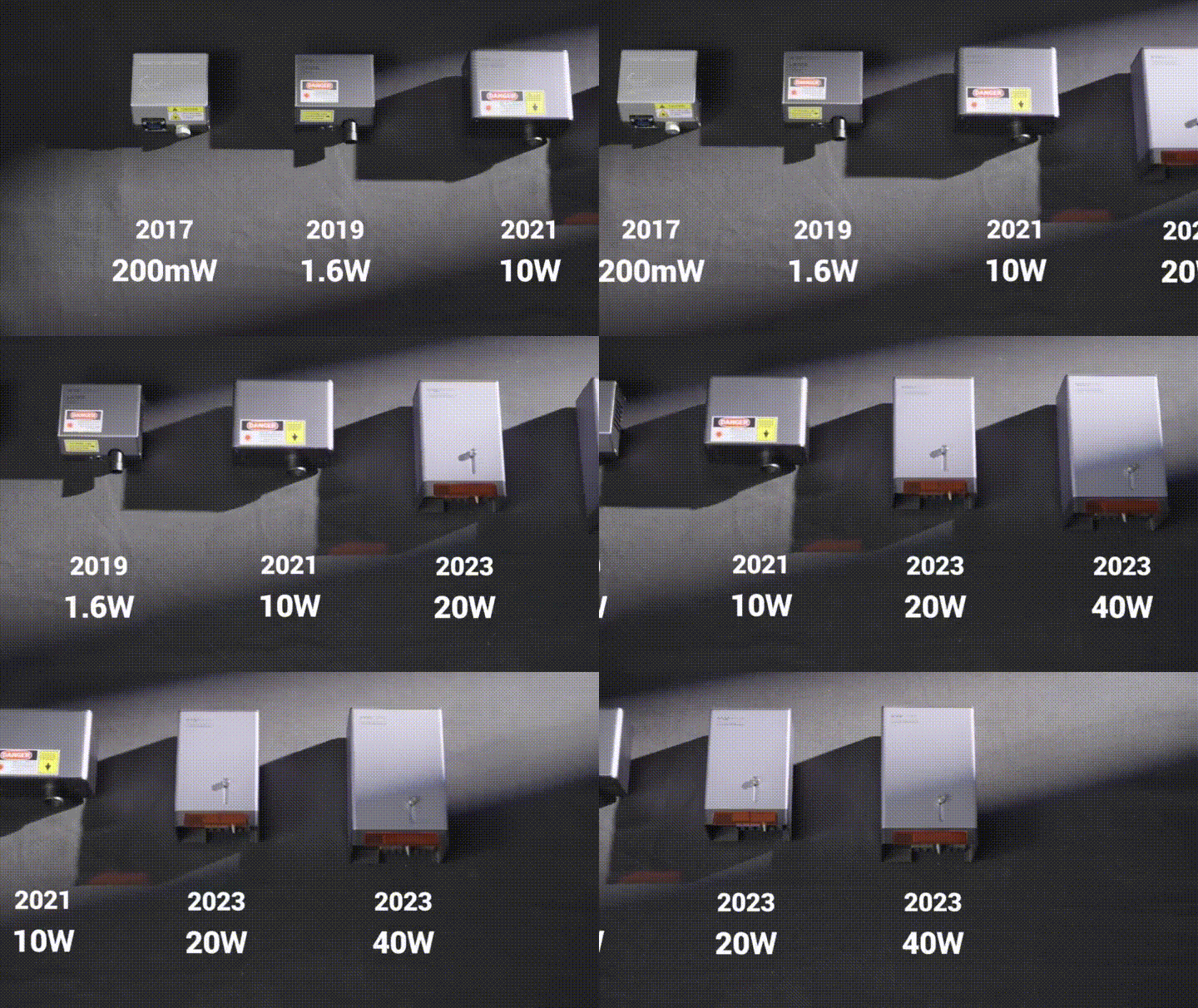
Since then, Snapmaker has rapidly upgraded its laser modules as technology has allowed. Laser power has increased nearly 200 times in the past six years, from approximately 5W to 40W. As a result of these upgrades, the number of supported materials has increased from about five to more than 20. Cutting capabilities have also improved dramatically, from almost being unable to cut to being able to cut 15mm thin maple veneers.
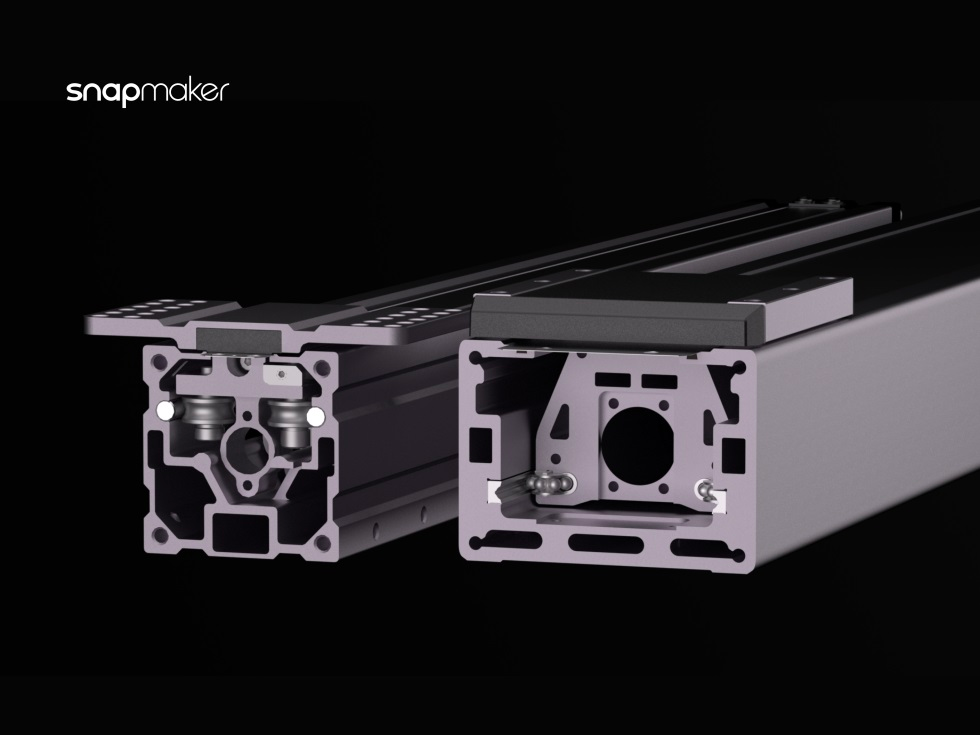
Upgrading the linear module also plays a crucial role in laser performance. As laser power increases, laser modules become heavier, which in turn necessitates greater toughness and repeatability in the linear module. These requirements were considered early in the product design phase, and both the Snapmaker 2.0 and Artisan linear modules meet these needs.
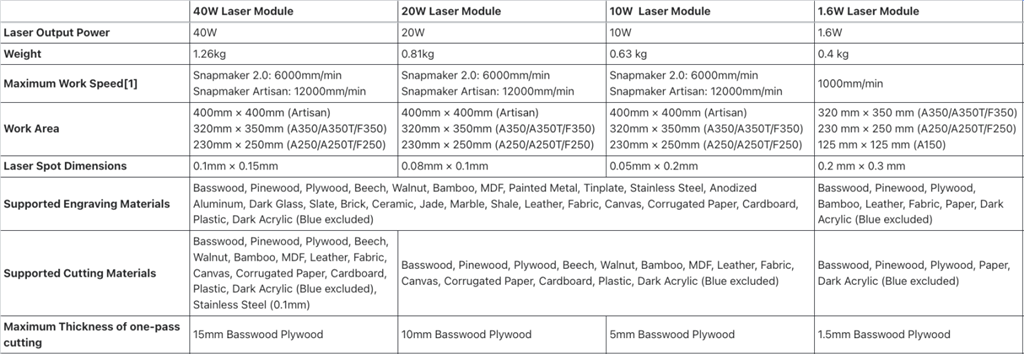
With other product upgrades and Snapmaker's commitment to precision manufacturing, the laser experience has also improved in terms of workspace, precision, engraving and cutting quality, and speed. All of this contributes to a faster, easier experience and a wider range of manufacturing options.
Not only hardware, but software is also very important.
Similar to 3D printers, a complete and thoughtful software workflow is also key to a good user experience. Snapmaker is proud to find that Luban software enhances laser capabilities in many ways. Here are some of the key features and updates over the past 6 years:
Object processing • Supports importing vector (SVG/DXF), raster (JPG, PNG, BMP), and 3D models (STL, AMF, 3MF) • Provides four image processing methods: vector, grayscale, black and white, and halftone (v3.11)
• Allows stacking of 3D models (v4.1)
Processing technology • Supports cutting, vector engraving, and image engraving (dot mode, line mode, inlay mode) (v4.9, coming soon)
• Supports multiple objects and multiple tool paths (v3.15)
• Supports preset and managed material processing (v4.1)
Hardware support: Camera-assisted background (original), camera capture (1.6W, 10W), rotation module (v3.14)
Editing functions: Selection (v4.3), spline curve drawing and editing (v4.3), multi-source mode (v4.0-v4.9)
Template library (v4.9, coming soon)
Snapmaker believes all these features contribute to the entire workflow. Beyond helping users work with images, this year they're taking a step further by providing a template library that allows users to create their own designs in seconds, including over 1,000 ready-made patterns, shapes, icons, and fonts. Turning your ideas into designs takes only seconds!
Users' love for Snapmaker's laser functionality
Snapmaker users love every upgrade to the laser and don't hesitate to share their creations and experiences with others. Below are some examples from thousands of user cases within the community. Most are home décor, gifts for loved ones, and handicrafts. Some even make a living from it.
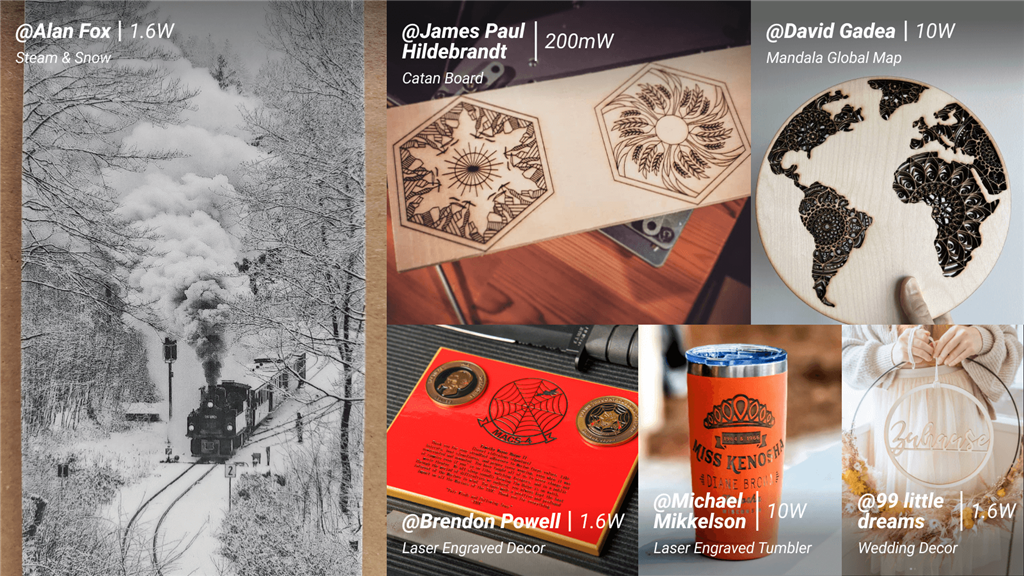
Here are some comments from current users:
• "The first time I used the cursor on a 1600mw module, it took me 55 minutes to complete the cut. Now, with a 10W module, it only takes 9 minutes." - Jaime Ramirez
• "I'm a mom of three, and I need to generate extra income. I'm just starting out, and this machine has become my favorite tool. 🤩 I love lasers; I have a 10W laser module, and I've created some beautiful pieces with it. I also use CNC, which I love, but I prefer lasers. I think this machine is your best friend for anyone wanting a 3-in-1 multifunction machine. You can do so many things without limitations. I'm grateful for that. If I have the money, I'll buy another one, haha, I'm currently saving up for a rotary module. But I always tell people to check out Snapmaker. I hardly ever have any questions, but if I do, I'll contact the company. I think they're quite easy to communicate with and respond quite quickly. This machine is a way for me to have my own creative time. I also love being able to create my own gifts at a professional level, and I want to say thank you to Snapmaker. I just wish the laser could go deeper and the bed could accommodate more; that's my only complaint. Otherwise, go buy one! Buy another 10W laser and rotary tool! PS: Everything is a learning process; practice makes perfect." Learn it, find a method that suits you. - c.
• "The difference between the old laser and the new 10W laser is amazing. I used to struggle to cut anything with the old laser, sometimes failing to even cut 3mm maple in multiple passes. Now, I can cut 5mm of material in a single pass. And the speed allows me to complete multiple projects in a few hours." - Renee Haden-Knost
• "I sincerely hope and recommend it to every creative soul on this planet! Go buy a Snapmaker and join the Snapmaker family! ❤️❤️" - Rob
Some influential Snapmaker users can test lasers more comprehensively and create amazing projects. Here are some interesting examples:
An American YouTuber boldly attempts to create textile accessories.
This creator uses a mini Snapmaker Original to make leather prints with their own personal logo and CNC-machined wooden buttons (the material is surprisingly palm seeds). It's perfect for micro-entrepreneurs who don't need complicated skills to produce an endless stream of amazing merchandise!
The upgraded model is now more powerful and worth the investment.
Snapmaker 2.0 3-in-1 3D Printer / A250T
French YouTuber Paulygones [Building a Classic Clock from Scratch]
The intricate Roman numeral recutting, the wood cutting for clock gears, and even the 3D printing of the clock ticking engine in the video can all be accomplished with a single Snapmaker 2.0.
↓ Snapmaker 2.0 Related Models ↓
Snapmaker 2.0 3-in-1 3D Printer / A250T
Snapmaker 2.0 3-in-1 3D Printer / A350T
* You can also add a 20W or 40W high-power laser module to increase cutting efficiency!
References
After reading this, do you feel like giving it a try? If you have any questions, feel free to click the button in the bottom right corner.
Snapmaker 2.0 3-in-1 3D Printer / A350T
* You can also add a 20W or 40W high-power laser module to increase cutting efficiency!
References
After reading this, do you feel like giving it a try? If you have any questions, feel free to click the button in the bottom right corner.
A specialist from SanDiMa will carefully answer your questions!!
Follow our fan page to stay up-to-date with the latest news: https://www.facebook.com/3dmart.com.tw/