


[CNC Application] 4 Beginner Tips for Snapmaker CNC Wood Carving
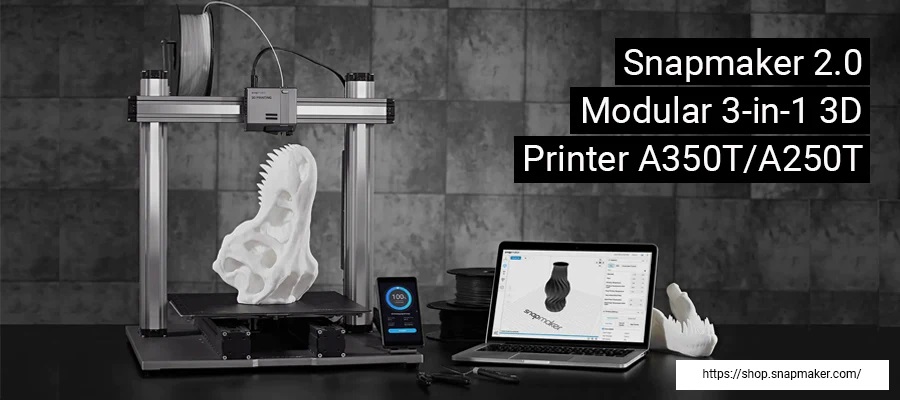
Most people know the Snapmaker for its high-performance 3D printing capabilities, but it's also an excellent wood carving machine. The Snapmaker 3-in-1 3D printer offers CNC wood carving functionality, allowing you to achieve more precise cuts than manual cutting tools, enabling you to create beautiful and complex designs.
To achieve the same outstanding results in CNC wood carving as in 3D printing , you may need to master the following techniques:
To achieve the same outstanding results in CNC wood carving as in 3D printing , you may need to master the following techniques:
1. Invest in a humidity measuring device
Wood processing may seem simpler than wire processing, but it is actually more complex. Unlike wire, wood is more sensitive to external environmental conditions and may swell, crack, or warp depending on storage conditions. Therefore, extra care is needed to avoid damaging your items. This instrument will tell you the current moisture content of the wood. If the wood is too wet, it will warp or shrink due to moisture. If it is too dry, it will crack.
2. Ensure a well-lit workspace . When it comes to wood carving, bright and ample lighting is crucial. Although the entire process is calculated by software, mistakes still need to be avoided. Appropriate lighting allows for processing from different angles, improving efficiency and safety.
3. Invest in easy-to-use software.
Investing in suitable CNC engraving software is crucial. Snapmaker Luban is easy to use, supports all three of Snapmaker's technologies, and is free to use, making it one of the most popular programs among 3D printer enthusiasts.
4. Pay attention to the spindle speed.
In 3D printing , high-speed rotation is beneficial for achieving uniform results. It ensures that the melted filaments don't dry unevenly during the printing process. However, in CNC wood carving , slower spindle speeds are better. When you want to present complex designs, you can start by setting a lower spindle speed. Determine which speed is best suited for different wood carving styles.
The Snapmaker 2.0 3-in-1 3D printer's CNC engraving capabilities give you the opportunity to unleash your creativity. Explore using different materials in your creative process. If you're unfamiliar with CNC wood carving , you can start by following the four tips provided above. Try the Snapmaker 2.0 3-in-1 3D printer now and explore a whole new realm of creation!
Follow our fan page to stay up-to-date with the latest news: https://www.facebook.com/3dmart.com.tw/
https://www.instagram.com/3dmart/
Source of information