


[3D Printing Tutorial] Star Wars: A Complete Record of Phrozen Photopolymer 3D Printing!
Star Wars fans rejoice! The second season of *Star Wars: The Mandalorian* just finished airing at the end of 2020, and you're still feeling the afterglow? This unboxing and hands-on review of the " Phrozen Sonic Mighty 4K Photopolymer 3D Printer " brings the Mandalorians and Yoda to life on screen. The article concludes with details of the 3D printed product, free model download links, a 3-step calibration process, and a 5-step slicing process—all explained clearly with pictures and text, making it easy for beginners to follow!
Platform calibration in 3 steps
First, remove the toolbox and sponge from the Phrozen Sonic Mighty's full-coverage top cover. Loosen the nuts on both sides of the resin tank below, then remove the resin tank upwards for platform calibration .
First, remove the toolbox and sponge from the Phrozen Sonic Mighty's full-coverage top cover. Loosen the nuts on both sides of the resin tank below, then remove the resin tank upwards for platform calibration .
1. Loosen the print station screws
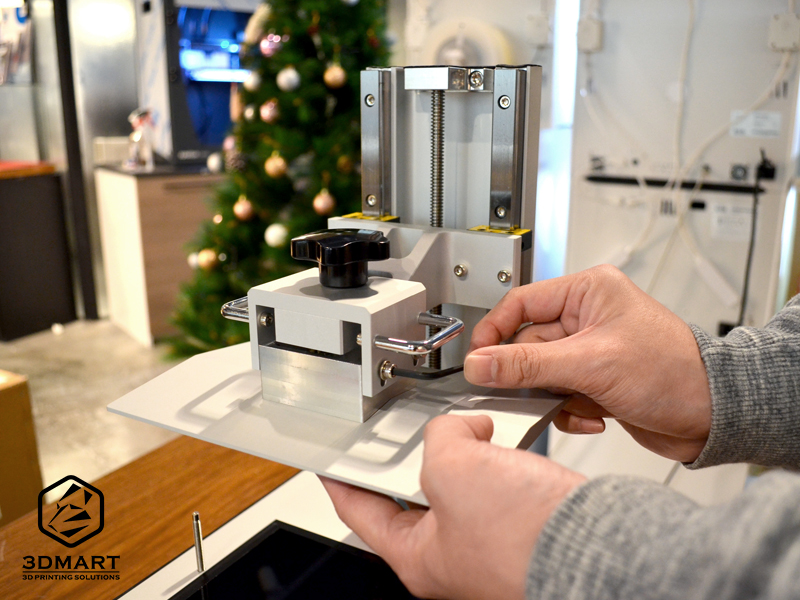
Loosen the screws securing the top printing platform (do not remove).
2. Place the paper and calibrate with one click.
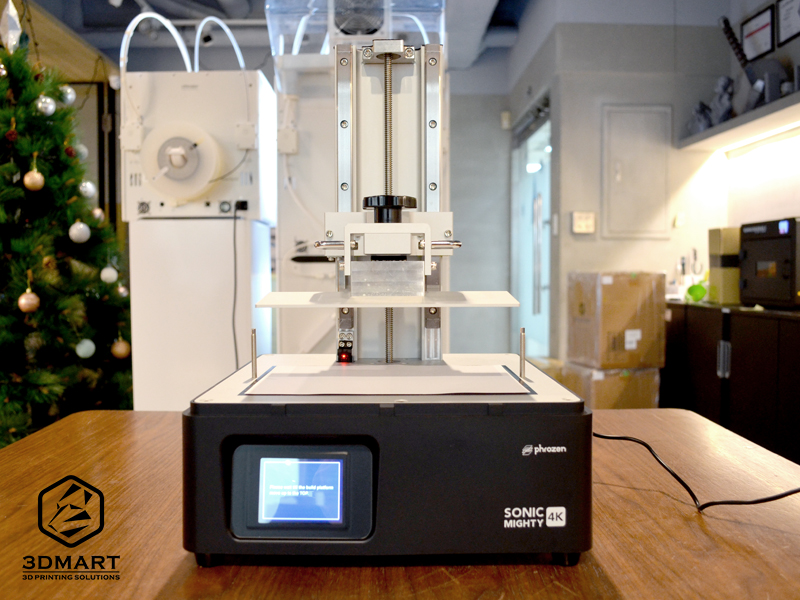
Place a piece of paper on the LCD panel, and after clicking "Tool" > "Z Calib" on the screen, the printing platform will automatically descend to the LCD platform.
3. Tighten the screws and automatically return to their original position.
Wait until the platform is completely flush with the bottom paper and LCD panel, tighten the four screws again, and finally click "Done" on the screen. The platform will rise to the top again to complete the calibration.
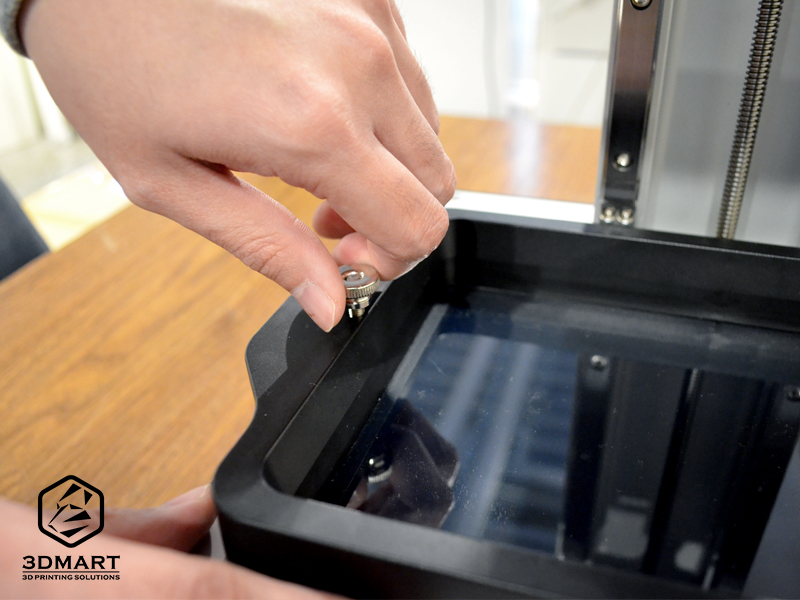
After confirming the above three steps and checking if the bottom LCD curing light is on, lock the resin tank. The 3D printer is now ready.
Model slicing (5 steps)
Before using the Phrozen Sonic Mighty 3D printer , you need to use the Chitubox slicing software to slice the model:
1. Select "Settings" to enter the settings page.
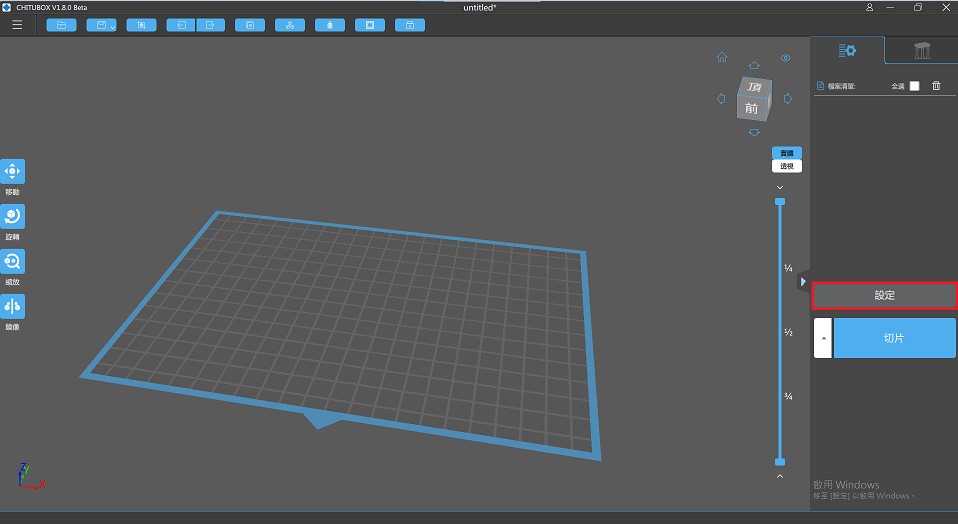
2. Click "
 The new icon indicates that you can access the device selection interface and find the specified photopolymer 3D printer, " Phrozen Sonic Mighty 4K ".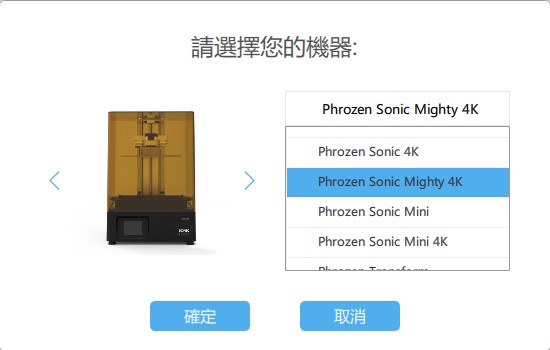
3. Select the Phrozen resin to use based on your preferences and material requirements . ( Click here to download: Phrozen Sonic Mighty 4K Resin Specifications )
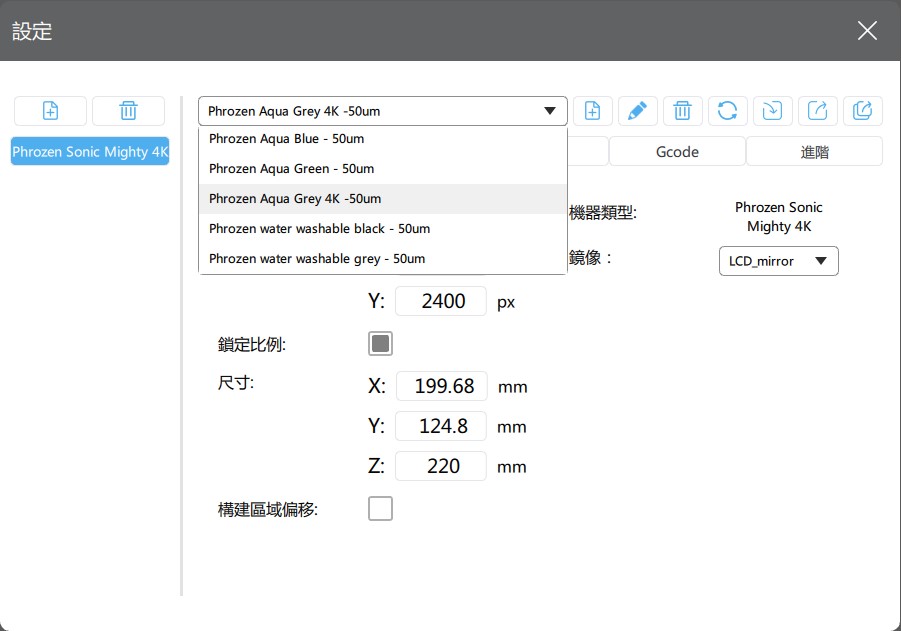
4. Import the 3D model file, click on the "Create Support" page, and select "..."
 Users can adjust the detailed parameters according to their preferences and printing conditions.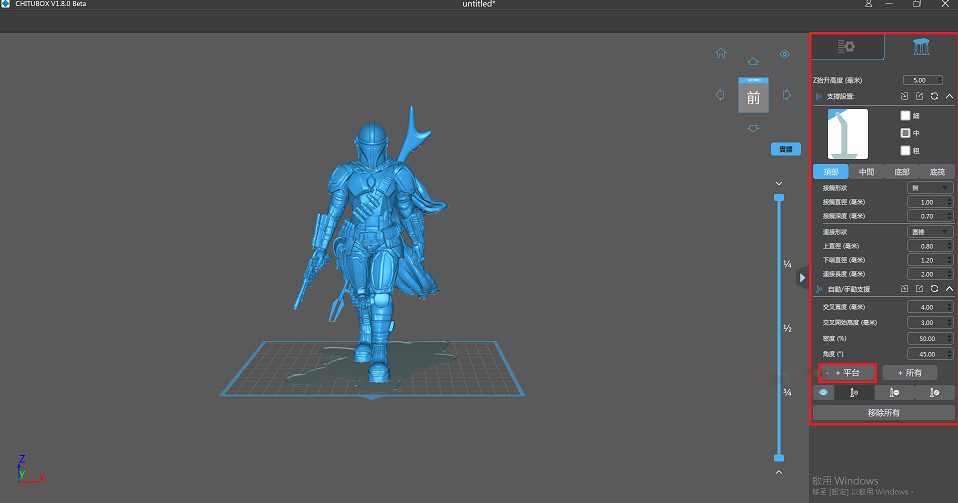
5. After the data is set, dragging the right slider allows you to view and simulate the actual molding process. Before starting 3D printing, check whether each overhang of the model is fully supported.
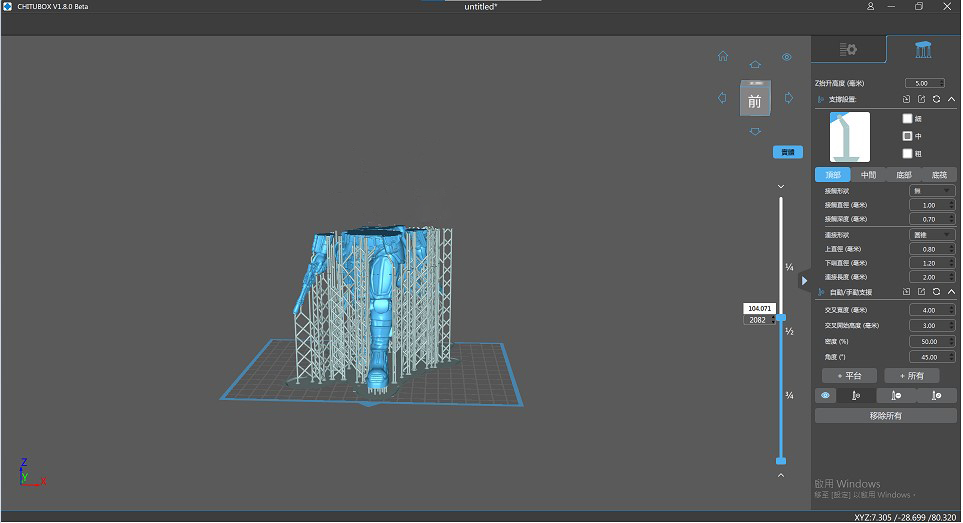
Finally, select "Slice" to obtain the model slice file. After the software performs calculations, it will display detailed information, including the material resin type and printing time. Save the file to a USB drive (the file name must be .ctb), and then read it in the Phrozen Sonic Mighty 4K to start printing.
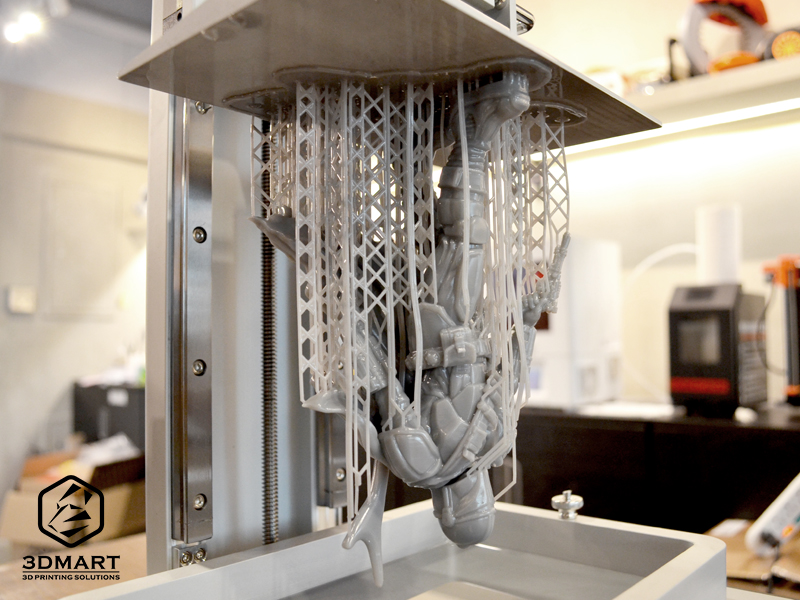
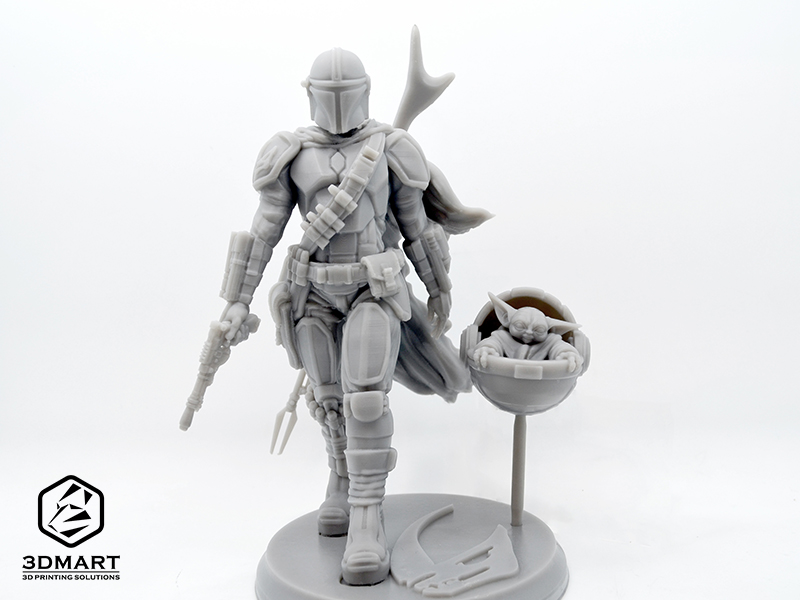
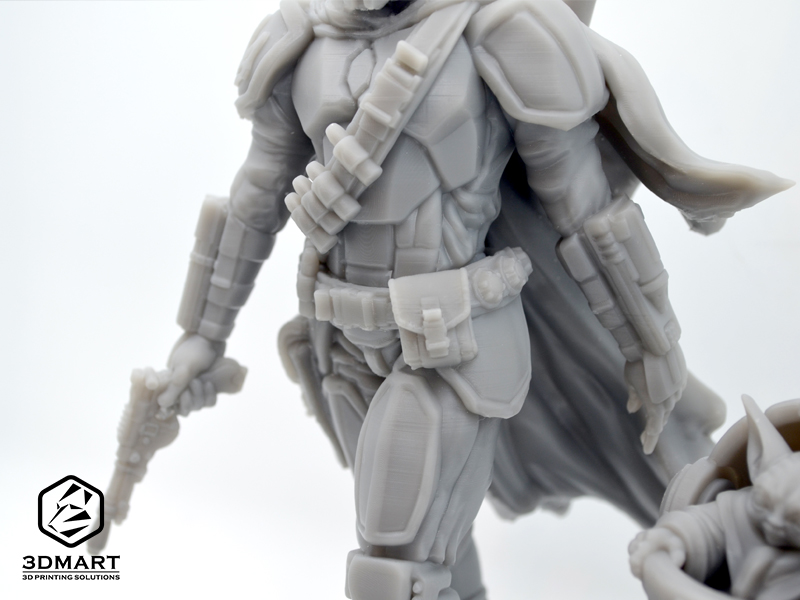
After the 3D printing was completed, the 20cm tall "Mandalorian" was born along with the supporting structure! After removing the support using an ultrasonic cutter , you can see more clearly the high-precision details of the armor, cape, weapons, bullet belts, arm fabric, and fingerprint patterns. The effect is very detailed and amazing!
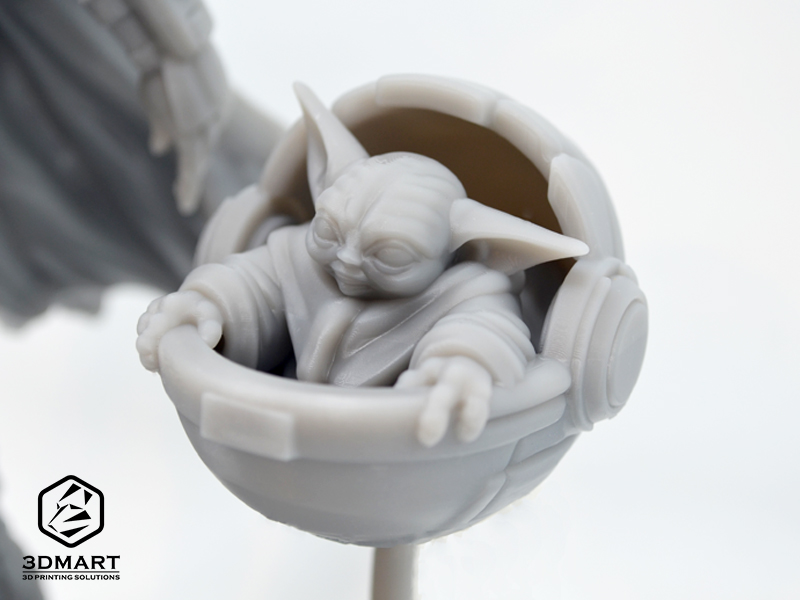
We also used the same steps to 3D print Yoda, the Mandalorian's partner in the series. The resulting 5 x 4.5cm miniature Yoda clearly shows the lines on his face, his eyelids, and the wrinkles in his clothes. Once assembled with the base, it's complete! It's definitely the top choice for StarCraft fans to collect.
Did you enjoy this sharing? The new generation " Phrozen Sonic Mighty 4K UV-curing 3D printer " features a black panel with subpixel removal, unlike previous color panels, resulting in 4x faster printing speeds! It's suitable for creating complex shapes and intricate surfaces such as jewelry and dental molds. Want to know what else an LCD UV-curing 3D printer can print ? ( Click here ); We offer more than just 3D printing . Contact us now to learn more about Phrozen UV-curing 3D printers .
Follow our fan page to stay up-to-date with the latest news: https://www.facebook.com/3dmart.com.tw/