


[3-in-1] Simple and easy to make! Four excellent Snapmaker CNC creations #2
Artisan is Snapmaker's most classic 3-in-1 3D printer, featuring three main functions: 3D printing, laser engraving, and CNC cutting.
This time, we'll be sharing four more Snapmaker CNC creations that are perfect for you to make yourself!
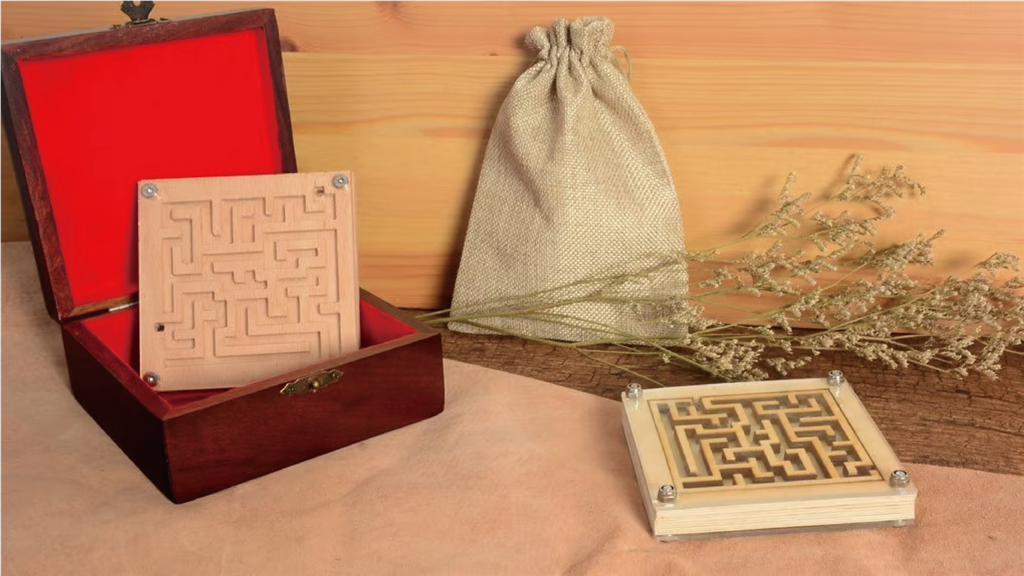
In the CAM environment, you only need to set up one operation: 2D cavity. Using a flat-end mill, select the maze path as the geometry of the cavity and set the height to -5mm (using the infeed ramp type). If you need assistance, you can follow the designer's step-by-step video instructions. After setting it up, you can send the file to your machine, and your maze will be completed in approximately 43 hours.
To play with it, add a small ball with a diameter of 3.5 mm or smaller. If you want to make it cooler or avoid losing the ball, you can add an acrylic panel to enclose the ball in the maze.
Designers: leonardodeng6209 , Howard Lai
Core materials: Plywood (80 x 80 x 1.5 mm), Acrylic (80 x 80 x 1.5 mm)
Link to the work: Teaching
Models used: A150, A250(T), A350(T), Artisan
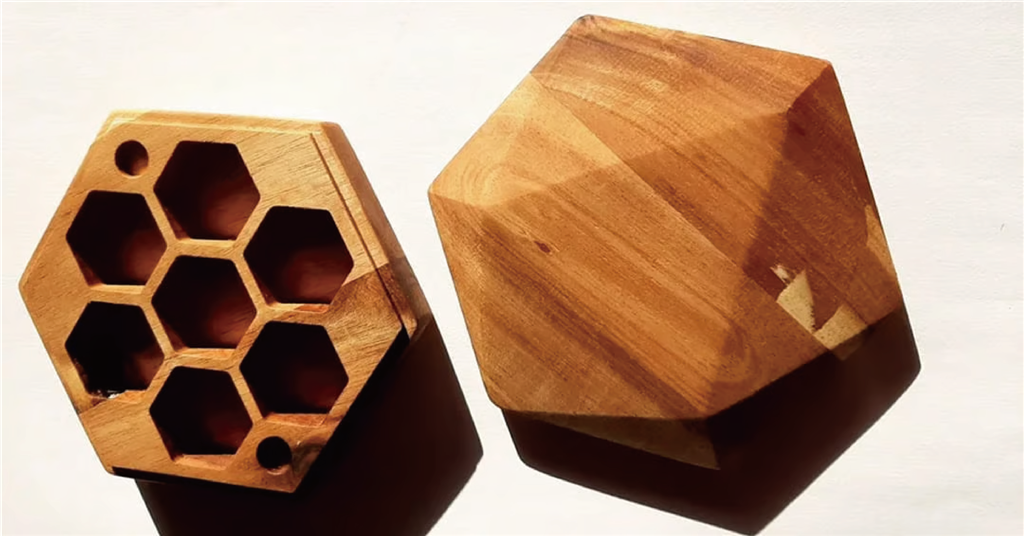
If you enjoy tabletop games, you probably use quite a few dice, and dice are easy to lose. That's why you can use this super cool dice box to organize them!
It can hold up to seven 20-sided dice, but smaller dice can also be accommodated. This is a project that all Snapmaker users can make, as it even works on the smallest model, the A150.
The model's authors created a good guide on how to set up G-code in Fusion. First, you need to specify the origin and ensure it's set on the surface of the workpiece. For bottom parts, you can use a flat-end mill, while for top parts, you'll need a V-brush.
After milling, to make the box look more appealing, you'll need to sand and apply a wood veneer. The creator of this design used linseed oil to give the wood a glossy finish. Finally, you can complete the project by gluing it in place with magnets.
Designer: ch4tterb0x
Core materials: Two carefully selected wooden boards (such as acacia wood), 120 x 180 x 18 mm, and 4 x 10- x 3-mm magnets.
Link to the work: Teaching
Models used: A150, A250(T), A350(T), Artisan
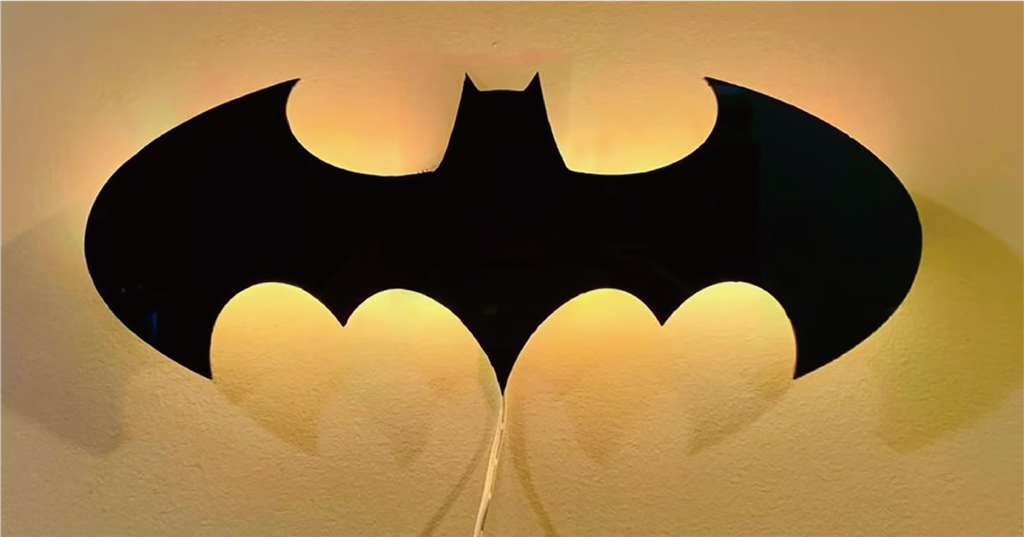
If plain, uninteresting lamps aren't for you, and you're a fan of DC Comics, then you'll love this light fixture. The Batman-themed piece is created using only a black acrylic sheet milled with a Snapmaker A350 and a small 3D-printed base to house the LED control unit. The designer has also uploaded a video tutorial , so you shouldn't have any problems building this beautiful lamp yourself.
To assemble the lamp, attach the LED light strip to the 3D-printed base outline and snap the LED control unit into the opposite hole. Then simply glue the Batman logo and printed base together to complete the beautiful lamp.
Because the Batman logo is approximately 360 mm wide, it only fits diagonally on an A350T or Artisan.
Designer: Design8Studio
Core materials: 300 x 300 x 6 mm black acrylic sheet, LED light strip (RGB recommended), PLA, hot glue gun
Link to the work: Thingiverse
Models used : A350T, Artisan
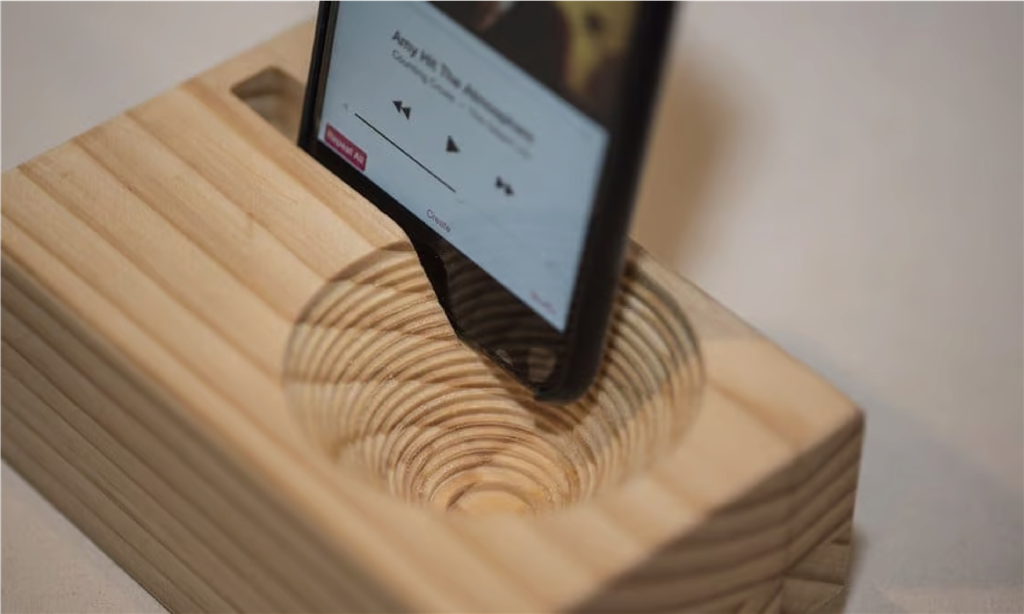
This phone speaker is simple to make, looks elegant, and sounds pretty good in actual use. If you're looking for something easy to create on Snapmaker that's suitable for beginners, this is a great option.
This speaker has a maximum size of 150 mm, so you should be able to build it on any Snapmaker model.
Designer: Warren Downs
Core materials: Two frame wooden boards ~200 x 90 x 60 mm
Link to the work : Teaching
Models used: A150, A250(T), A350(T), Artisan
-
After reading this, are you ready to embark on your own CNC creation journey? Come and choose the right equipment!
► Snapmaker 2.0 3-in-1 3D Printer / A350T
► Snapmaker Artisan 3-in-1 3D Printer
► Snapmaker Artisan 3-in-1 3D Printer - Premium
Follow our fan page to stay up-to-date with the latest news:
https://www.facebook.com/3dmart.com.tw/
https://www.instagram.com/3dmart/