


A machine used for cutting, carving, and building.
The Snapmaker Artisan is a large, easy-to-use, deluxe all-in-one 3D printing , laser , and CNC machine, but it also takes up considerable space. 3DMark will be publishing four articles covering the Artisan's unboxing, 3D printing, laser engraving and cutting, and CNC capabilities , providing comprehensive reviews and feedback from various online sources, including the number one digital manufacturer magazine All3DP and Toms's Hardware , renowned for its benchmarking .
Functionality Test Article
1. 3D printing
2. Laser engraving and cutting
3. CNC Sharp Machine
📚 Quick Guide
1. Introduction to Artisan
2. Advantages and disadvantages of Artisan
3. Unboxing
4. Assembly teaching
Artisan Introduction
The Snapmaker Artisan is a versatile fabrication machine. It offers 3D printing (specifically, dual-extrusion 3D printing), laser engraving and cutting, and CNC engraving and cutting, with a rotary module available for separate 4-axis laser and CNC engraving. It represents a significant improvement over its predecessor, the Snapmaker 2.0 , featuring a larger build volume, faster speeds, and a quick-release module that snaps into place in minutes. It has a direct drive with an interesting dual-hot end—two extruders sharing a single tool head.
What are the advantages of dual-heating nozzles? Check out this article to find out 👉 Snapmaker Single Nozzle, Dual Nozzle, IDEX Independent Dual Nozzle: Advantages and Disadvantages and Comparison
Other advanced features include fast linear guides on the X and Y axes, a traditional dual Z-axis for stability, a double-sided PEI-coated glass build plate, and built-in WiFi. The laser module's power has been increased to 10 watts, enabling engraving and cutting of materials up to 8 mm thick. The CNC tool head also boasts 200W of power at 18,000 RPM!
The Artisan features a ventilated, laser-protected enclosure, making the machine safer to use in open workshops where people or pets might pass by. The enclosure also prevents dust from escaping and uses engineered materials to keep the chamber warm, performing exceptionally well in all three modes – definitely worth considering! While it takes up a significant amount of space (they had to build a new table to fit this machine into their workshop), it can still save space for any manufacturer looking to print, engrave, and sculpt. Its thoughtful design makes it not only one of the best 3D printers but also one of the best laser cutters and engravers Tom's Hardware has ever seen, a great option for anyone who needs all its features and can afford its premium.
Artisan Advantages and Disadvantages
The advantages and disadvantages of Artisan are as follows:
| advantage | shortcoming |
| + Three creative tech tools in one | - Takes up a lot of space |
| + A good dual-squeeze printing experience | - Poor printing results with TPU |
| + Direct drive | - Snapmaker replacement parts only |
| + Automatic leveling bed | - More complicated casing setup |
| + Huge construction size | |
| + With outer shell | |
| + Built-in Wi-Fi | |
| Artisan 's overall performance was outstanding. |
They've also launched a brand new premium version, which converts the 10W laser module into a 40W one, with powerful enough power to engrave and cut thicker materials!
For more details, please see here 👉 Snapmaker Artisan 3-in-1 3D Printer - Premium
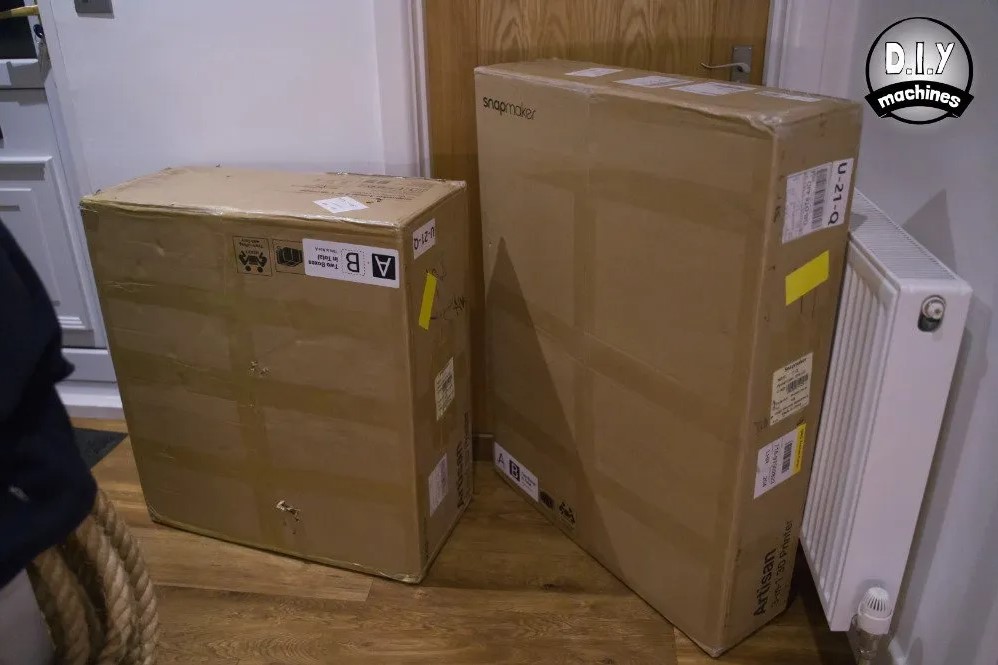
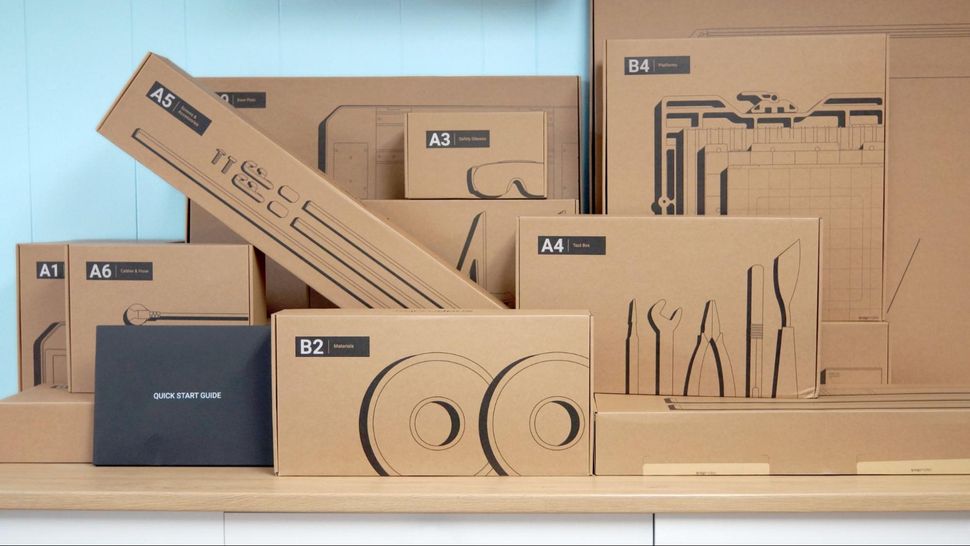
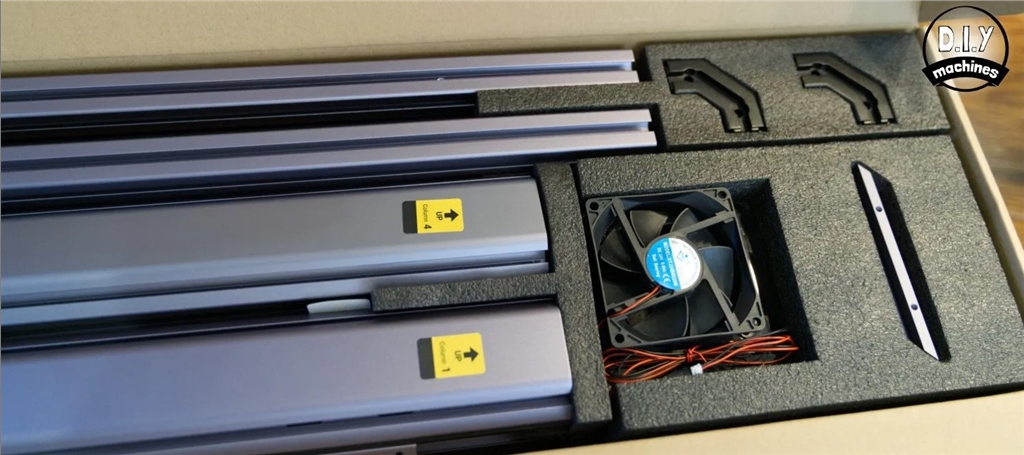
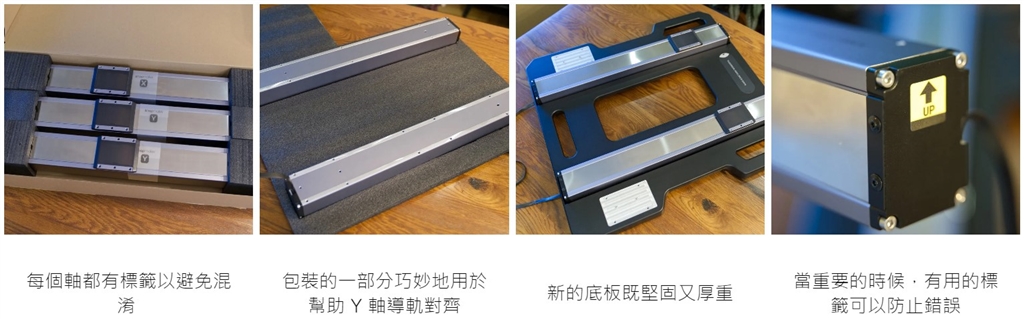
This is a large machine, which means the packaging is even larger. In fact, it's divided into two large, heavy packages (one of which weighs nearly 50 kilograms!). Both are well-filled, well-packaged, and very well organized. Inside these boxes, the items are further grouped and labeled so you know what you need and when you need it, as you'll see in the assembly section.
What else is included?
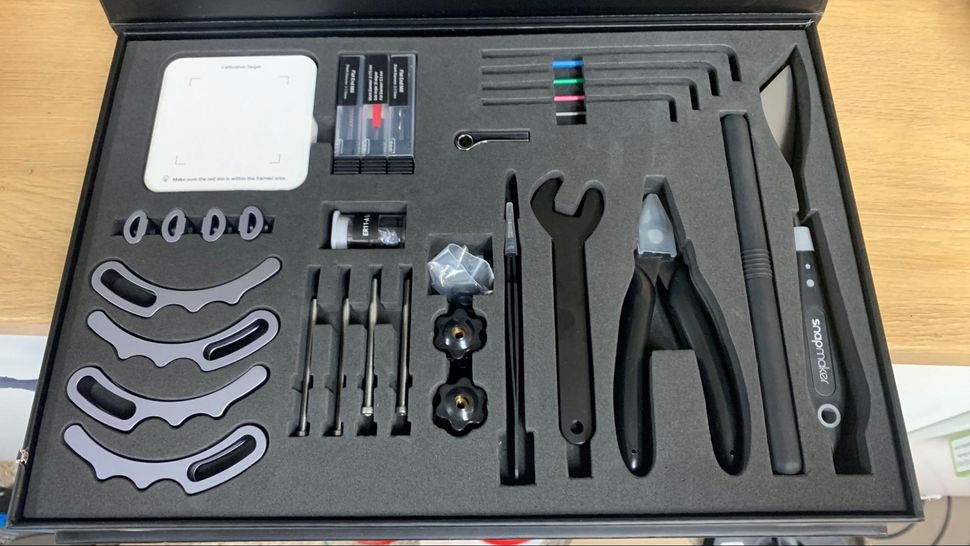
Artisan provides all the tools needed for long-term machine assembly and maintenance . They offer a reusable toolbox with well-organized tools: side cutters, metal scrapers, wire brushes, tweezers, and a USB memory stick. You also get two 1kg Snapmaker wire spools: a black PLA and a separate white PLA for support, as well as standard safety glasses for woodworking, two pieces of lightweight plywood, an MDF board, a calibration block, jigs for CNC machining, and drill bits.
**No laser safety glasses are provided because Artisan comes with a laser safety shell.**
So how much space do you need to store the assembled Snapmaker enclosure? The machine itself measures 67 cm wide, 93 cm deep, and 71 cm high. The DIY Machine will allow an additional 25 cm of width on each side to accommodate spool holders for 3D printing (one spool holder on each side when using two filaments in the same print), which also allows the Integrated Control Center (ICC) to sit next to the enclosure. Snapmaker notes that the ICC is best located on the right side of the machine so that its controls are still accessible when the cabinet door is open.
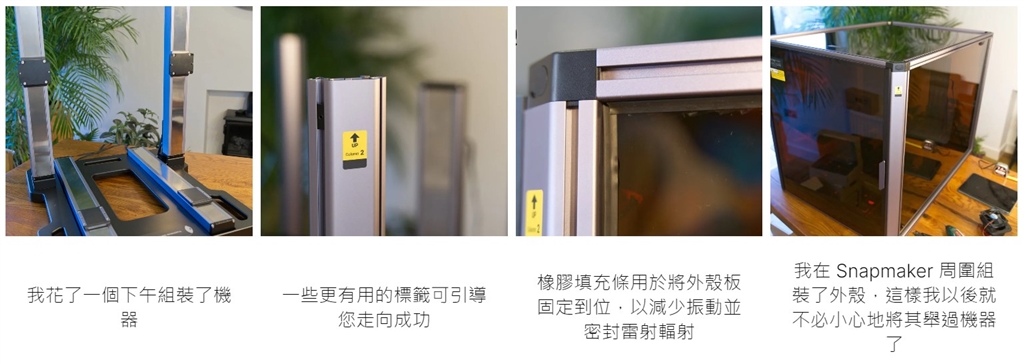
After the main frame and shell of the machine are assembled, you need to connect the correct working platform and tool head according to the functions you want to use.
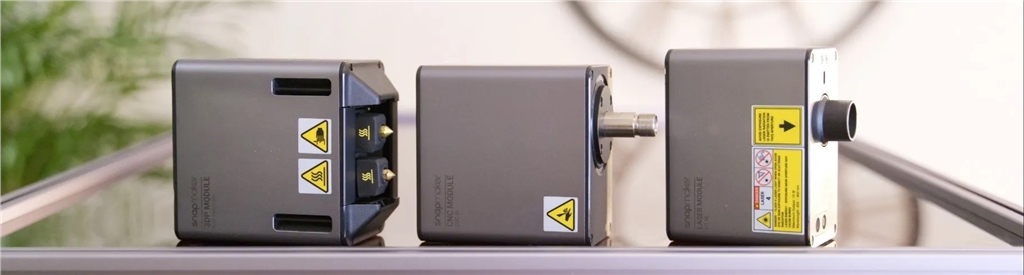
The same goes for the worktable—in fact, the improvements are even greater here. It uses the same single-lever design, but for some functions, this saves the hassle of having to remove twelve bolts (for the milling table) and then install roughly the same number of bolts for the function you want to switch to. If this were 3D printing, you'd need to use different bolts to attach it to the Snapmaker. All that hassle is now gone. Snapmaker has done a great job again. If a previous generation Snapmaker user were asking if it was worth the upgrade, I'd say if you frequently switch functions, it's a major upgrade not to be missed.
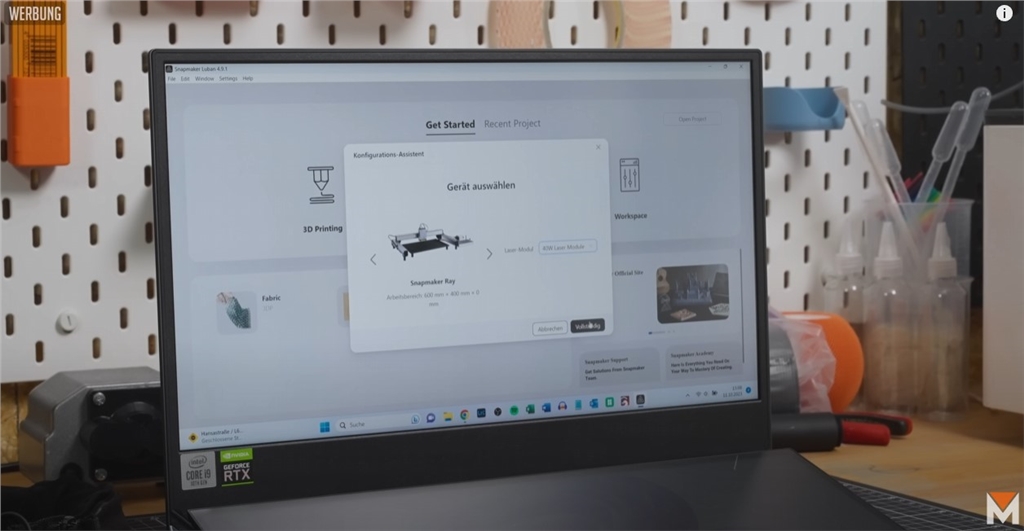
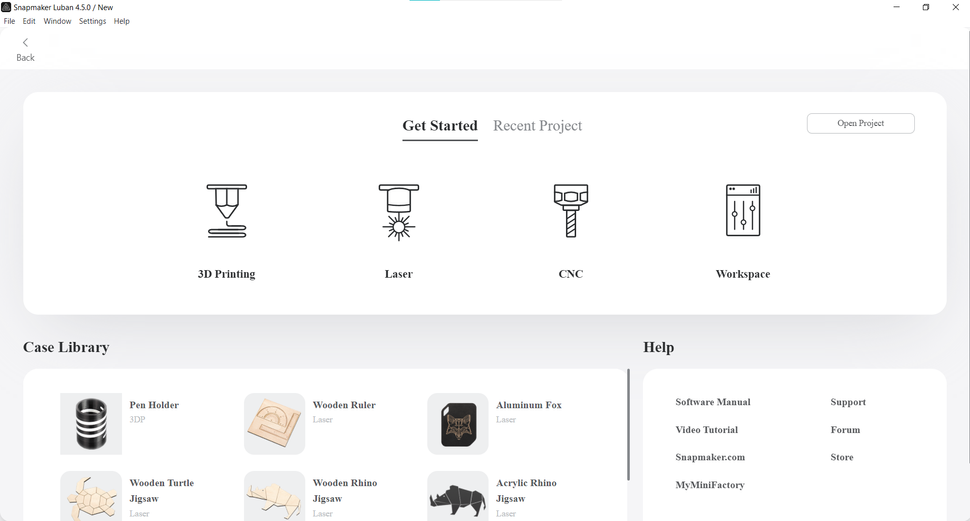
Snapmaker partnered with Luban to create "Snapmaker Luban," a software that allows slicing models using all three functions. Suitable for beginners, the software features numerous presets for 3D printing , laser , and CNC modes. The main screen provides helpful links to Snapmaker's manual and video tutorials.
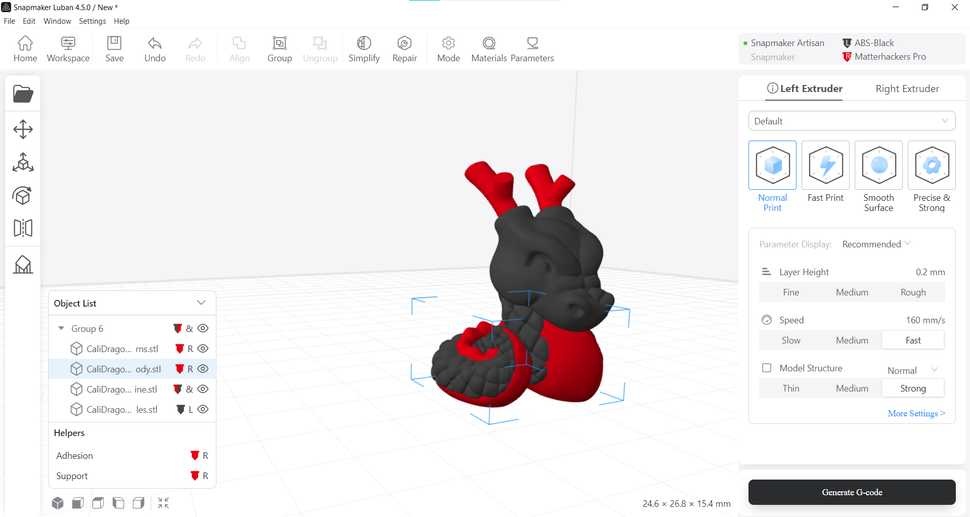
The 3D printing mode uses a combination of presets and sliders, along with a pop-up window explaining the purpose of each function. You can choose from the Normal, Fast, Smooth, or Strong presets, or press the "More" button for full control. The extruders can be set to different speeds, but they must maintain the same layer height.
Want to see how Artisan performs in real-world testing? Then stay tuned for our updates!
Want to learn more about Snapmaker products? Contact us below!
-Contact Us-
SanDiMa offers more than just 3D printing ; we provide three major OEM services: " 3D Printing Manufacturing ," " 3D Scanning Services ," and " Spatial 3D Scanning Services "!
Follow our fan page and stay up-to-date with the latest news:
Facebook | Instagram | LinkedIn