


[Snapmaker Tutorial] A350 Assembly and Operation: Video Tutorial (Chinese Version)!
3D printing , laser engraving , and CNC milling – all in one machine! Follow the steps and you won't go wrong. The Snapmaker A350 3D printer comes with a complete tutorial on assembly, software, and equipment. Watch the video and you'll be able to do it right away!
( Skip the tutorial! 03:03 See the 3D printing result / 04:18 See the laser engraving result / 05:39 See the CNC milling result)
one, Equipment assembly (Video 00:12)
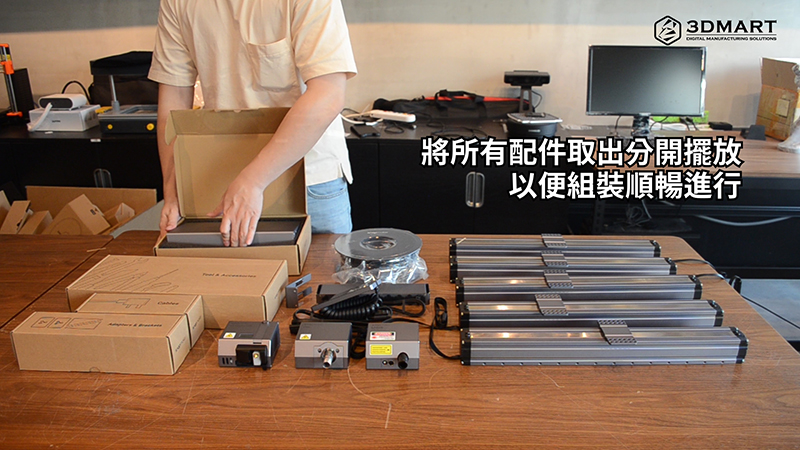
First, gently disassemble the two outer boxes of the Snapmaker A350 3D printer using a utility knife. You will then find the instruction manual, and boxed accessories for the 3D printing , laser engraving/cutting , and CNC milling technologies. Because there are many components, it is recommended to remove all parts and place them separately on a table for smoother assembly. (You can also refer to the included instruction manual, which describes the assembly process in detail.)
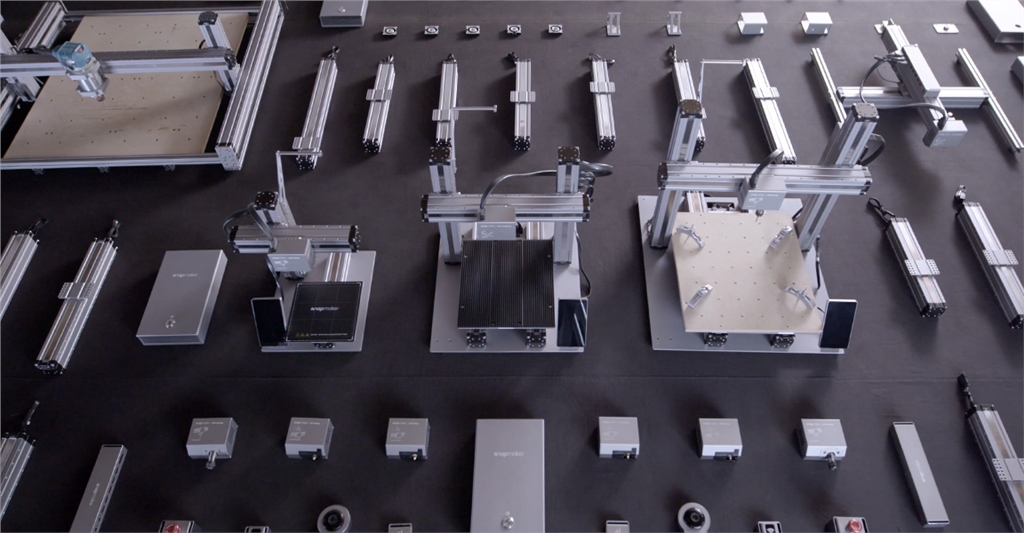
Main assembly items:
1. Unboxing and first assembly of the Snapmaker body
2. Replace the module (depending on the corresponding technology).
3. Replace the work platform (based on the corresponding technology).
II. Operating Procedures
3D Printing (Video 01:03)
1. Assemble 3D printing modules and 3D printing platforms
2. Calibrate the heating platform (following the touchscreen instructions).
3. Install 3D printing cables
4. Prepare 3D image files (slices): After setting the parameters, convert to G-code files.
5. Upload 3D files to Snapmaker 3-in-1 3D printer
6. Start 3D Printing
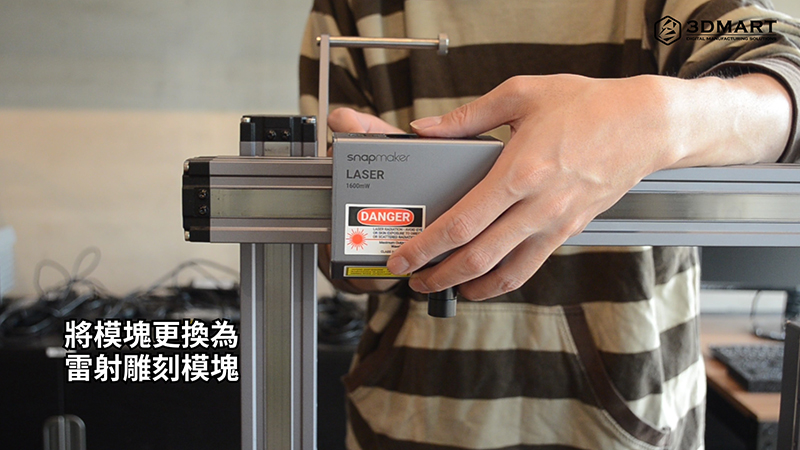
Laser engraving/cutting (Video 03:14)
1. Assemble the laser engraving module and the dedicated laser processing work platform.
2. Calibrate and measure the laser head focal length (following the touchscreen instructions).
3. Secure the laser engraving material to the platform (soft plug included).
4. Prepare the laser engraving file: After setting the parameters, convert it to a G-code file.
5. Upload the file to the Snapmaker 3-in-1 3D printer.
6. Touchscreen settings: material thickness, laser engraving range
7. Begin laser engraving
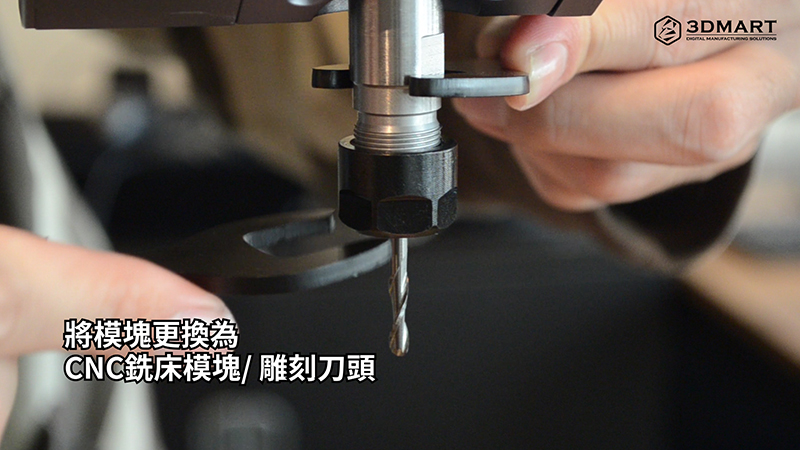
CNC milling machine (Video 04:30)
1. Assemble CNC milling machine modules and CNC dedicated work platforms
2. Preparing CNC machining files: After setting the parameters, convert them to G-code files.
3. Upload files to Snapmaker 3-in-1 3D printer
4. Touchscreen settings: CNC milling machine machining range, boundaries, distance
5. Start CNC milling
III. Software Operation
Software used in the Snapmake series 3-in-1 3D printer : Snapmakerjs
1. Import file: Click "Add"
2. Fine-tuning: moving, scaling, rotating, and creating supports
3. Set parameters according to requirements
4. Select "Generate G-code" to slice.
5. Slide bar function: Preview slice effect
6. Export/Save 3D Files
1. Import file: Click "Add"
2. Detail adjustments: Use the mouse to adjust the position and size of the sculpted image.
3. Laser engraving modes: Black & White (B&W) / Greyscale / Vector
4. Set parameters according to requirements: adjust laser power, density, and speed.
5. Select "Generate G-code" to convert the file.
6. Export/save files
1. Import file: Click "Add"
2. Fine-tuning: Use the mouse to adjust the position and size of the file.
3. Preview the 3D relief effect: Select "Process".
4. Types of cutting tools available: Carving V-Bit / Flat End Mill / Ball End Mill
5. Select "Generate G-code" to convert the file.
6. Export/save files
The Snapmaker 3-in-1 3D printer is compact and easy to install, suitable for gamers, designers, personal studios, schools, and even businesses. It encompasses three technologies, resulting in lower production costs and higher efficiency! Three technologies in one, unlimited creativity! Did you enjoy this sharing? Snapmaker offers more than just 3D printing ; contact us now to learn more about the Snapmaker series of 3-in-1 3D printers .
Follow our fan page to stay up-to-date with the latest news: https://www.facebook.com/3dmart.com.tw/