


Cura Software Version 4.11: 100 brand new icons, major visual and functional overhaul!
100 brand-new icons! Ultimaker Cura 4.11 offers a completely upgraded visual experience! One-click import of 3D printed files and quick integration with Ultimaker Digital Library software ( click to see: Ultimaker's five major systems collection ). Smoother, more precise alignment in 3D printed products. Free download at the end of the article:
100 brand new icons, a visual upgrade
The updated Ultimaker Cura adds over 100 new icons, consistent with the icon style used on the Ultimaker platform. These icons are simple, clear, and easy to recognize, better representing the features they are associated with. Users can easily understand the corresponding functions through the images, as well as enjoy a richer slice experience, while giving Ultimaker Cura a stylish, modern look and feel.
In addition, the "zoom" feature has been improved. For example, when the Ultimaker Cura window is zoomed out, the icons will automatically adjust, effectively reducing visual clutter. Warning and attention messages have been redesigned with intuitive color schemes, making them easier for users to understand.
In addition, the "zoom" feature has been improved. For example, when the Ultimaker Cura window is zoomed out, the icons will automatically adjust, effectively reducing visual clutter. Warning and attention messages have been redesigned with intuitive color schemes, making them easier for users to understand.
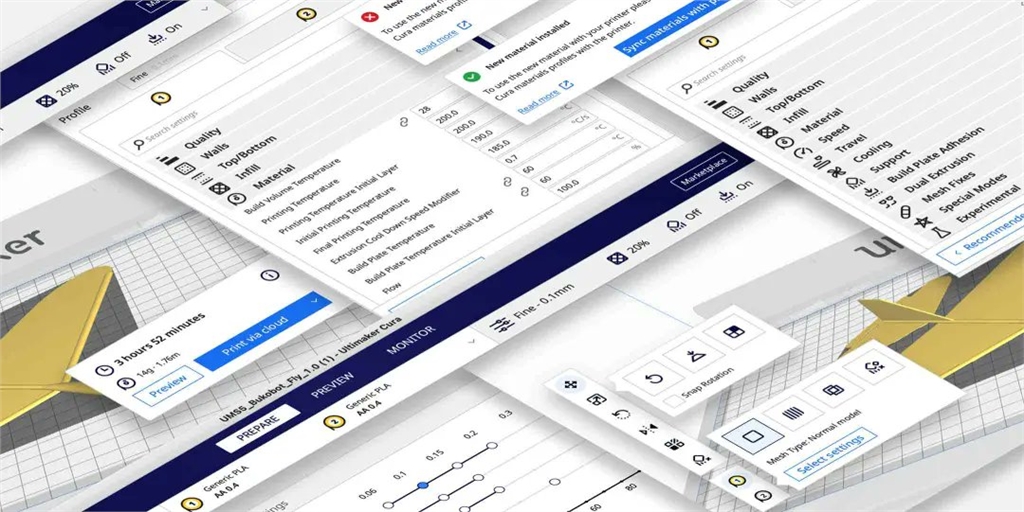
The Ultimaker Digital Library in Ultimaker Cura 4.11 further simplifies more workflows. Now, you can directly connect and operate the Ultimaker Digital Library through Ultimaker Cura , thereby connecting to every user in the team who uses the Ultimaker 3D printer .
1. Directly open the "Digital Library" database.
Users can find the "From Digital Factory" option in the menu at the top left of the Ultimaker Cura page to directly browse files in the Digital Factory .
2. Quick Keyword Search
You can easily find the files you're looking for using the "Search" function (file name, tags, or description) in the Digital Factory project list.
The above features are compatible with Ultimaker Cura 4.10 , which is especially helpful for Ultimaker Cura Enterprise users! More resources can be downloaded from the Ultimaker Marketplace .
1. Directly open the "Digital Library" database.
Users can find the "From Digital Factory" option in the menu at the top left of the Ultimaker Cura page to directly browse files in the Digital Factory .
2. Quick Keyword Search
You can easily find the files you're looking for using the "Search" function (file name, tags, or description) in the Digital Factory project list.
The above features are compatible with Ultimaker Cura 4.10 , which is especially helpful for Ultimaker Cura Enterprise users! More resources can be downloaded from the Ultimaker Marketplace .
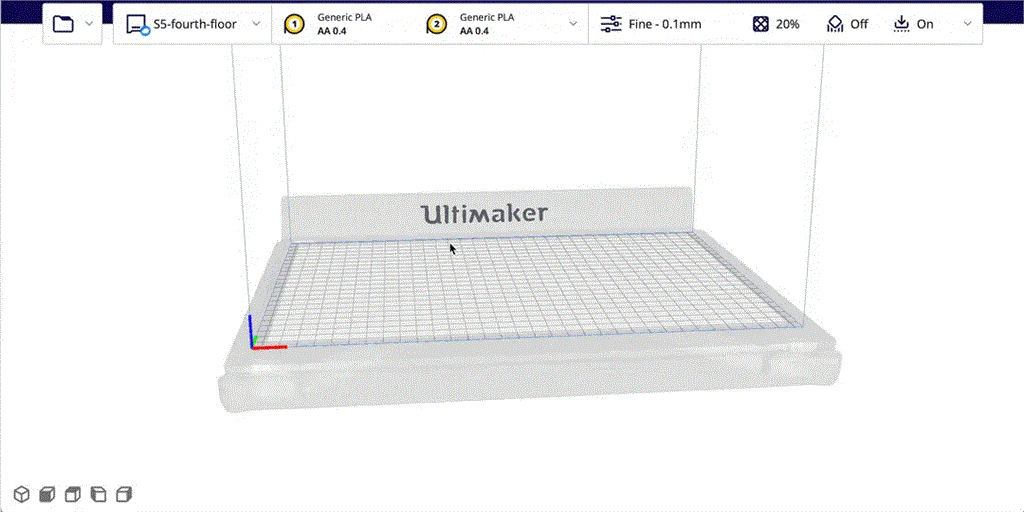
The new top/bottom order setting allows users to 3D print objects with smoother, more aligned surfaces, which is particularly useful for parts that require good aesthetics (e.g., visual prototypes) or parts that require smooth surfaces (e.g., parts with contact-sensitive components).
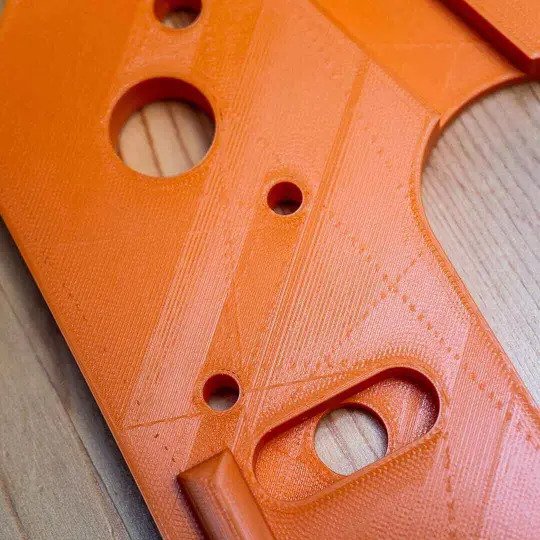
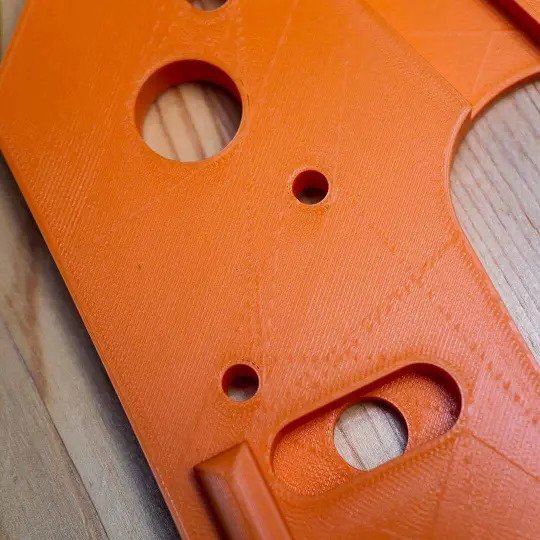
Further updates to details, no compromise on quality.
Ultimaker Cura 4.11 also includes the following minor updates:
It allows you to save all configuration files for third-party materials (as well as materials from the Ultimaker Marketplace ) to a USB drive and manually update the 3D printer 's material list. It works with the entire Ultimaker S series of 3D printers and can be easily used offline.
• A notification function can be set up to remind users of new Ultimaker Cura version updates.
Cura 4.11 is compatible with third-party 3D printers , and the Ultimaker Cura slicing software can be used easily even without an Ultimaker 3D printer .
It allows you to save all configuration files for third-party materials (as well as materials from the Ultimaker Marketplace ) to a USB drive and manually update the 3D printer 's material list. It works with the entire Ultimaker S series of 3D printers and can be easily used offline.
• A notification function can be set up to remind users of new Ultimaker Cura version updates.
Cura 4.11 is compatible with third-party 3D printers , and the Ultimaker Cura slicing software can be used easily even without an Ultimaker 3D printer .

Want to learn more about Ultimaker Cura? Listen to the latest episode of Ultimaker Talking Additive ( click to listen ), where the founder and development engineers share their firsthand story of Ultimaker Cura's development to date! SanDiMa offers more than just 3D printing . Contact us now for more detailed information about Ultimaker 3D printers ; or follow SanDiMa's YouTube channel for firsthand Chinese-language equipment tutorial videos.
Follow our fan page to stay up-to-date with the latest news: https://www.facebook.com/3dmart.com.tw/