


[3D Scanning] Unboxing SHINING 3D - FreeScan Combo+: Compact yet powerful
It is safe to say that 3D scanning is no longer a niche technology.
Tech giants like Nvidia and Apple are integrating this technology into an increasing number of consumer products.
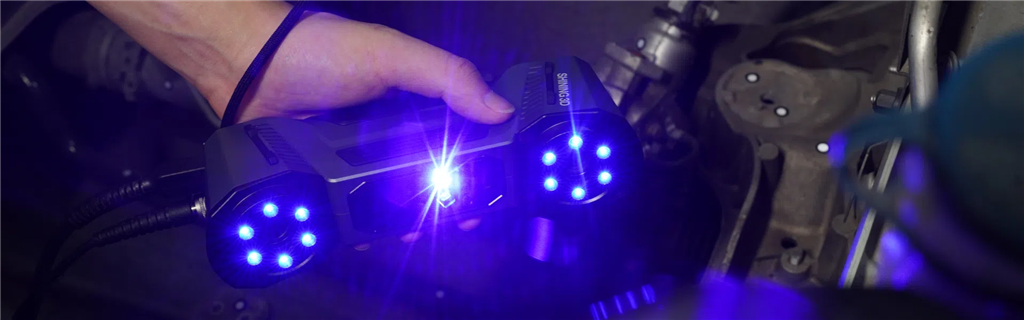
The professional 3D scanning field is not stopping there either; manufacturers such as SHINING 3D are driving innovation and cost-effectiveness in the market.
Unboxing
The FreeScan Combo+ and its accessories were packaged in a durable storage case, and we were impressed by its quality.
Despite its sturdiness and durability, the case is relatively compact and can fit into a large backpack – making it ideal for field scanning missions.
From the overall design to the locking mechanism, everything exudes a high-end and robust feel.
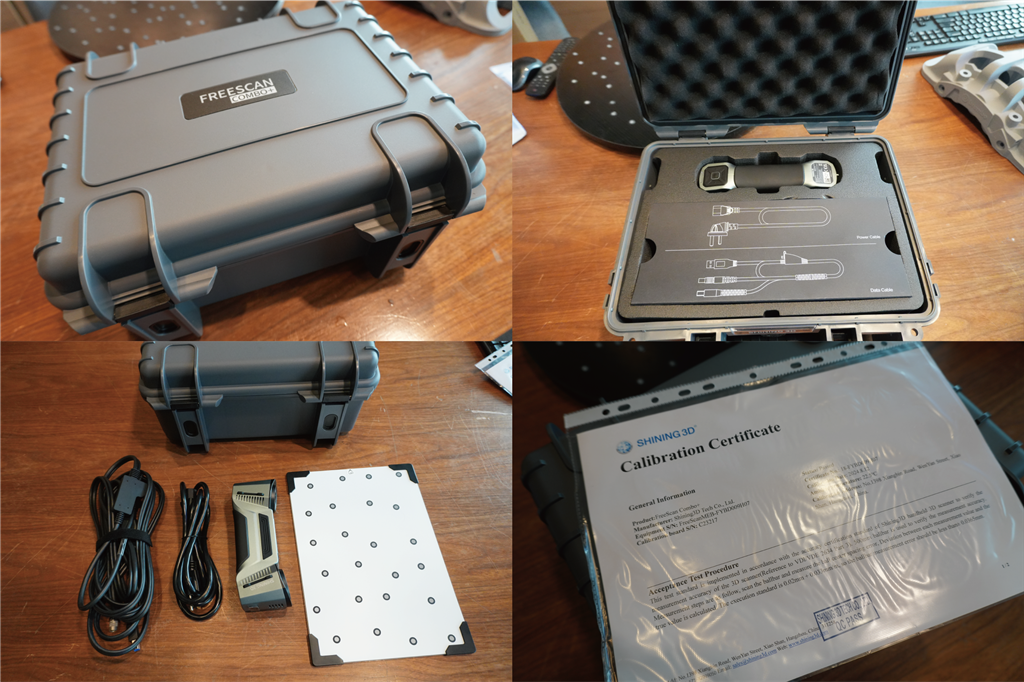
This isn't just about appearance; the storage box has an IP67 protection rating, ensuring complete dustproof and temporary waterproof protection.
All the storage space inside the storage box has been carefully considered.
The scanner and accessories are easy to remove and put back.
settings
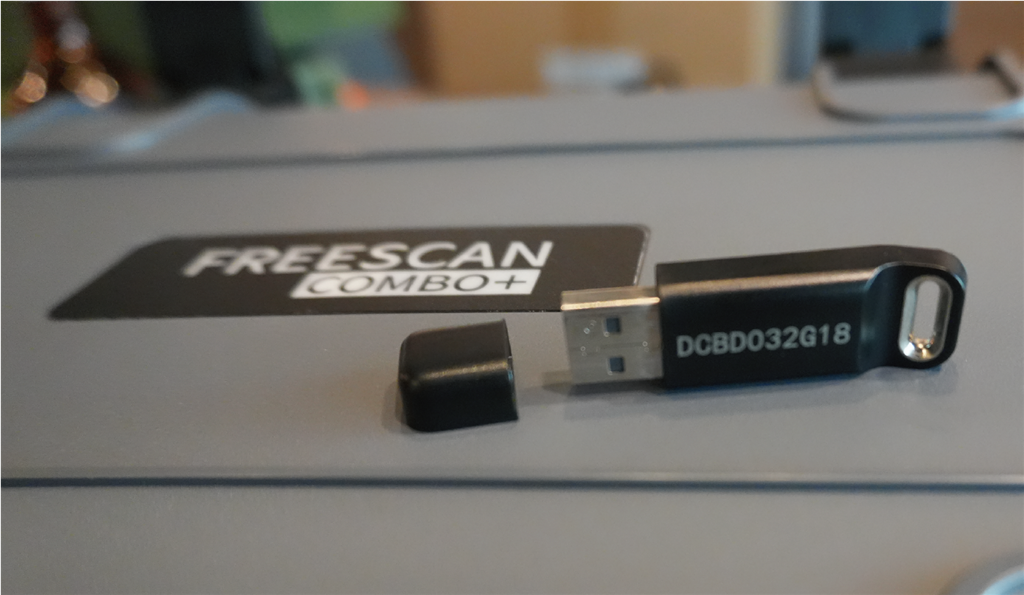
Getting started with the FreeScan Combo+ software is very simple - just plug the USB key into your computer to launch it.
Please note that this will occupy one USB slot, so if you plan to use the scanner, USB key, and mouse simultaneously, you will need at least three USB slots.
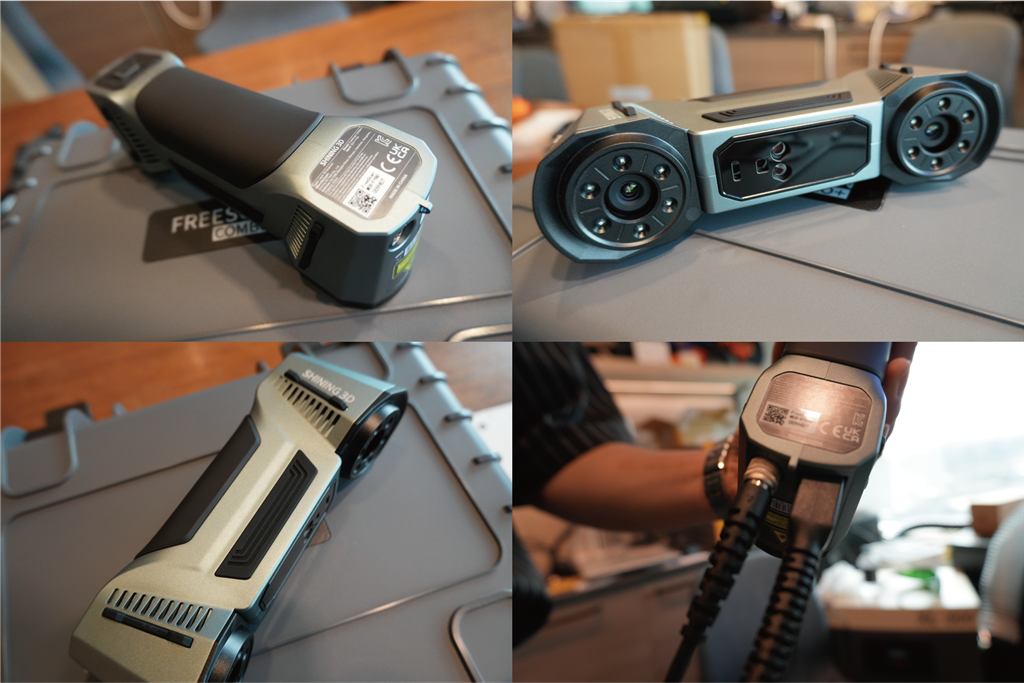
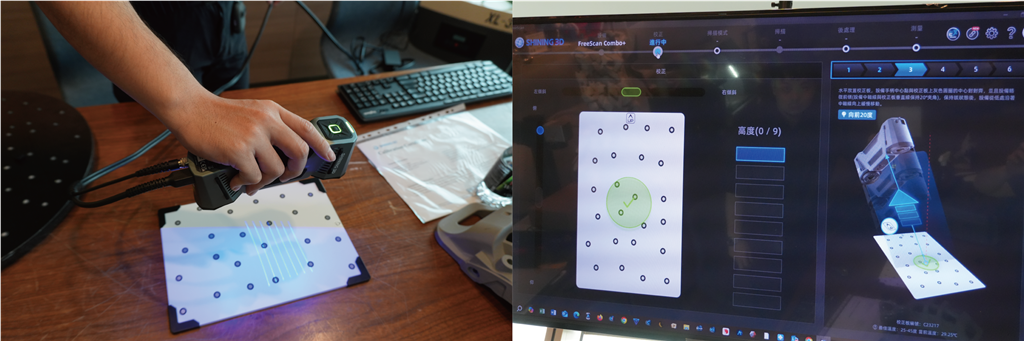
Setting up the scanner is very simple; just connect it to your computer and power outlet, launch the software, and use the calibration markers included in the accessories to complete the calibration.
The calibration process itself was quick, taking less than five minutes.
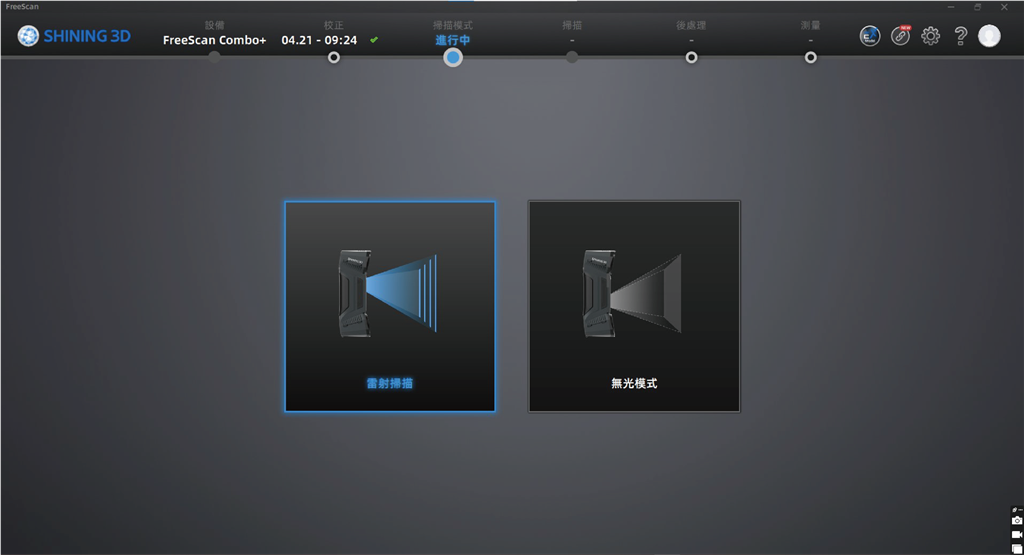
Select scanning method
The first step in any scan is to select either laser or no-light mode.
These two technologies cannot be mixed in one project.
Therefore, choosing the right model is crucial for obtaining the most accurate and effective results.
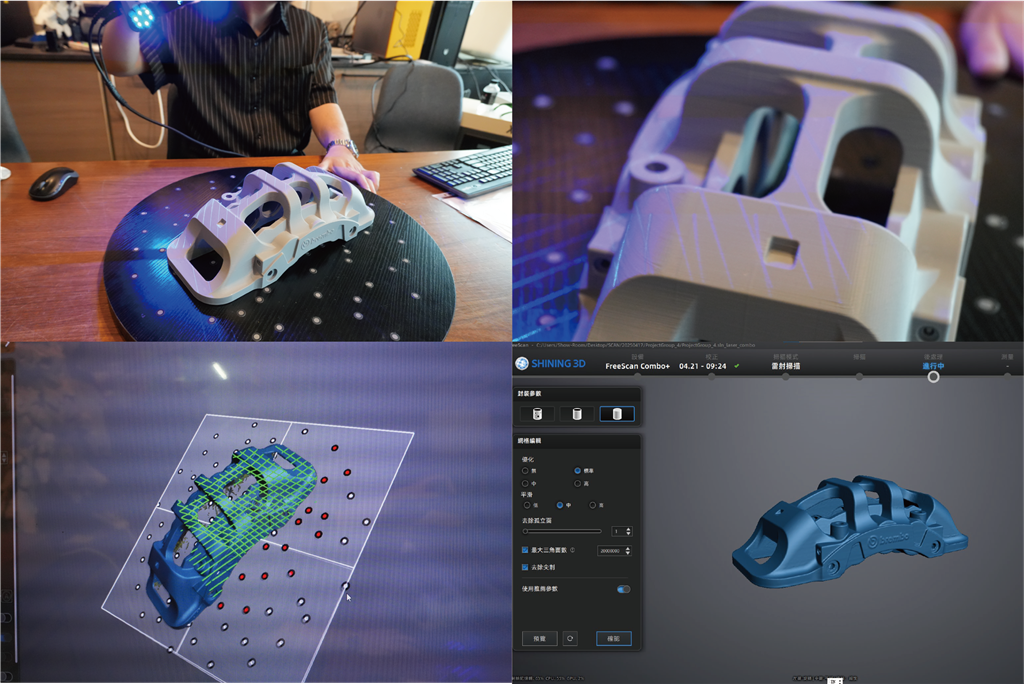
If your object has a complex shape or tricky texture, such as a reflective or absorptive surface, then laser is your preferred choice.
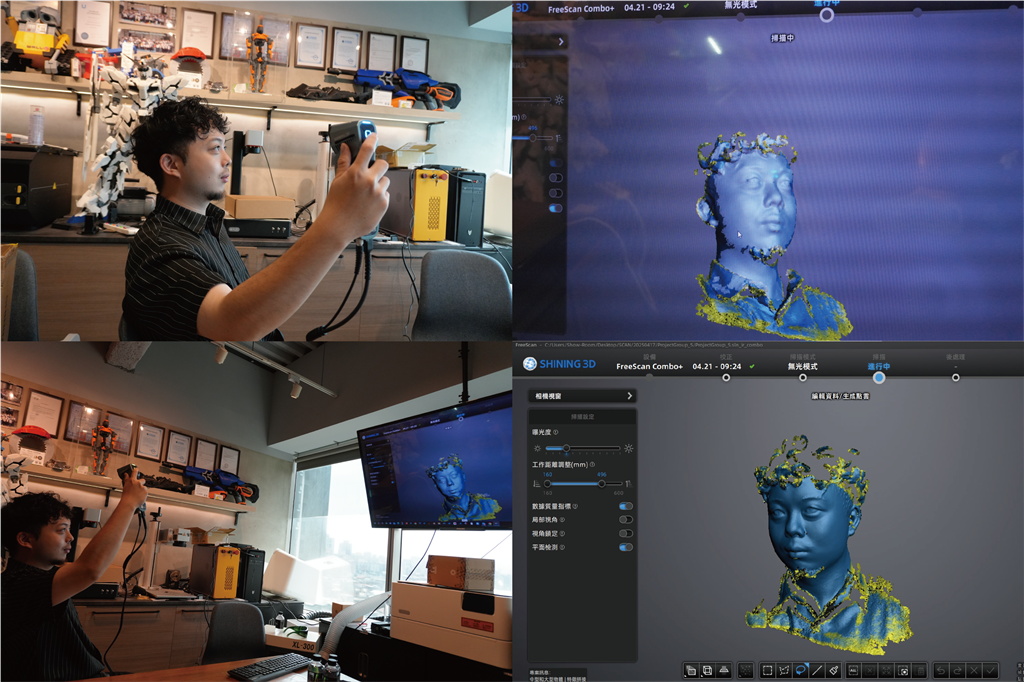
On the other hand, lightless scanning is generally more suitable for quickly scanning people or objects that do not require much detail because it does not require setting markers.
Depending on the alignment type you select, you will get two different scanner workflows.
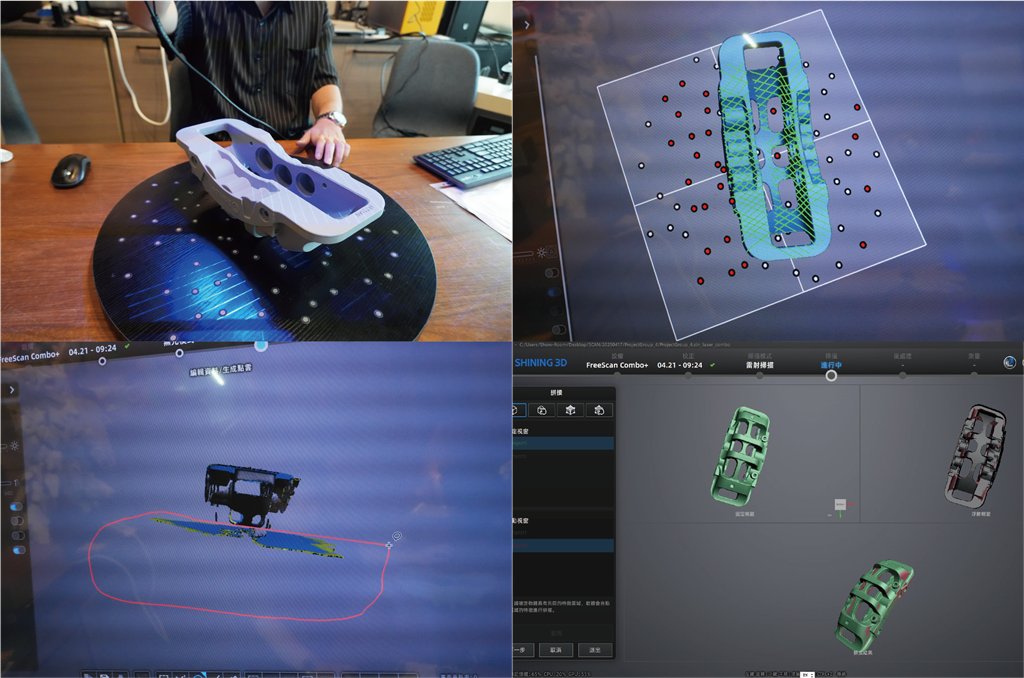
Perform a scan with marker alignment using laser mode.
When using marker-based alignment, each side of the scanned object requires its own project file.
This means that if you scan an object from multiple angles, you must create a separate project for each viewpoint.
After scanning all sides, you will need to align these individual items into a unified 3D model.
It adds some steps to the process, but ensures higher accuracy in the final model.
Additionally, for best results, trim any imperfect scanned areas.
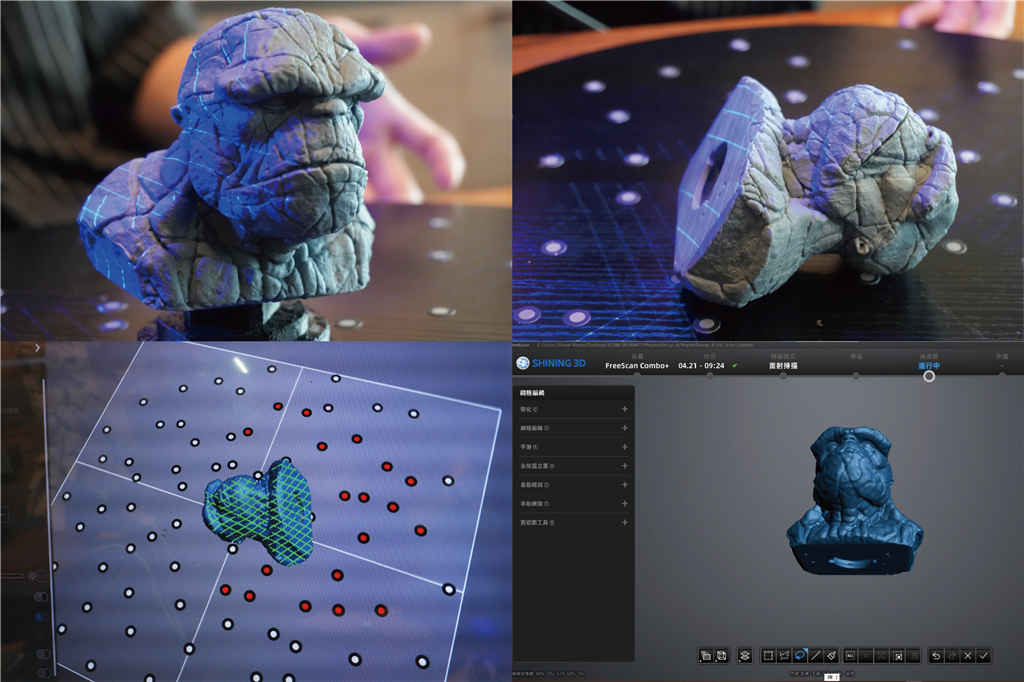
Geometric alignment scanning using a light-free scanning mode.
When using geometric alignment, the process of scanning the sides of multiple objects becomes simple.
Simply pause the scan, rotate the object, and then resume.
However, in geometry alignment mode, dealing with planes or planar objects can be a little tricky.
While you might think these simple shapes are ideal for scanning in the dark, systems often struggle to recognize these subtle features for accurate alignment.
User experience
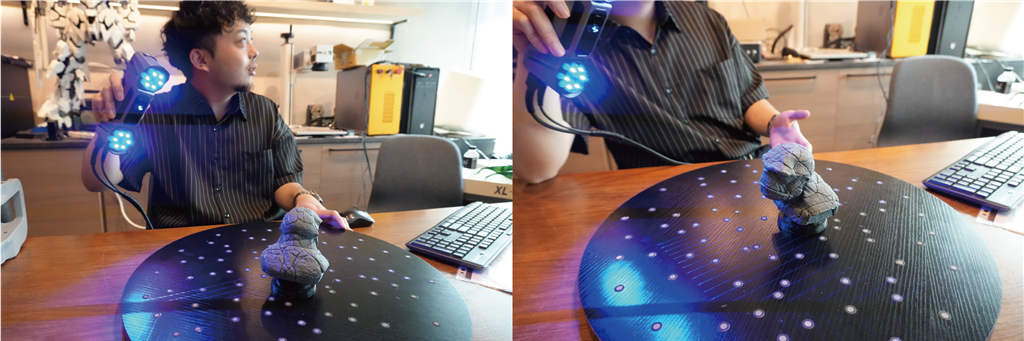
The scanning interface works well in laser mode.
Even beginners can complete a basic scan in just 10 minutes of training.
Various modes (26 lines, 7 lines, and single line) provide a versatile toolkit for different project needs.
In laser mode, you can quickly and easily adjust the brightness.
The 26-line mode excels at capturing larger areas, while the 7-line and single-line modes offer high-quality detail.
The deep hole scan mode is a valuable additional feature that allows you to erase data in a specific area and rescan it with enhanced quality.
software
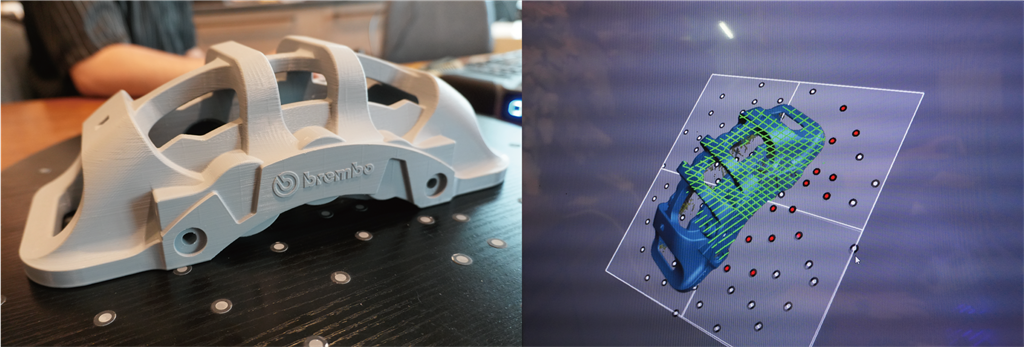
The splicing module of the FreeScan Combo+ software works well.
In most cases, the software's automatic stitching function works well and requires no manual intervention.
In rare cases, it may be necessary to use the marker stitching function, but it is equally efficient, requiring only 3 or 4 points to be manually set and taking only a few seconds.
During the assembly process, the individual parts are grouped according to the project and aligned with each other.
In each update of the scan results, the system considers the specificity of the scan results in order to maintain consistency with the model in the next update.
The more items you stitch together, the better the automatic stitching will be!
FreeScan Combo+ software provides a powerful set of post-processing tools that can easily optimize scanned data – whether it's removing irrelevant details or filling "holes" in the grid.
in conclusion
Using FreeScan Combo+ for scanning consistently yields excellent results, and its speed and ease of use are also impressive.
Most scans can be completed in 30 minutes or less, meeting the needs of advanced applications such as reverse engineering and quality control.
The FreeScan Combo+ features two scanning technologies and four different modes, making it a versatile tool for handling various objects and scenarios.
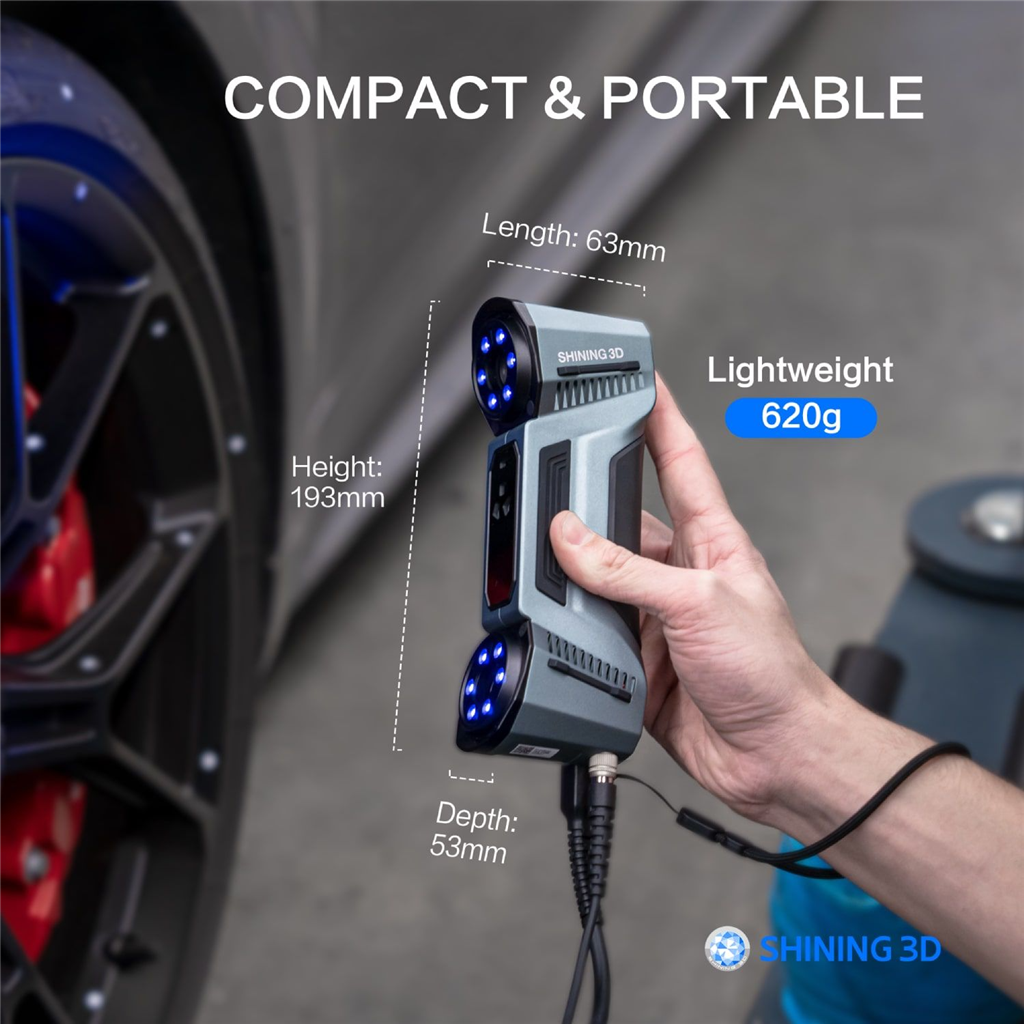
Its compact size and lightweight design are also significant advantages, making it ideal for long-term scanning or field work.
The software's operation and calibration process is very user-friendly, allowing even beginners to quickly perform advanced tasks.
FreeScan Combo+ delivers on its promise of accuracy, versatility, and compactness.
It offers excellent value for money, delivering industrial-grade performance at a highly competitive price.
Want to learn more about Shining 3D products? Contact us below!
-Contact Us-
SanDiMa offers more than just 3D printing ; we provide three major OEM services: " 3D Printing Manufacturing ," " 3D Scanning Services ," and " Spatial 3D Scanning Services "!
Follow our fan page and stay up-to-date with the latest news:
Facebook | Instagram | Threads
-Contact Us-
SanDiMa offers more than just 3D printing ; we provide three major OEM services: " 3D Printing Manufacturing ," " 3D Scanning Services ," and " Spatial 3D Scanning Services "!
Follow our fan page and stay up-to-date with the latest news:
Facebook | Instagram | Threads